Table of Contents
This updated guide explains how to Use Google Arts & Culture to Create Your Own through clear steps, practical examples, and important checks that help prevent common errors.
To start your new 'creative career', the first thing you need to do is visit the Google Play app store or Apple App Store, search for an app called 'Google Arts & Culture' and download it. machine. Google Arts & Culture is an online platform through which anyone can access the digital version of long-standing artworks, stored in museums, galleries, and a The series of famous artwork comes from many cultural organizations around the world.
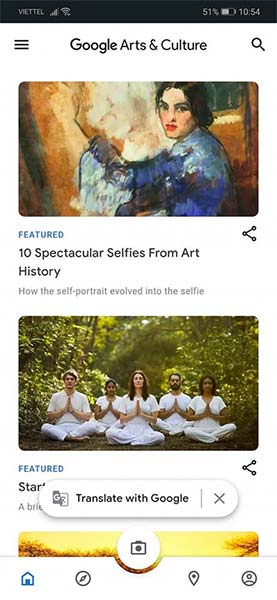
After the download and installation process is complete, open the application and click the camera icon in the center:
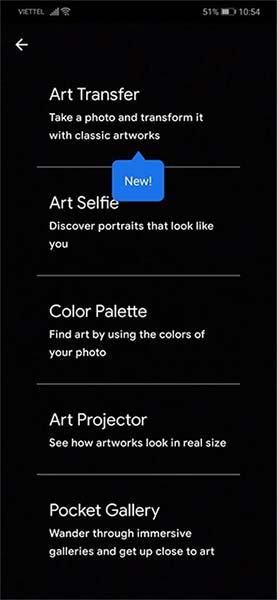
Now, you click the first item: " Art Transfer ", you will see a picture capture interface as usual.
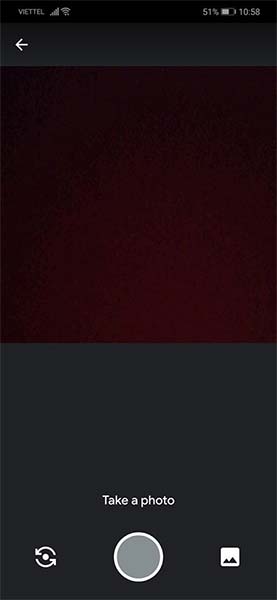
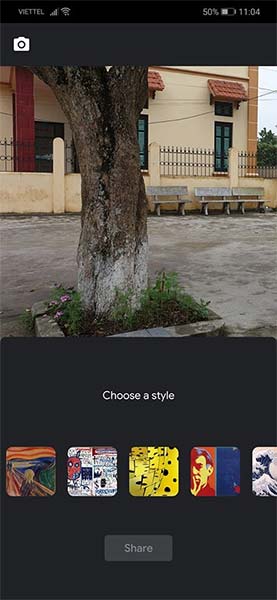
Just click take a new photo or select a photo saved in the library, the application will immediately introduce a series of conversion options to make your photo more artistic. Choose a style you like, and Google's AI tool will do the rest. After the conversion process is complete, there is even a Share button so you can quickly share your work on social networks or save to cloud memory 'as a souvenir'.
Basically, Art Transfer, developed from an algorithm model trained by Google AI from a data source of thousands of works of art in many different schools of painting. Help create a unique photo inspired by countless styles.
"Artificial intelligence in particular can be a powerful tool not only in the hands of artists, but also a way for people to experience and learn about art in new and exciting ways," said the director. Google Arts & Culture managing director Michelle Lu, said.
Download Google Arts & Culture for iOS and Google Arts & Culture for Android here: https://play. google. com/store/apps/details? id=com. google. Android. apps. cultural
FAQ
What is the easiest way to Use Google Arts & Culture to Create Your Own?
Start with the requirements in this guide, then follow each step in order. Check the result after every major change so problems are easier to identify.
Can beginners follow these instructions?
Yes. The process is organized into practical steps, and you can repeat any step before moving forward.
What should I check if the method does not work?
Confirm your software or device version, permissions, settings, file format, and internet connection when the task depends on online services.
Related Articles
 How to Use Arts and Culture to See 3D Prehistoric Creatures3 minutes read
 Google's New Feature Brings the Art World3 minutes read
 Create an AI Image of Yourself Looking at a Museum Painting: How-To Guide3 minutes read
 Free Tour of Hundreds of Museums with Google in the Context3 minutes read
 History Comes to Life in These Photos, Thanks to Google's AI5 minutes read
 Turn Doodle Pictures into Colors with Pix2pix3 minutes read
Reader Comments 0
Sign in with email or Google to join the discussion.