Table of Contents
Others can reshare your status if Allow Sharing is turned on. Here's how to turn off WhatsApp status sharing.
WhatsApp Status makes it easy to post short updates that last for 24 hours, but others can reshare your status if the Allow Sharing option is turned on. WhatsApp gives you full control over status sharing, and you can turn off WhatsApp status sharing if you want. Here's how to turn off WhatsApp status sharing.
Instructions to turn off WhatsApp status sharing
Step 1:
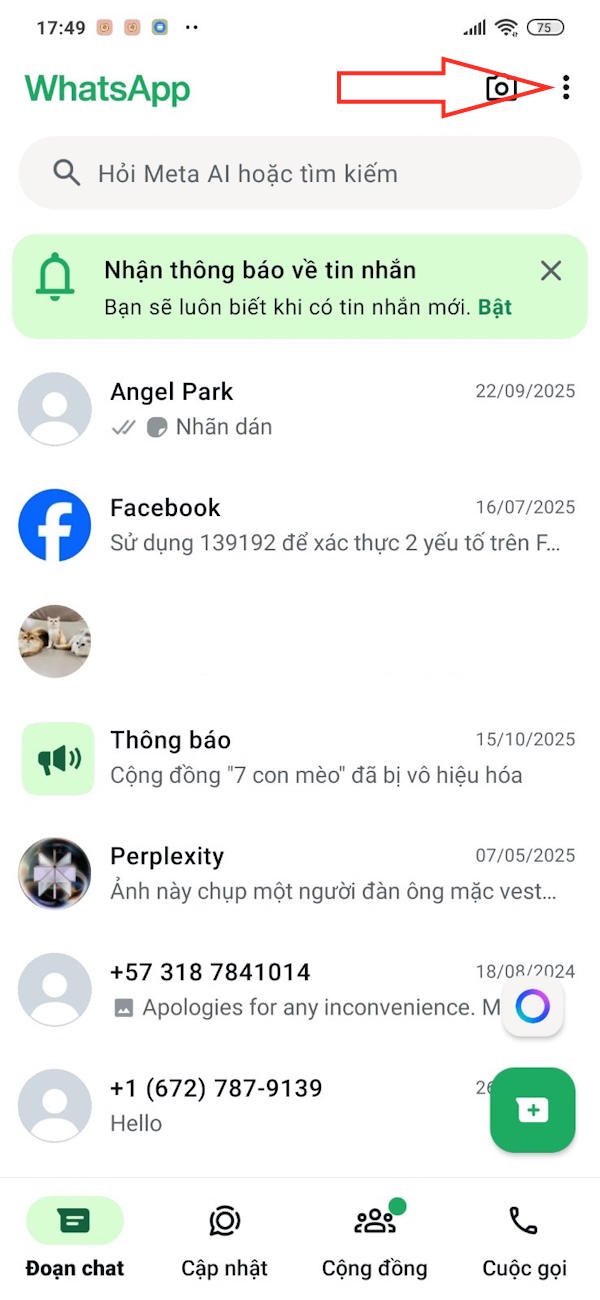
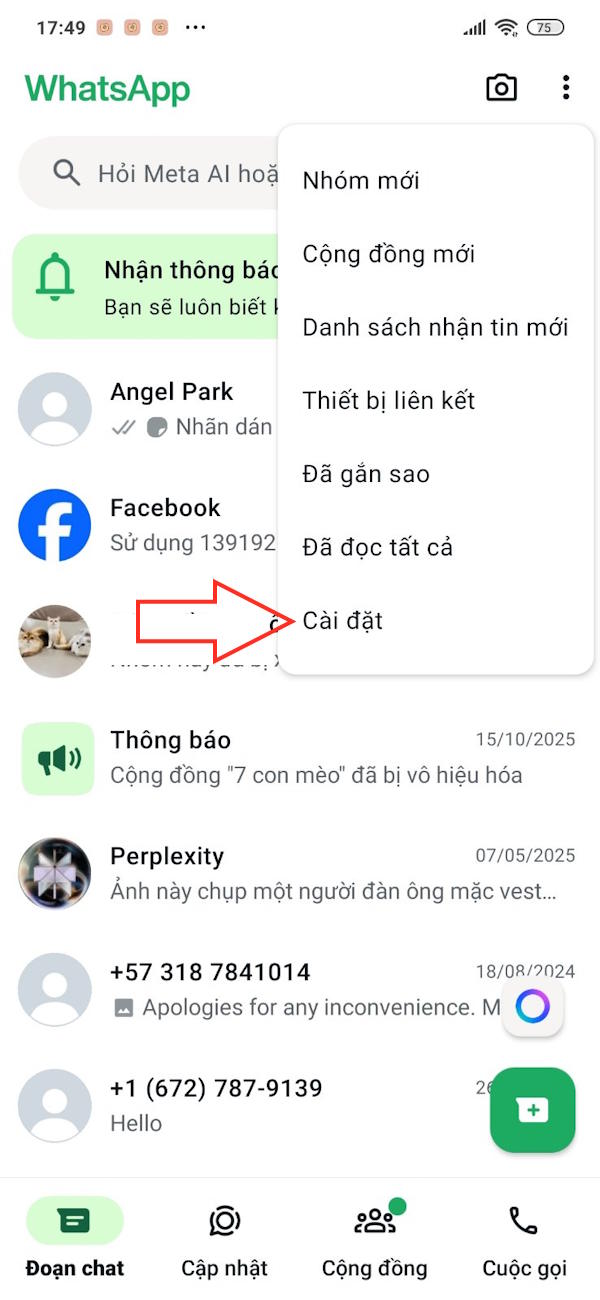
Users click on The 3-dot icon In the right corner of WhatsApp, then click on Settings In the displayed menu.
Step 2:
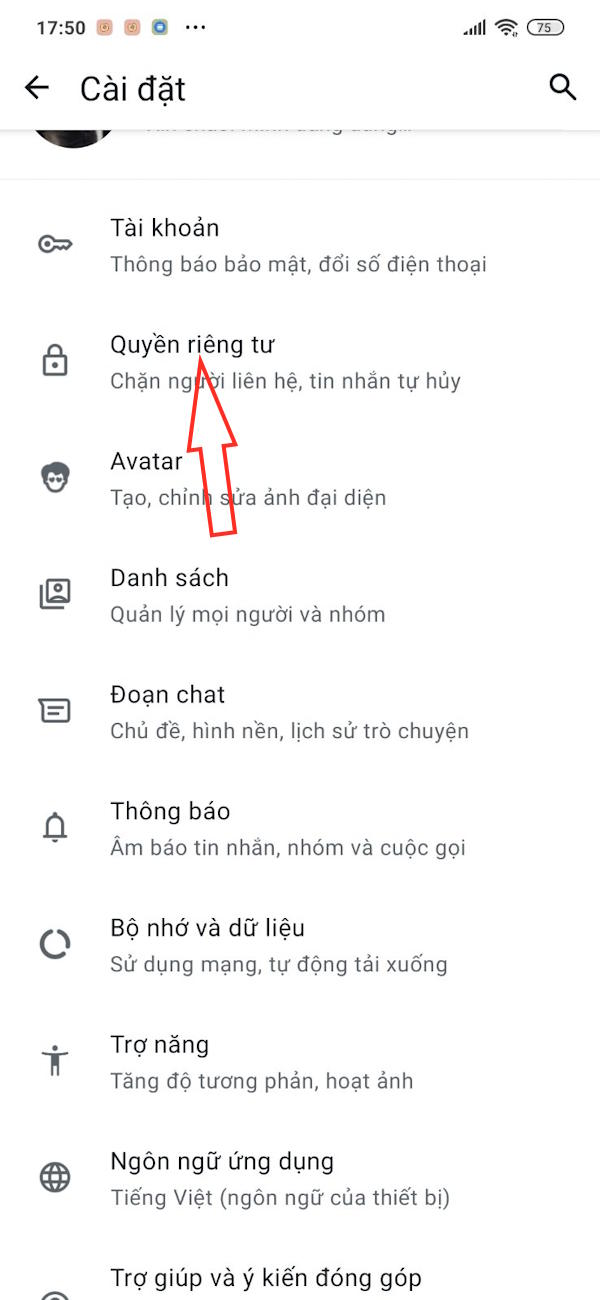
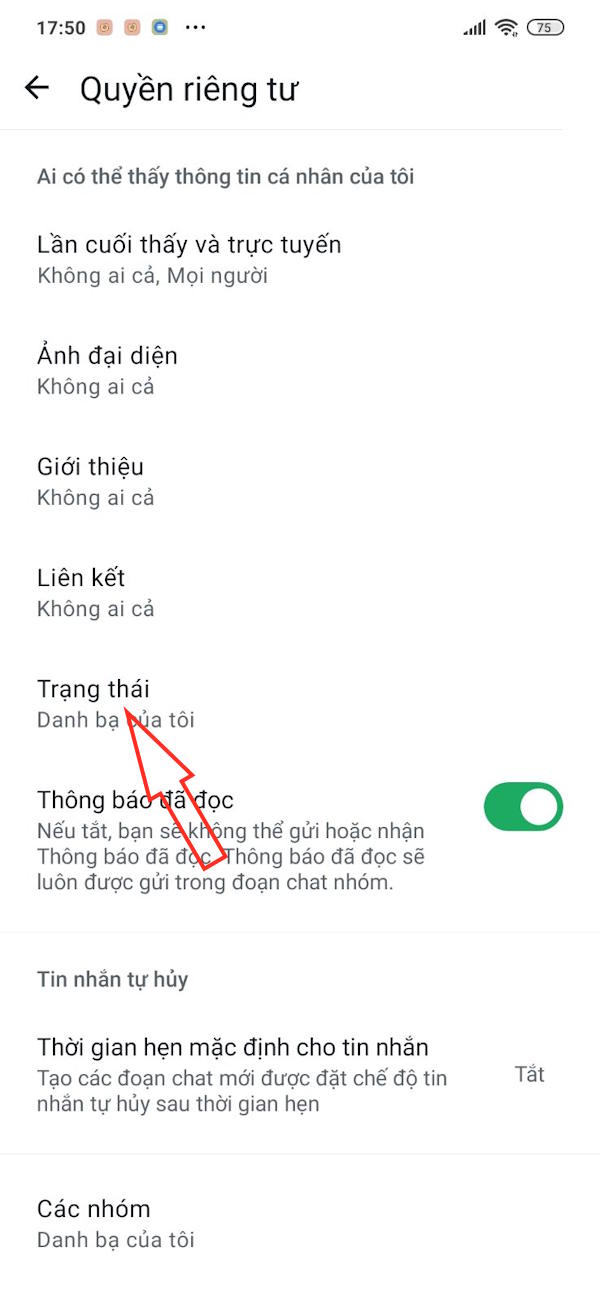
Switch to the account settings interface, users click on Privacy To adjust. You click on Status To adjust WhatsApp status to adjust.
Step 3:
Then you will see the WhatsApp status sharing mode is enabled So that anyone who sees your WhatsApp status can share and forward it. To Block status sharing , turn Off Allow sharing .
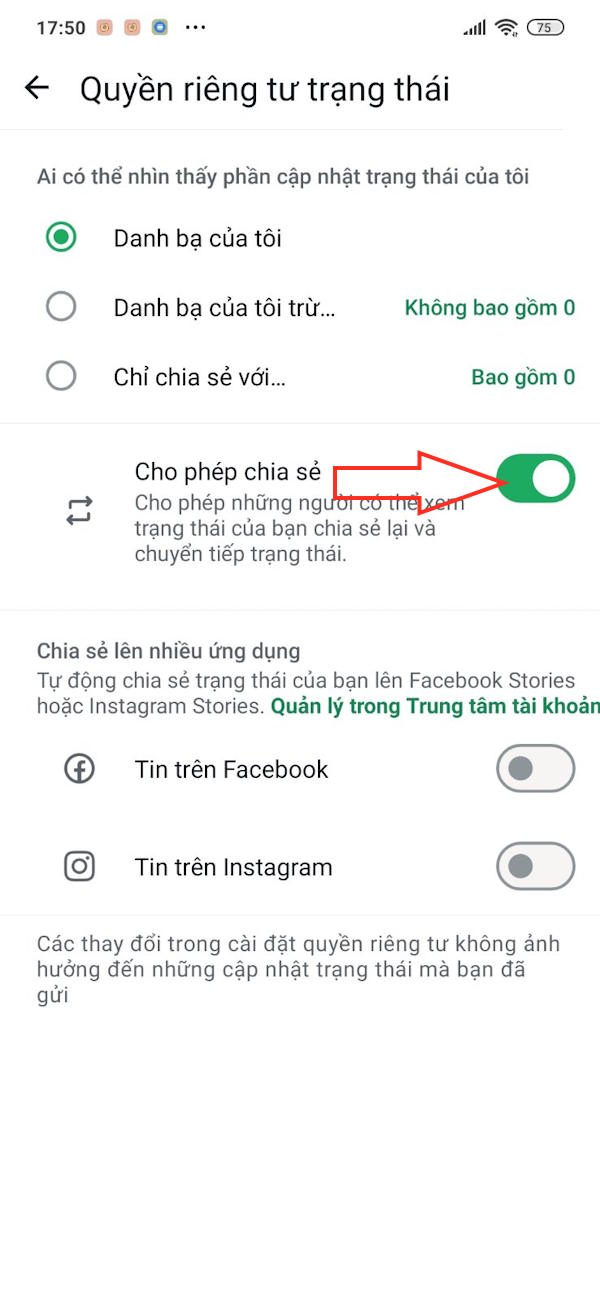
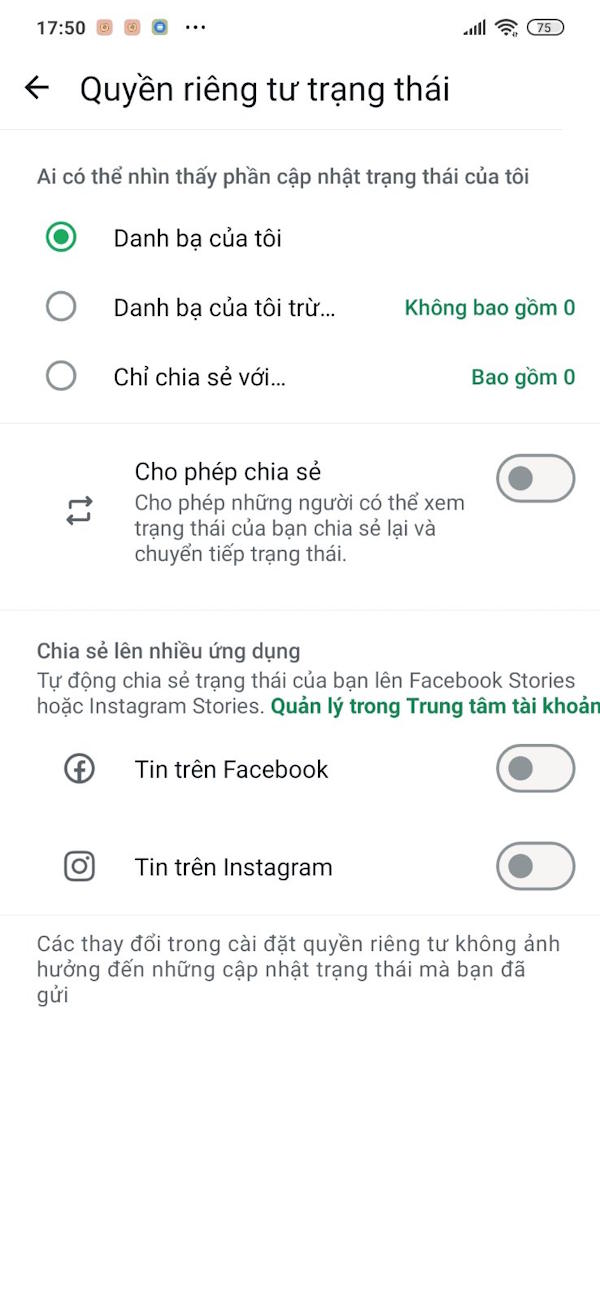
Once you turn off the Allow Sharing option, you will have full control over how your WhatsApp statuses are posted.
FAQ
How do you turn off WhatsApp status sharing: step-by-step guide?
In practical terms, others can reshare your status if Allow Sharing is turned on. Here's how to turn off WhatsApp status sharing.
What should you check before getting started?
Review the requirements, compatible device or software version, and any warnings described in the guide before making changes.
What should you do if the steps do not work?
Repeat the steps in order, confirm that your app or system is up to date, and review the troubleshooting details provided above.
Related Articles
 How to Turn Off Online Status on Whatsapp3 minutes read
 How to Turn Off WhatsApp Status Notifications: Step-by-Step Guide4 minutes read
 Instructions for Posting Status on Whatsapp4 minutes read
 How to Hide and Share Status with Someone on Whatsapp3 minutes read
 How to Block Ads in WhatsApp Status3 minutes read
 How to Post Question Status on WhatsApp3 minutes read
Reader Comments 0
Sign in with email or Google to join the discussion.