Table of Contents
Facebook's Your time on Facebook tools can show recent usage, send a daily time reminder, and schedule Quiet Mode. The daily reminder is not a hard lock: you can dismiss it or add more time. For a stricter limit, use Android Digital Wellbeing or iPhone Screen Time.
Open Your time on Facebook
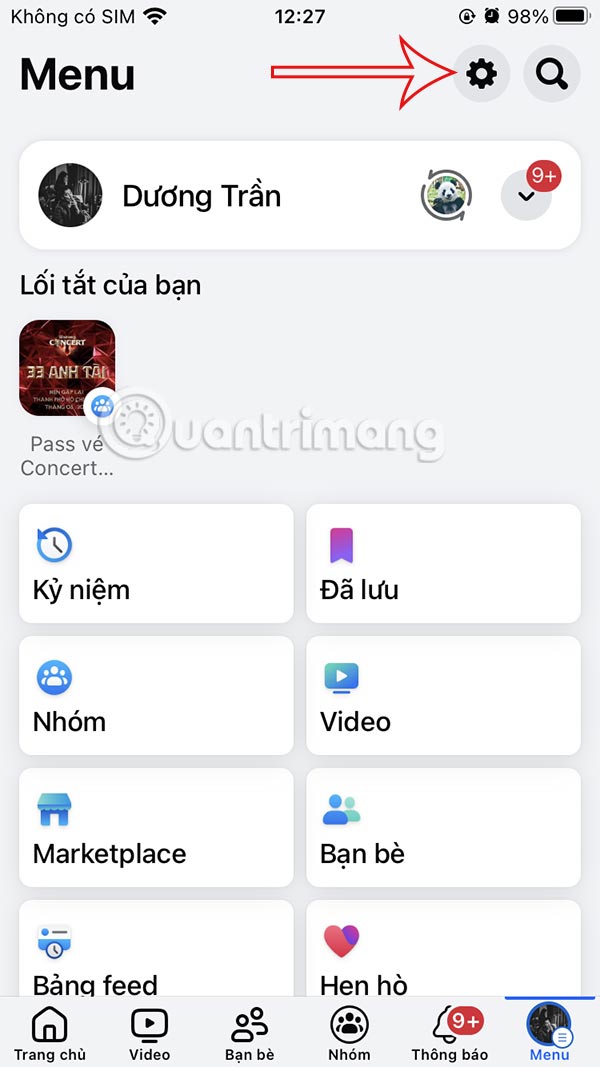
Step 1: In the Facebook app, tap the Menu icon. Open Settings & privacy, select Settings, and find Your time on Facebook. Depending on the app version, you may reach Settings through a gear icon.
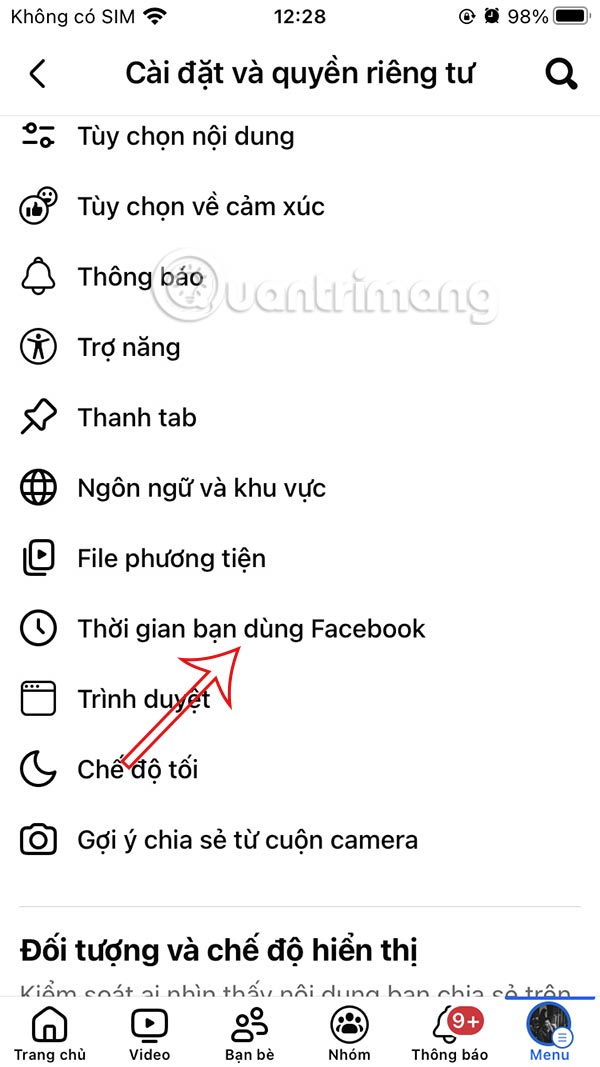
Review the usage chart before choosing a limit. A short spike may reflect one unusual day, while a repeated pattern can help you set a realistic target.
Set a daily Facebook time reminder
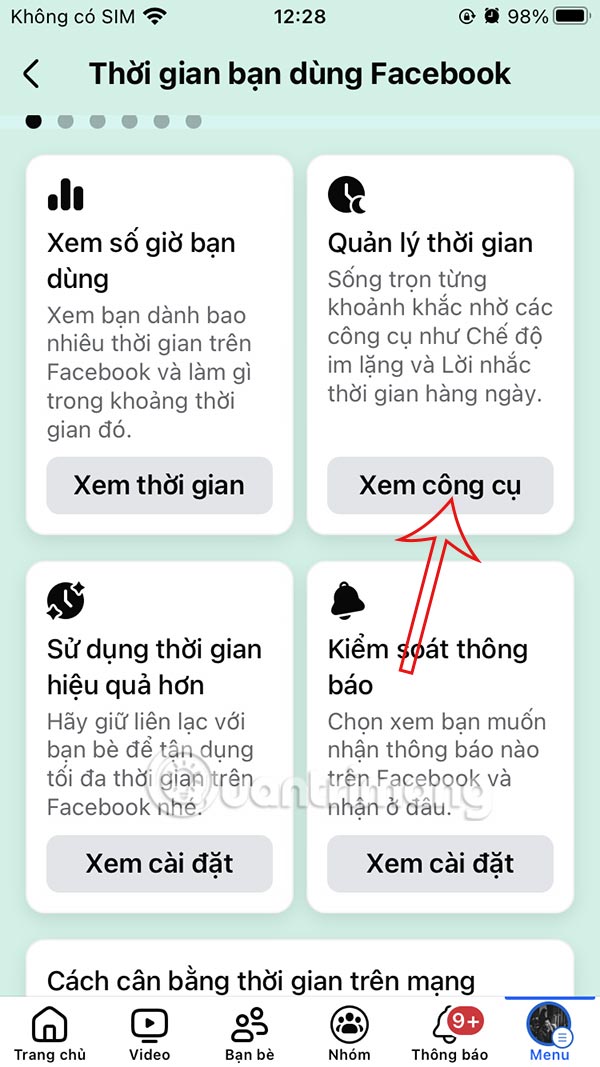
Step 2: Open Manage your time or Manage time. Facebook may show options such as Daily time reminder and Quiet Mode.

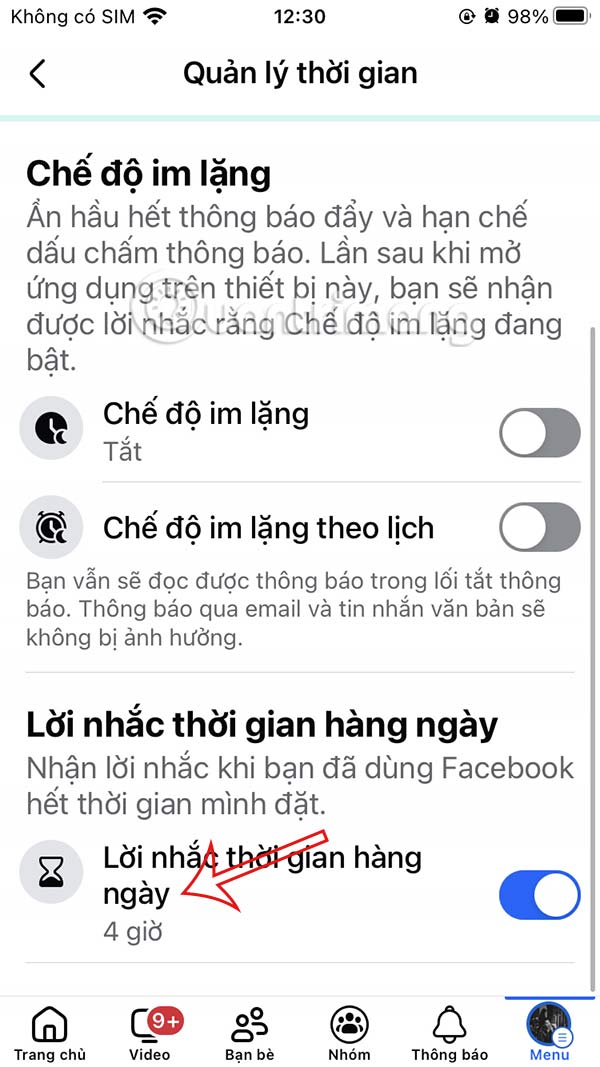
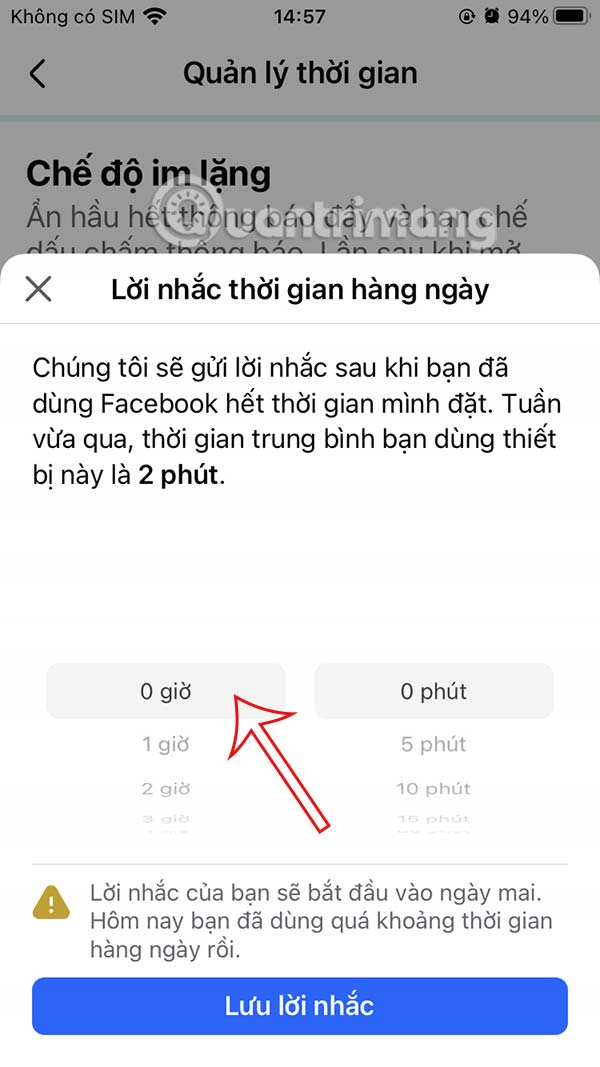
Step 3: Enable Daily time reminder, choose the amount of Facebook use that should trigger it, and select Set reminder.


The timer tracks time inside Facebook on the current device and account according to the app's measurement rules. It may not represent Facebook use in every browser, another device, Messenger, Instagram, or embedded Facebook content.
When the threshold is reached, Facebook displays a reminder. You can close it or add more time, so the feature works as a prompt to stop rather than an enforced limit.

Turn off or change the reminder
Return to Your time on Facebook > Manage time. Open the daily reminder, disable it, or select a different duration. Some versions use a zero value to remove the reminder; others provide a separate switch.
Use Quiet Mode for a scheduled break
Quiet Mode can mute most Facebook notifications and show a reminder when you open the app during the scheduled period. It is useful for work, study, meals, or sleep.
- Open Your time on Facebook > Manage time.
- Select Quiet Mode.
- Turn it on immediately or create a schedule for selected days and times.
- Review which notifications, if any, can still appear.
Quiet Mode is still a voluntary boundary. You can usually override it, and phone-level or account-security notifications can behave differently.
Set a stricter Facebook limit on Android
On many Android phones, open Settings > Digital Wellbeing & parental controls > Dashboard, select Facebook, and set an App timer. The path and name vary by manufacturer.
When the timer expires, Android normally pauses the app for the rest of the day unless you change or remove the limit. A web browser can still provide another route to Facebook unless it is limited separately.
Set a stricter Facebook limit on iPhone
Open Settings > Screen Time > App Limits > Add Limit. Select Facebook under Social, choose a duration and days, and enable Block at End of Limit if available.
A Screen Time passcode makes the boundary harder to dismiss. Do not forget it, and decide whether browsers or other Meta apps need separate limits.
Make the limit more effective
- Turn off nonessential Facebook push and email notifications.
- Remove Facebook from the home screen without uninstalling it.
- Choose a specific check-in window rather than opening the app between tasks.
- Use Quiet Mode during sleep, work, and study hours.
- Review the weekly trend and adjust a limit gradually instead of choosing an unrealistic target.
Related Articles
 See Facebook Usage: How to Create a Time Limit to Use Facebook4 minutes read
 How to Prohibit Deleting iPhone Applications, Limiting the Time to7 minutes read
 The Best Direct Access Control Tools for Young Children9 minutes read
 Facebook and Instagram Added Dashboard to Monitor Social Network Usage Time4 minutes read
 The Time-limited Feature on Apple's iOS 12 Is Hacked by a 7-year-old Child4 minutes read
 How to Enable Tiktok 'Detox'4 minutes read
Reader Comments 0
Sign in with email or Google to join the discussion.