Table of Contents
This updated guide explains how to Find Refurbished Electronics through clear steps, practical examples, and important checks that help prevent common errors.
Method 1 of 2:
Find Refurbished Electronics Online
-
 Identify the specific products you are looking for. Try to get as much information about the product as possible to compare against model numbers and other specs in online catalogs or inventory databases. Otherwise, it can be hard to compare the products you see online with what you actually want to buy.
 -
 Do a quick online search. For example, entering 'refurbished plasma TV' may get you to a number of refurbished electronics vendors that will show you specific offers and details on particular TV models.
 -
 Use visual 'e-catalogs' to find the products that you are looking for. Take note of special features and specifications and plan your purchases.
 -
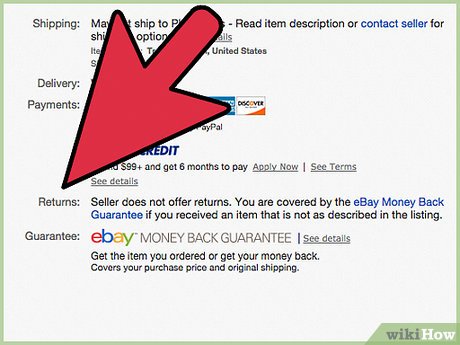 Review the online retailer's site for return policies, shipping policies, warranty and other important information. Most of these sites should also have a phone number where you can call to ask specific questions about refurbished electronic products.
Method 2 of 2:
Find Refurbished Electronics at Bricks and Sticks Retailers
-
 Check big national chains. For instance, North American electronics retailer Best Buy still deals in some refurbished electronics.
 -
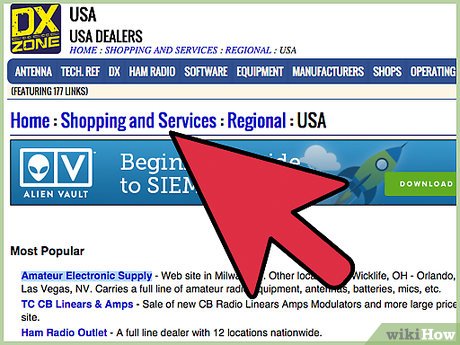 Look for refurbished items from regional electronics stores. Locate stores in your area, and ask if they offer deals on refurbished products. For example, the Frye's chain in the southwest United States carries some refurbished products.
 -
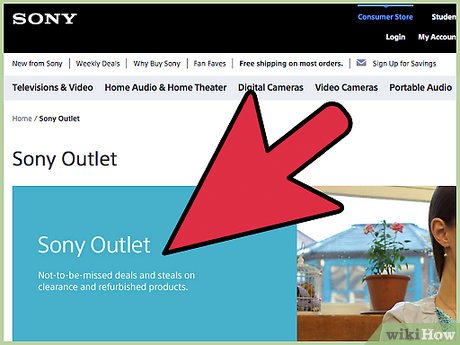 Find manufacturer-direct outlets. Often, shoppers can get factory-direct refurbished goods from the electronics manufacturers' factory outlet stores. For example, Sony operates a small number of factory outlets across the U. S. that provide a lot of deals on refurbished Sony TVs, phones, laptops, and much more. These factory outlets are a prime place for cashing in on the deals that manufacturers provide for their entire product line. Look into your country's factory outlet locations to see if Sony or another major electronics vendor is represented.
FAQ
What is the easiest way to Find Refurbished Electronics?
Start with the requirements in this guide, then follow each step in order. Check the result after every major change so problems are easier to identify.
Can beginners follow these instructions?
Yes. The process is organized into practical steps, and you can repeat any step before moving forward.
What should I check if the method does not work?
Confirm your software or device version, permissions, settings, file format, and internet connection when the task depends on online services.
Related Articles
 Apple Sold the Refurbished iPhone X, Starting at $7694 minutes read
 How to Identify a Refurbished iPhone When Buying an iPhone5 minutes read
 How to Check If iPhone Is Refurbished, New or Replaced5 minutes read
 Voc: Why Is It Strange to Open a New Electronics Box?3 minutes read
 Apple Officially Sells Refurbished iPhone 14 Series3 minutes read
 How to Check If an iPhone Is Refurbished, New or Has Been Replaced7 minutes read
Reader Comments 0
Sign in with email or Google to join the discussion.