Table of Contents
Rockstar offers a free, print-ready digital version of the Grand Theft Auto VI Leonida map and cover-art poster. To download it, open Rockstar's official GTA VI media page, find Leonida Map & Cover Art Poster in the artwork section, choose the available image size, and download the file.
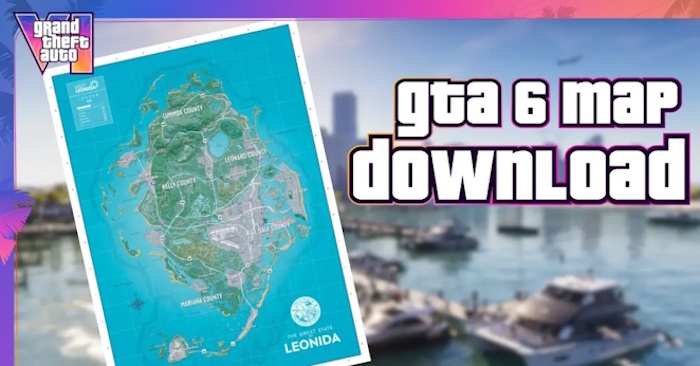
Download steps
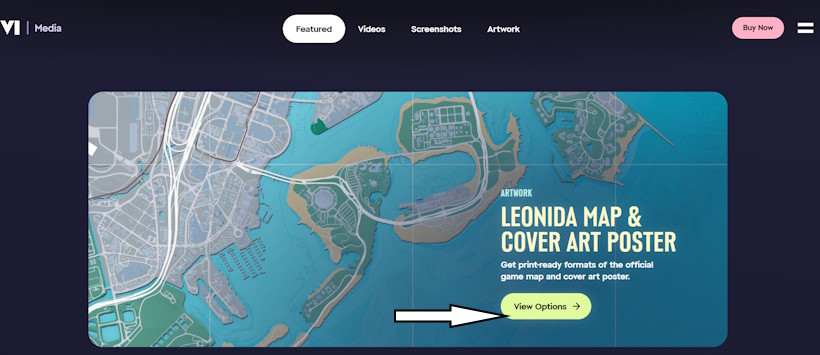
- Visit the Rockstar Games media page for GTA VI.
- Scroll to the Leonida Map & Cover Art Poster artwork.
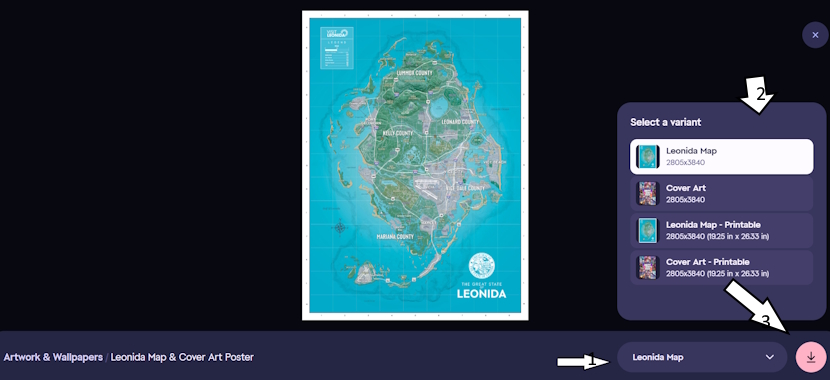
- Select the map or poster and choose an available size.
- Use the page's download control to save the image to your device. For a paper copy, print the print-ready file at the size and paper type you prefer.
What the free map is for
The downloadable artwork is a printable reference map of Leonida. It is useful for viewing the game's fictional state and keeping a map beside you while playing. It is not an interactive companion app: it does not track your live position, reveal fog on your save, or automatically mark collectibles and missions.
If you are just starting the game, see these GTA VI beginner tips for practical guidance on your first hours in Leonida.
Digital download versus printed poster
The downloadable file on Rockstar's media page is free. A physical poster, if you prefer one, is a separate item and may have different availability or terms. Check Rockstar's current page for the latest options; there is no need to pay a third-party site just to download the official digital map.
Related Articles
 How to download offline maps on Apple Maps
 Here Maps on Android hits 1 million downloads
 How to Download Maps in Minecraft
 How to download and add new Minecraft maps
 Organic Maps: An Open-Source App for Offline Navigation
 How to download Google Maps to your phone for offline use, without consuming 3G or 4G
Reader Comments 0
Sign in with email or Google to join the discussion.