Table of Contents
This practical guide explains how to collect all items in risk of rain 2 with clear steps and useful context. It also covers common requirements, potential problems, and the details that can help you get better results.
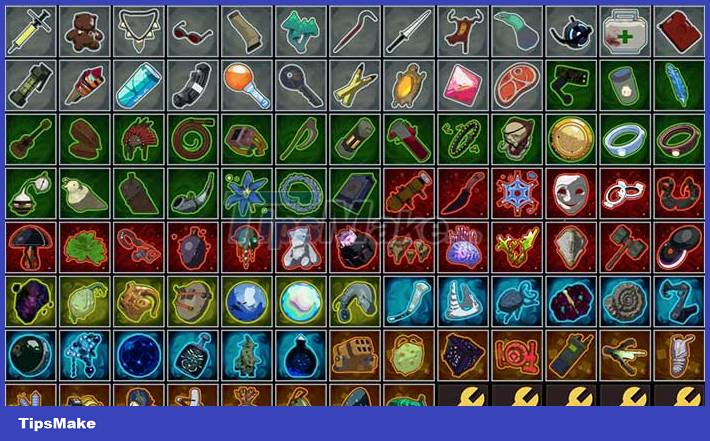
So this article has compiled all the ways to unlock many Risk of Rain 2 items. Any items not on this list are available by default, gamers just need to get them when they drop out, depends on luck.
Regular Items (White)

| Items | Function | How to unlock |
| Tougher Times | Chance to block incoming damage | Died 5 times |
| Paul's Goat Hoof | Increase movement speed | Fail in the same Shrine of Chance 3 times in a row |
| Crowbar | Deal extra damage to enemies with 90% health or more left | Find 10 different normal (white) items. The process can be sped up by buying from a vending machine |
| Medkit | Restores HP for 1 second after taking damage | Defeat an Elite Monster |
| Bundle of Fireworks | Opening a chest or container containing fireworks deals damage to enemies | Copy the same item 7 times in a row on 3D Printer |
| Backup Magazine | Get extra energy for secondary skills | Charge a teleporter without being hit, so have teammates to help |
| Rusted Key | Spawns a free bonus chest in each level | Defeat a teleport boss in less than 15 seconds |
| Armor-Piercing Rounds | Deal more damage to the boss | Charge the teleporter |
| Old Guillotine | Kill Elite Monster under 20% health | Defeat 500 Elite Monsters |
Rare Items (Green)
| Items | Function | How to unlock |
| Predatory Instincts | Critical hit attack speed increased | Gain 200% attack speed |
| Harvester's Scythe | Increases the character's chance of being hit with a crit and heals | Completing the Prismatic Trial |
| Infusion | Defeating monsters increases max health (up to +100) | Defeat 3000 enemies |
| Berzerker's Pauldron | Killing 3 or more enemies within 1 second activates a spell that increases for 6 seconds, increasing movement speed by 50% and attack speed by 100% | Charge the teleport device when it is below 10% health |
| War Horn | Use equipment items that increase attack speed for a few seconds | Activate and complete 3 Combat Shrines in one level |
| Runald's Band and Kjaro's Band | Increases hit chance to create an ice blast or fire tornado | Open the secret room in Abandoned Aqueduct and defeat the bosses there |
| Wax Quail | Jumping while sprinting will push forward | Gain 300% Movement Speed |
Legendary Items (Red)
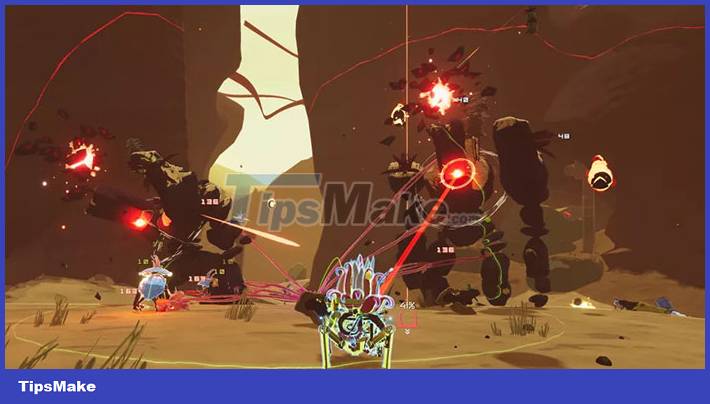
| Items | Function | How to unlock |
| N'kuhana's Opinion | Fire burns the skull when it is healed | Find the N'kuhana altar (may appear at Wetlands level) |
| Unstable Tesla Coil | Dashes into nearby enemies every 10 seconds | Deal 5000 damage in one shot |
| 57 Leaf Clover | Improved the possibility of random effects in favor of gamers | Complete 20 stages in one go |
| Sentient Meat Hook | Chance on hit to summon homing | Back to the first level |
| Soulbound Catalyst | Equipment item cooldown reduction | Discover and activate 8 Newt Altar |
| Dio's Best Friend | Got 1 more life | Survive for 30 minutes |
| Brainstalks | Killing Elite Boss will activate a buff lasting 3 seconds, skills have no cooldown | Kill an Elite Boss in difficulty level (monsoon) |
| Rejuvenation Rack | All healing effects are doubled | Reach and complete the third stage without healing |
Conclusion
Understanding Risk of Rain 2 makes it easier to compare options, avoid common mistakes, and apply the information in this guide more effectively. Review the relevant requirements before making changes or choosing a solution.
FAQ
How do you collect all items in risk of rain 2?
Follow the steps in this guide in order, confirm the required settings or tools, and verify the result before making additional changes.
Is it safe to collect all items in risk of rain 2?
It is generally safe when you follow the recommended instructions, use trusted tools, and avoid changing settings you do not understand.
What should you do if the process does not work?
Recheck the requirements, restart the device or application when appropriate, and review each step for missed settings or compatibility issues.
Related Articles
 Risk of Rain 2 Tips for Beginners5 minutes read
 Summarize the Best Moods About Rain: Mood When Rain10 minutes read
 Harm When Leaving the Car Outside in the Rain4 minutes read
 Full Hd Rain Wallpaper for Those You Are Sad3 minutes read
 When It Comes to Rain, Running or Walking Is the Least Wet4 minutes read
 Do You Know the Rain That Releases 800,000 Trillion Ground Bacteria3 minutes read
Reader Comments 0
Sign in with email or Google to join the discussion.