Table of Contents
This ScratchJr maze project adds two rules to a basic movement game: touching the maze walls sends the player back to the starting point, and reaching the goal completes the game. The maze itself is created as one custom character, which makes collision scripts easier to manage.
Before starting, open the project containing the player character and the four tappable direction controls created in Part 1.
Build the ScratchJr maze
Step 1: Add a new character
Open the maze project and tap the plus sign in the character area. The new character will contain all the maze walls.
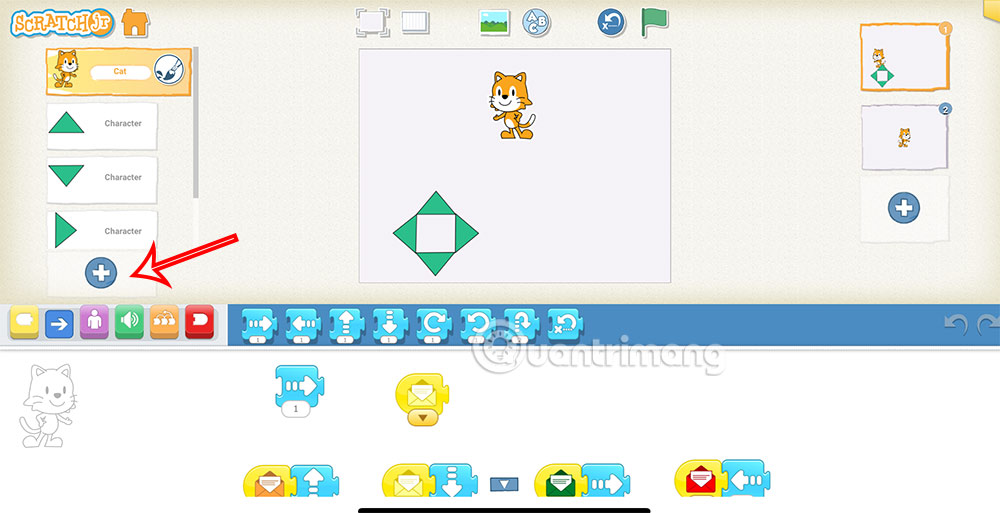
Step 2: Open the paint editor
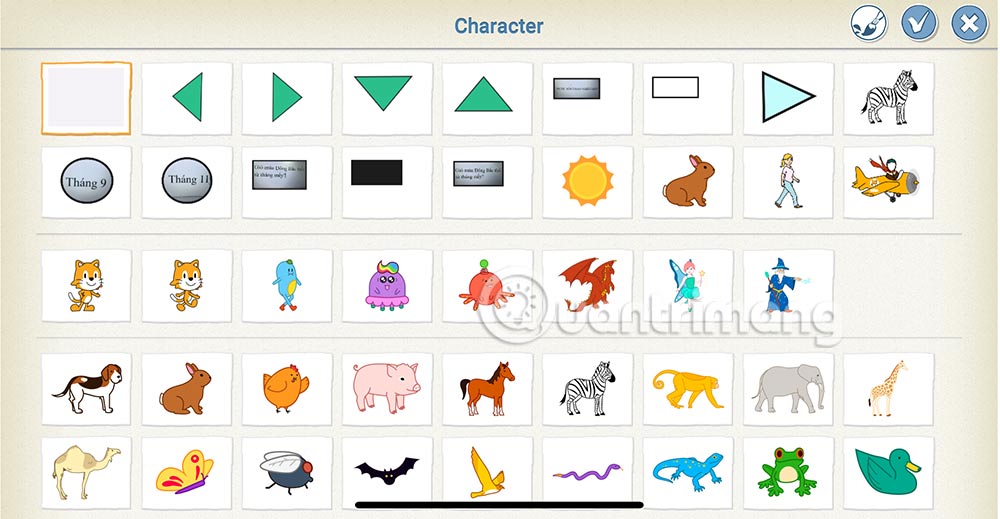
Select the blank character and tap the paintbrush to create a custom design.
Step 3: Draw the maze walls
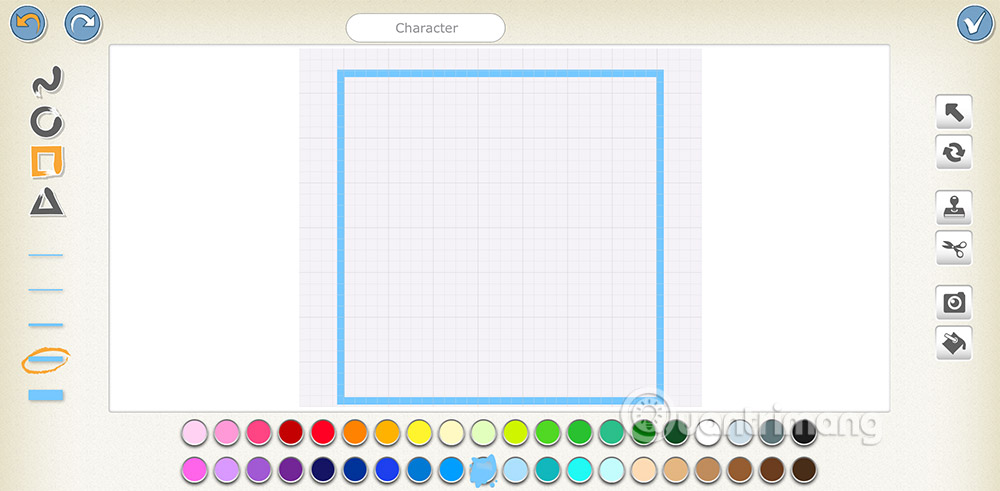
Choose an outline width and color that are easy to see. Select the rectangle tool or use straight lines to build the wall layout.
Leave passages wider than the player character so movement does not feel impossible. Include a clear start area and one reachable goal. Tap the checkmark when the layout is complete.
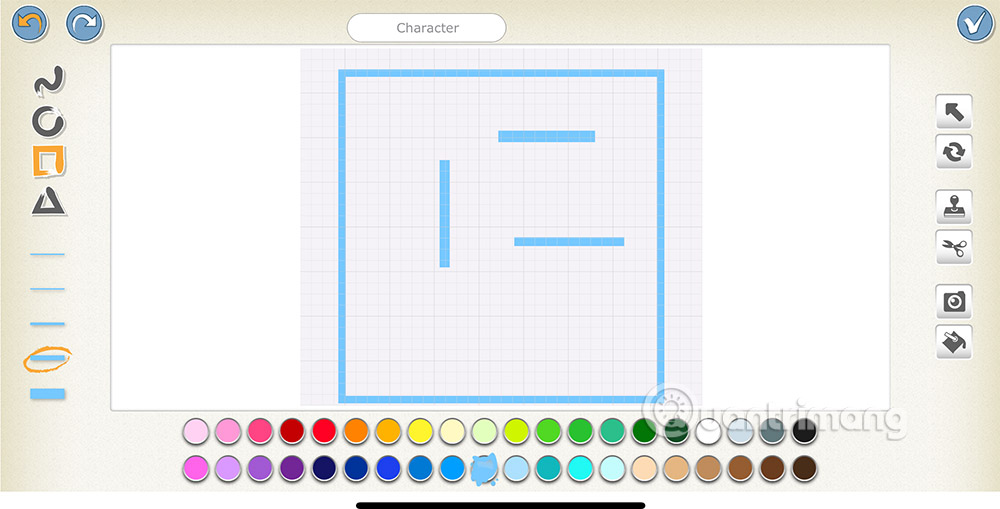
Step 4: Fit the maze to the stage
The custom maze may appear small when it is first added. Select the maze character and use the purple Grow block enough times to fit the available stage area. Resize or reposition the player and direction buttons so the controls do not cover a passage.
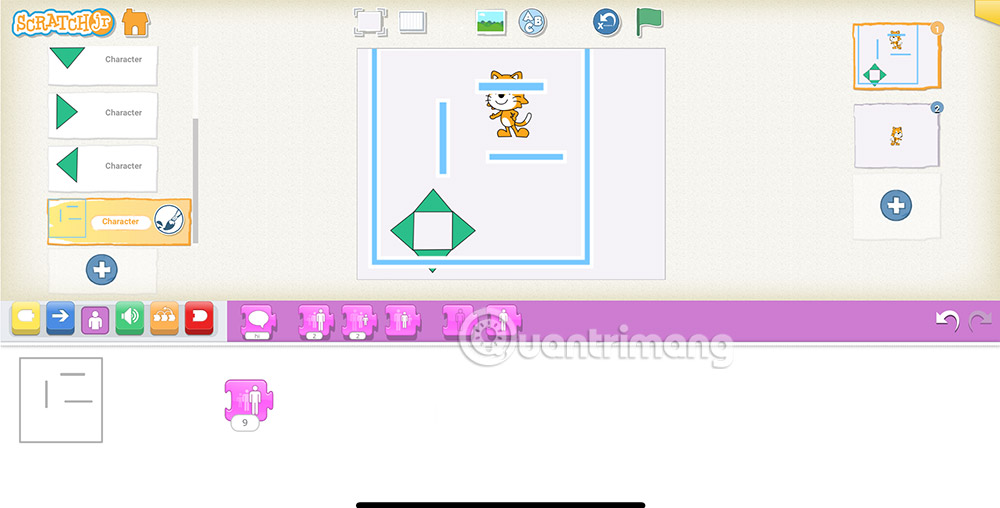
After resizing, set the player's intended starting position. ScratchJr's Go Home motion block returns a character to the position where it was when the project started, so reset the project if you move that starting point.
Reset the player after a wall collision
Step 5: Add the collision script
Select the player character. Add the yellow trigger that starts when the player bumps into the maze character, then attach the blue Go Home block. When the player touches any part of the maze character, the script returns it to the start.
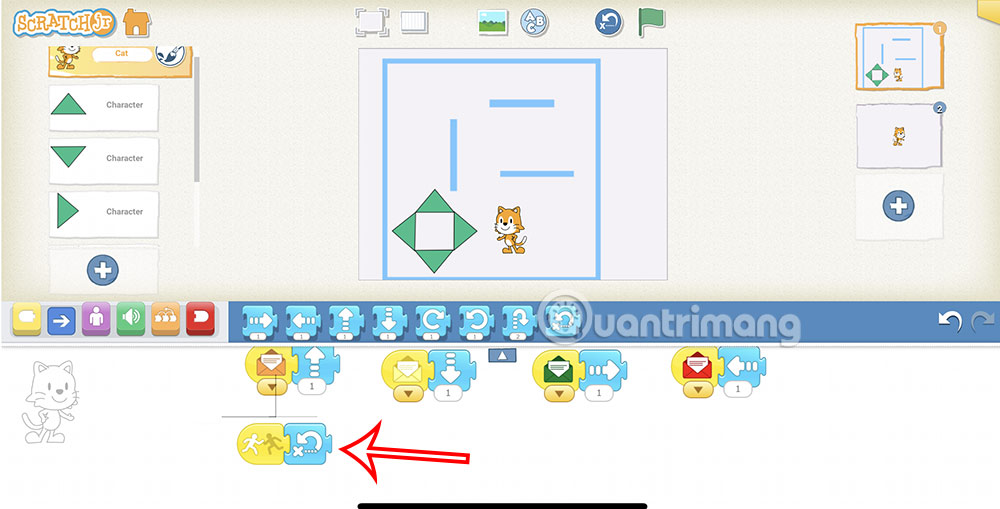
If collisions happen while the player still appears to be inside a passage, reduce the player's size or widen the path. ScratchJr checks the shapes of the characters, not just the point at their centers.
Add a goal and finish the game
Step 6: Place a goal character
Add any character to act as the destination and place it at the end of the maze. Choose something visually distinct from the player and walls.
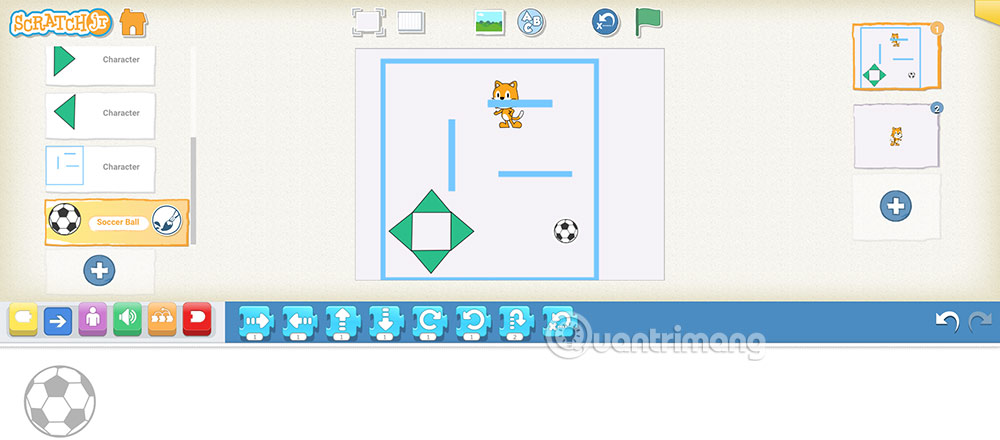
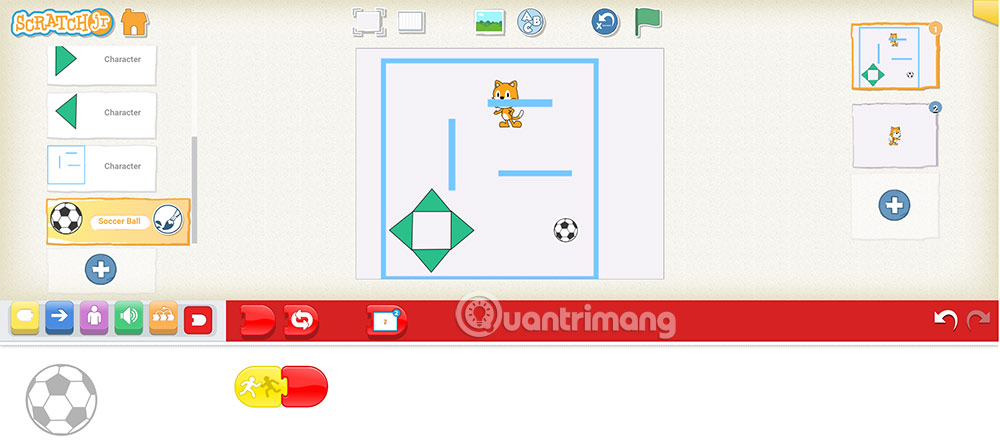
Create a collision script for reaching the goal. It can display a message such as “You win!”, stop the movement scripts, or switch to a separate completion page, depending on how the project is organized.
Test and improve the maze
- Try every direction control and confirm that it moves the player by the intended amount.
- Touch walls from several directions to verify that the player always returns home.
- Complete the maze without touching a wall to make sure every passage is wide enough.
- Reach the goal and check that the ending action runs only once.
- Make the maze easier by widening paths or harder by adding more turns, not by making controls unreliable.
Learners moving from ScratchJr to the full Scratch editor can follow this step-by-step Scratch maze game tutorial. For other beginner coding activities, compare these programming games and apps for kids.
Related Articles
 Instructions for Designing a Maze Game in ScratchJR4 minutes read
 ScratchJR Maze Game Design Tutorial (Final Lesson)5 minutes read
 How to Create a Maze Game in Scratch6 minutes read
 How to Add a Start and End Screen for a ScratchJR Quiz (Part 3)6 minutes read
 What Is ScratchJr?4 minutes read
 Basic ScratchJr Quiz - Lesson 1 with Answers4 minutes read
Reader Comments 0
Sign in with email or Google to join the discussion.