Table of Contents
This guide covers eurocom laptop equipped with 8-core Intel xeon e5 chip with practical context and easy-to-follow details. Use it to understand the subject and apply the information confidently.
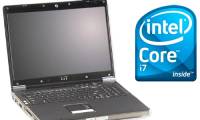
Laptop Panther 4. 0 Panther is not as thin as Apple's MacBook Air or as compact as the current model ultrabook, but the device's configuration is available and can be called a mobile version of the universal server line. Information. It has a 17. 3-inch screen and weighs 5. 5kg.
Machine equipped with Intel's Xeon E5-2690 processor has just been announced, to provide the performance of blade, rack or tower servers to perform computing tasks from cloud to high-end.
The basic configuration of this $ 4, 662 (~ 98 million) laptop line includes: Xeon E5-2690 8-core chip running at 2. 9GHz, 500GB hard disk, NVIDIA GTX 580M graphics card, 3 USB 3. 0 ports, 2-megapixel webcam, DVD-RW optical drive, card reader and Wi-Fi connection.
Mobile servers are a good idea for professionals who often need to move and need to access high-performance computing apps, Eurocom said. This new laptop can also replace a server to recover data or for mobile teams in many different locations.
It can equip up to 4TB of storage with multiple hard disk slots and 4 DDR3 DRAM memory slots up to 32GB. However, this memory capacity is not suitable compared to the current server up to 768GB.
Intel's new high-performance chipsets are very hot, so they need a lot of cooling fans and are very battery consuming.
Eurocom said the combination of bandwidth, memory and larger storage capacity will help Panther 4. 0 laptops to perform virtualization functions well.
Here Are Some Pictures of Products
FAQ
What should I check before following these steps?
Confirm device and software compatibility, save important data, and make sure you have the required permissions, files, and account access.
Why might the process not work?
Common causes include outdated software, missing permissions, incompatible hardware, an unstable connection, or completing a step in the wrong order.
Can I undo the changes if necessary?
That depends on the tool or setting. Use built-in restore options when available, keep a backup, and record the original configuration first.
Related Articles
 First Laptop to Use 'the Fastest Chip on the Planet'4 minutes read
 Impressively Laptop Uses 6-core Chip and 4TB Hard Drive4 minutes read
 Top 5 Best Intel Cpus 20228 minutes read
 Intel Panther Lake Launched: CPU and GPU Performance Increased by up to 50%4 minutes read
 Intel Unveiled a Powerful 9th Generation H Series CPU for Gaming Laptops4 minutes read
 Laptops 'Pit' Equipped with Intel Core i7 Processor5 minutes read
Reader Comments 0
Sign in with email or Google to join the discussion.