Table of Contents
Dynamic variables let one ElevenAgents agent use different context for each conversation. Define a placeholder such as {{user_name}} in a greeting or prompt, then supply its value when the session starts. Use strings, numbers, or booleans; do not pass an entire object where a scalar value is expected.
Keep three concepts separate: custom variables supplied by your application, built-in system__ variables supplied by ElevenAgents, and secret__ variables intended for tool headers. A displayed name or subscription tier is context, not proof that a caller is authorized.
1. Define variables and test placeholders
You need an ElevenLabs account and a configured agent. Begin with one non-sensitive field, such as user_name. In the first message, write Hello {{user_name}}, how can I help?. Names are case-sensitive and require two opening and two closing braces.
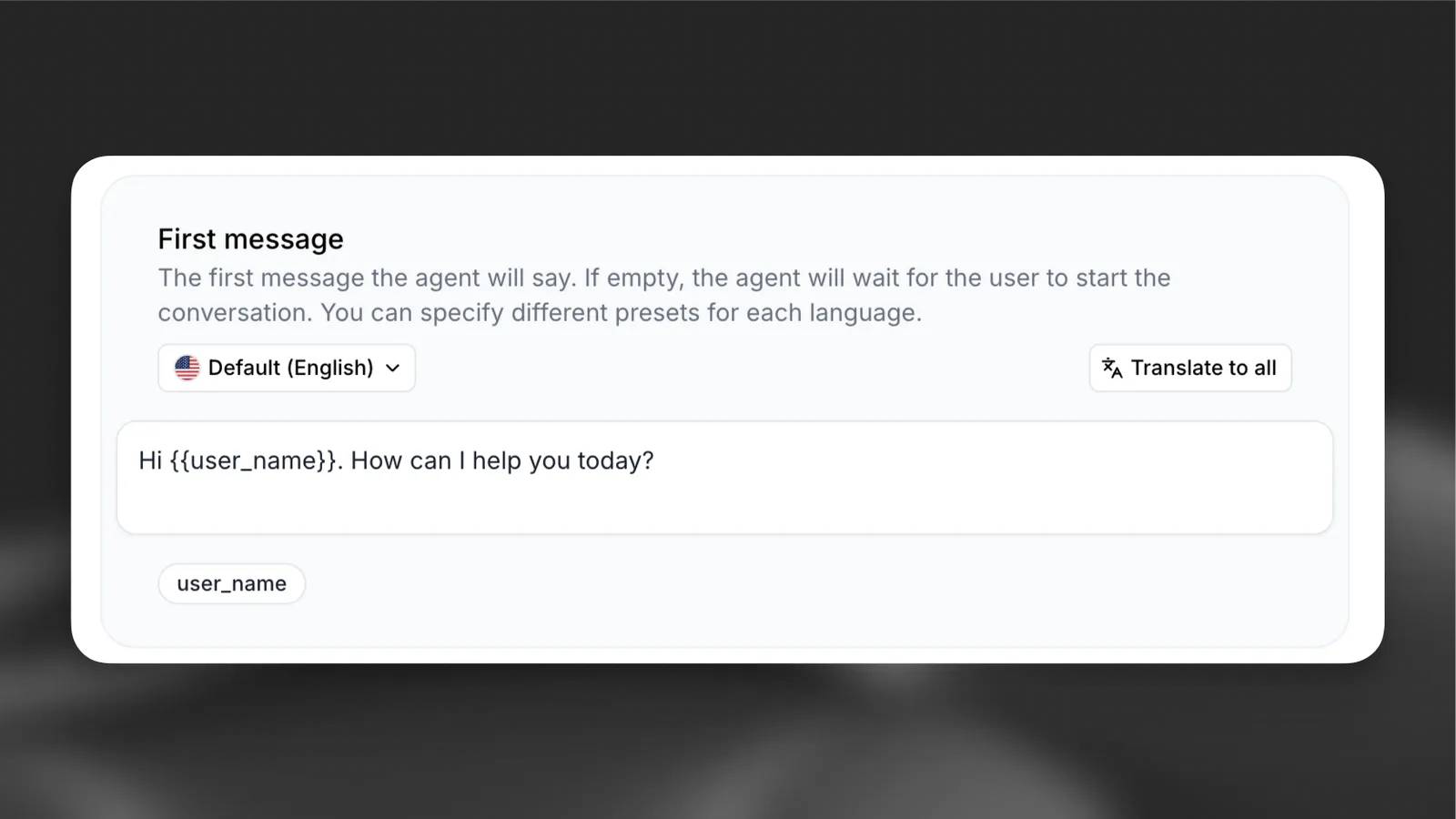
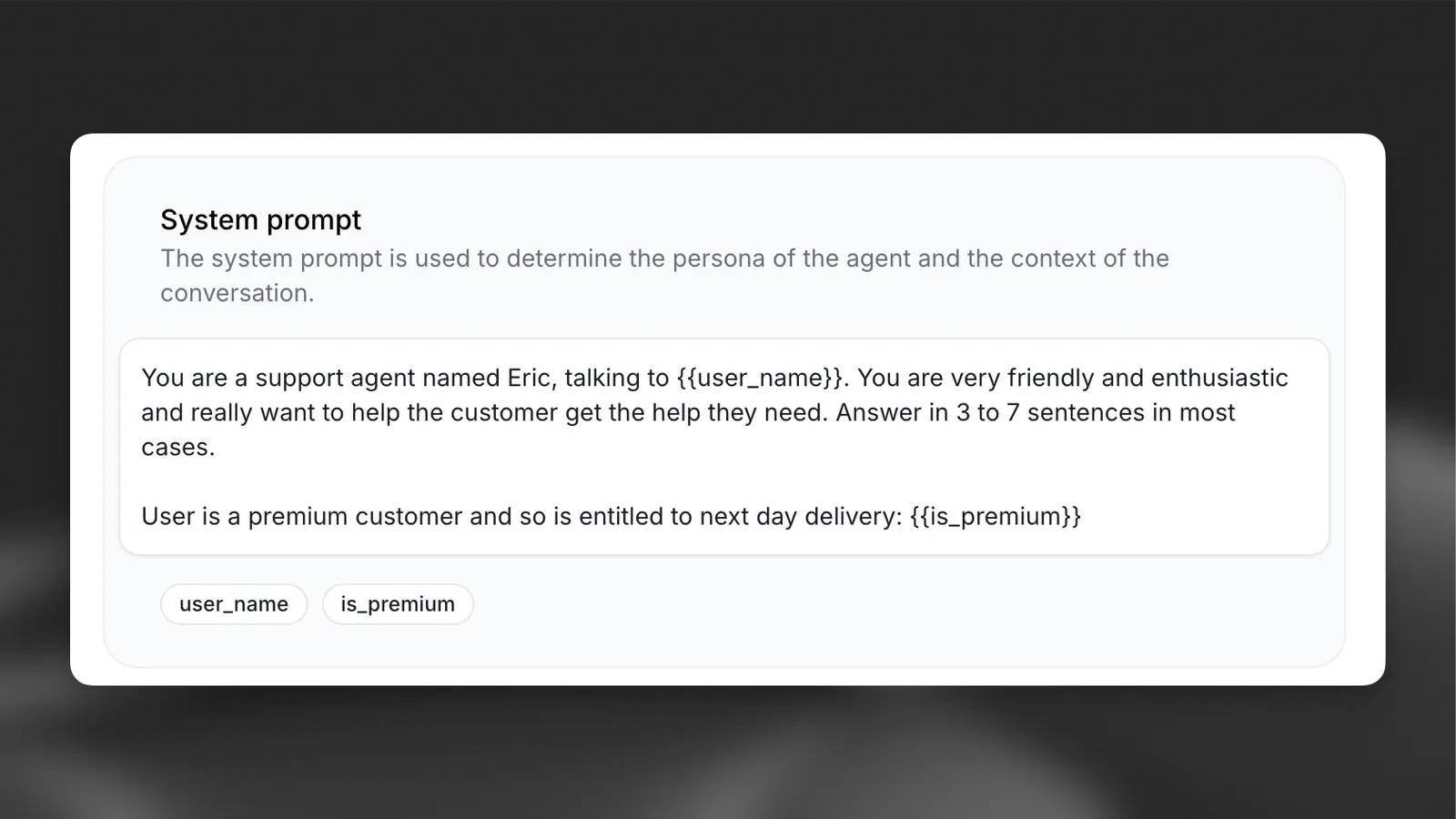
In a tool configuration, choose Dynamic variable as the value type for a parameter or header, then select or create the variable. Keep the variable name identical to the one your application supplies.
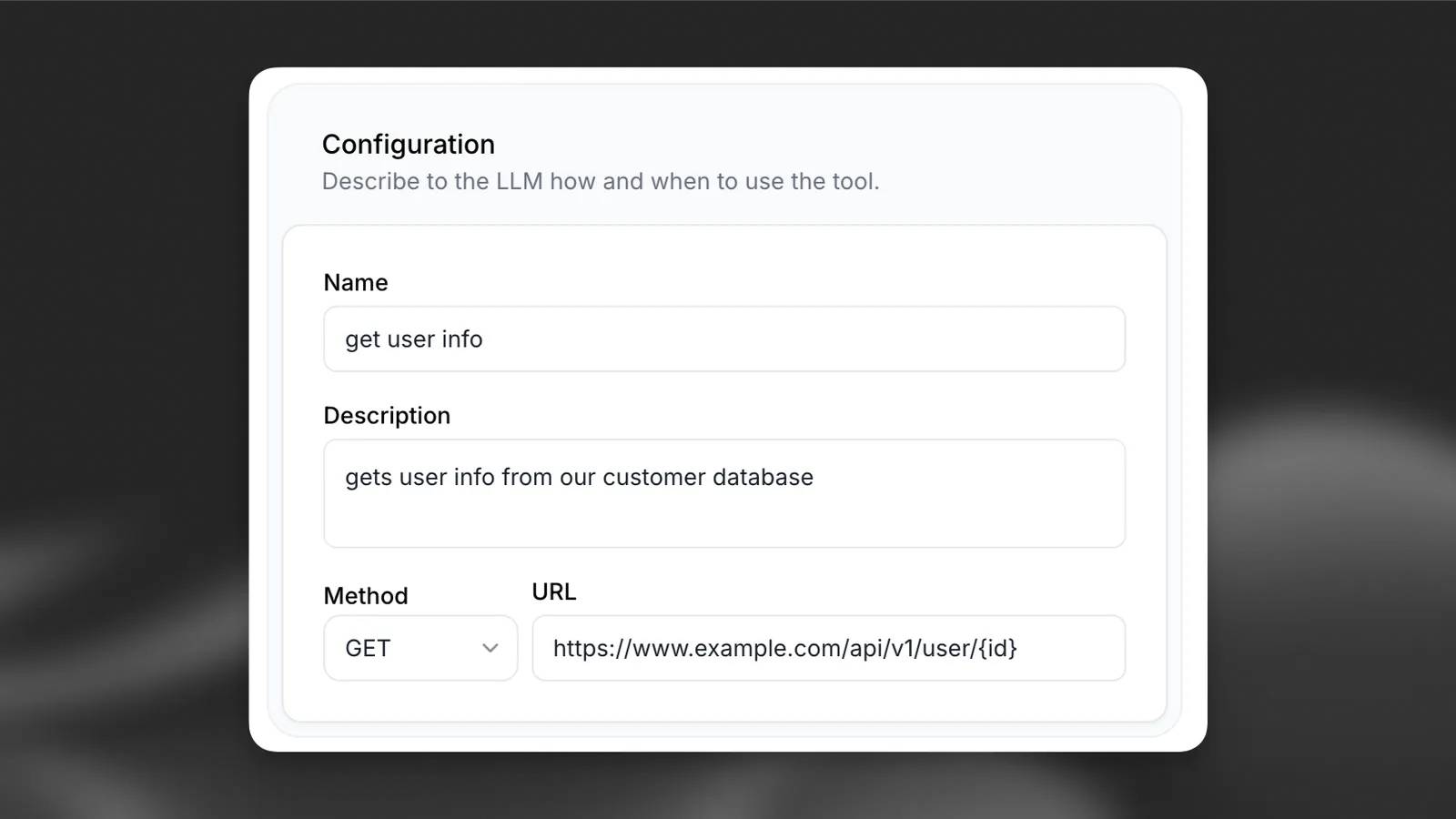
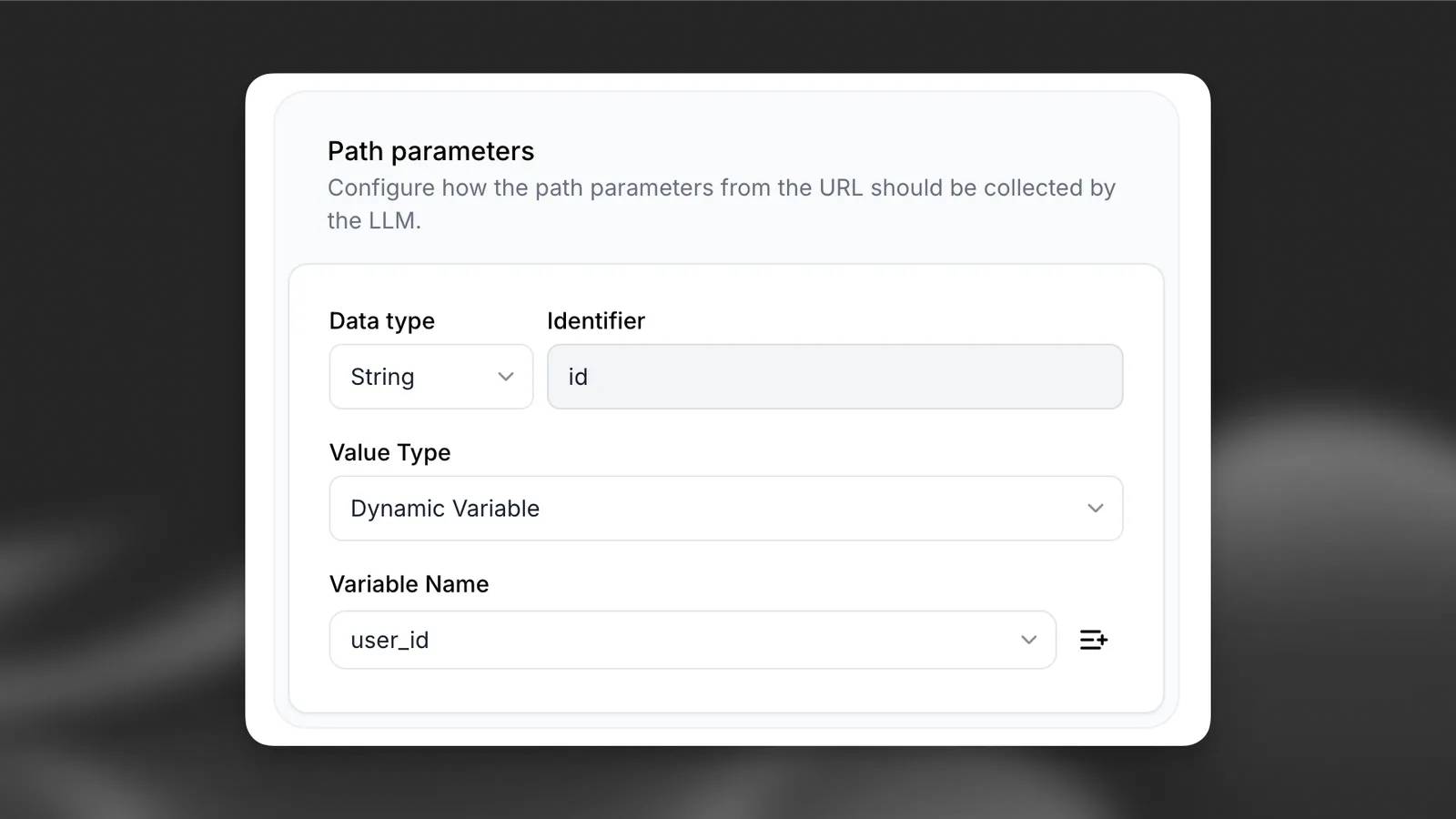
Set placeholder values in the dashboard so preview conversations have usable test data. The configuration location is:
conversation_config.agent.dynamic_variables.dynamic_variable_placeholders{
"conversation_config": {
"agent": {
"dynamic_variables": {
"dynamic_variable_placeholders": {
"user_name": "Alex",
"account_type": "standard"
}
}
}
}
}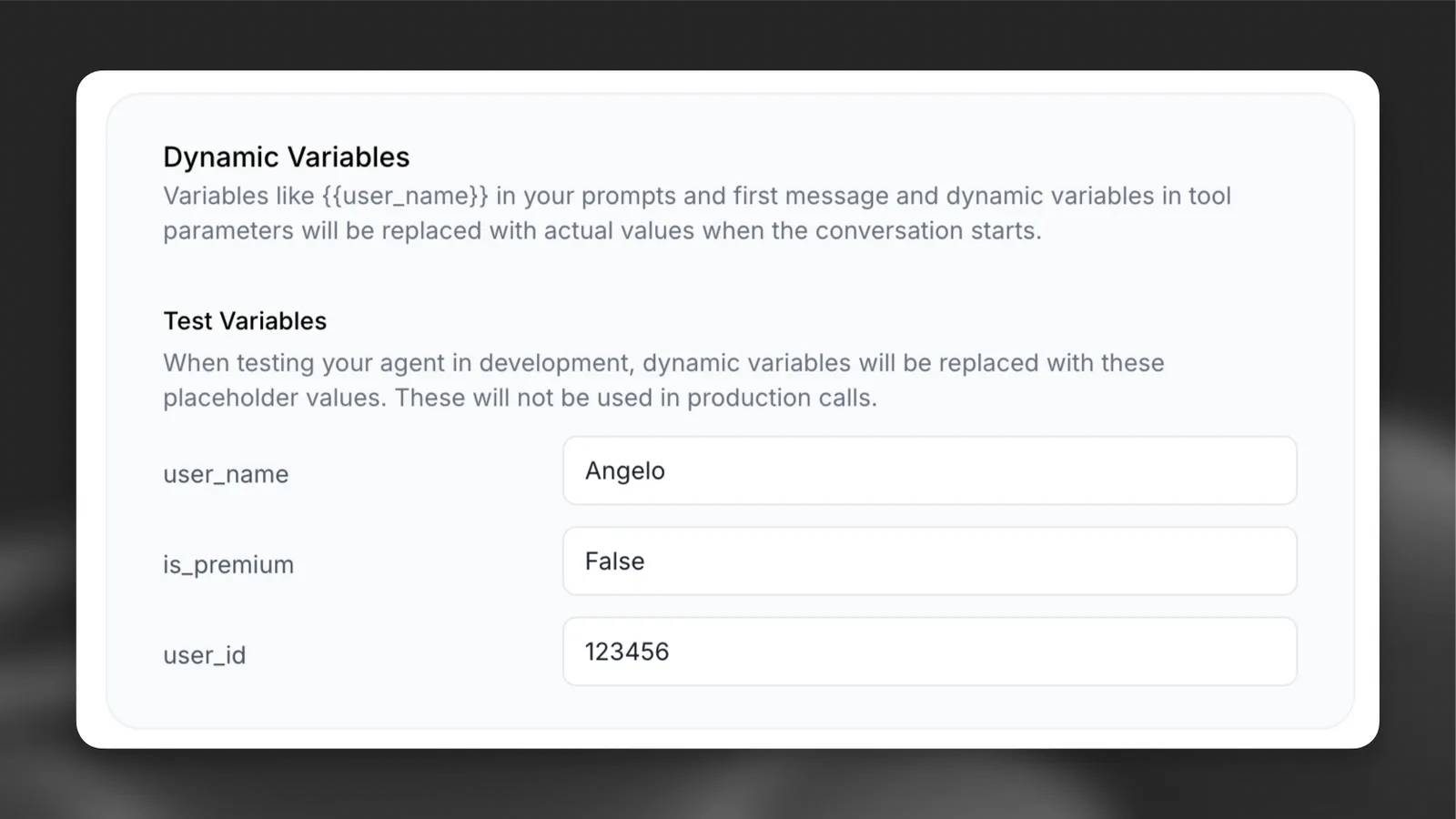
Placeholders are test defaults, not a secure customer-data lookup. When changing configuration through an SDK or CLI, use the command and schema for your installed version and your actual agent ID. Back up the current configuration before pushing an update.
2. Pass values when a conversation starts
Supply runtime values in the session’s dynamic-variable configuration. Python uses dynamic_variables; browser JavaScript uses dynamicVariables. The following Python example uses the audio interface from the ElevenLabs SDK. Set AGENT_ID and, when required by your agent, ELEVENLABS_API_KEY in the server or local environment first.
import os
import signal
from elevenlabs.client import ElevenLabs
from elevenlabs.conversational_ai.conversation import (
    Conversation, ConversationInitiationData,
)
from elevenlabs.conversational_ai.default_audio_interface import DefaultAudioInterface

agent_id = os.environ["AGENT_ID"]
api_key = os.getenv("ELEVENLABS_API_KEY")
client = ElevenLabs(api_key=api_key)
config = ConversationInitiationData(
    dynamic_variables={"user_name": "Alex"}
)
conversation = Conversation(
    client,
    agent_id,
    config=config,
    requires_auth=bool(api_key),
    audio_interface=DefaultAudioInterface(),
    callback_agent_response=lambda text: print("Agent:", text),
)
signal.signal(signal.SIGINT, lambda *_: conversation.end_session())
conversation.start_session()
conversation.wait_for_session_end()
Use an SDK version that supports these interfaces. Browser integrations also need microphone permission for voice sessions and the authentication flow appropriate to the agent. Never put your workspace API key into public client-side code.
3. Update a variable from a tool response
A tool assignment extracts a value from a JSON response using a dot-separated path. For example:
{
  "response": {
    "status": 200,
    "users": [
      {"user_name": "Alex", "email": "alex@example.com"}
    ]
  }
}
The status path is response.status; the first email is response.users.0.email. Here users is a JSON array containing an object. Configure the assignment on the webhook tool and test both a successful response and one where the expected field is missing.
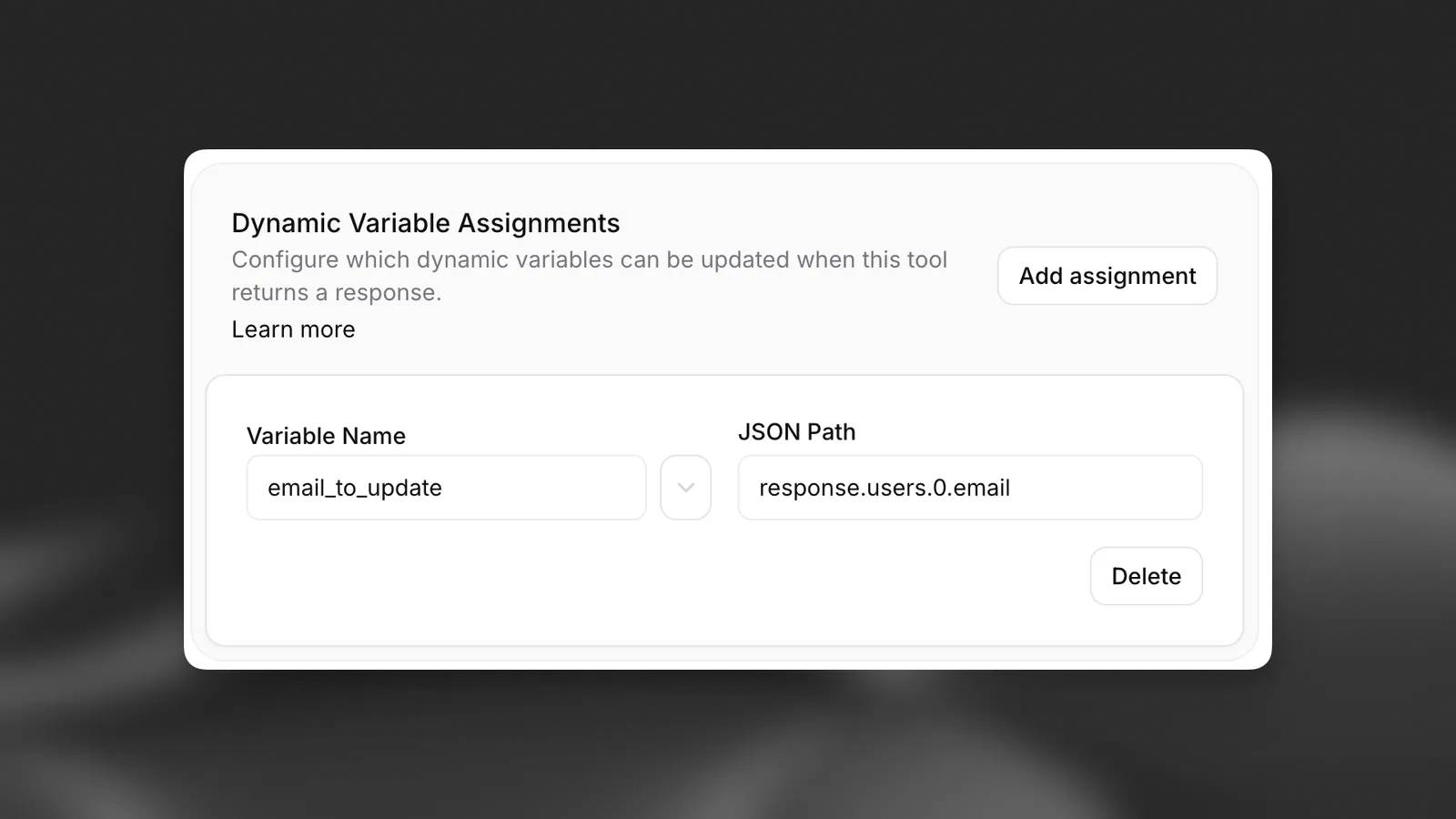
If the path is absent, the assignment does not update the variable. Do not assume a failed lookup cleared an earlier value. For related approaches, see ElevenLabs Code tools and system tools and state updates.
System-variable reference
The reserved system__ namespace cannot be overwritten by custom variables. Some values depend on the channel or can be null. Variables marked † change during the conversation.
Agent and conversation identity
| Variable | Type | Description | Example |
|---|---|---|---|
system__agent_id |
string |
The unique identifier of the agent who initiated the conversation. This value never changes throughout the conversation. | "agent_8401kp8bt0jdf14rzzcv5veq94yg" |
system__current_agent_id |
string |
This is the unique identifier of the currently active agent. This code will update when the conversation is transferred to a different agent. | "agent_8401kp8bt0jdf14rzzcv5veq94yg" |
system__conversation_id |
string |
ElevenLabs' unique conversation identifier. | "conv_1801kp8qtb2begztn7zyf446v4jk" |
system__user_id |
string | null |
The client-provided user ID is used for tracking and analysis purposes. This ID should not be trusted for authentication. | "G6yhJW8MktQdhUquvXD1iKpPHql2" |
system__initiator_id |
string | null |
The identifier corresponds to the authentication method used to initiate the conversation. | "user_1801kp8qtb2begztn7zyf446v4jk" |
system__channel |
string |
The source channel through which the conversation begins. | "slack_integration" |
system__is_text_only |
boolean |
trueWhen the conversation is in text-only mode (chat); falsefor voice calls. |
true |
system__environment |
string |
The environment in which the conversation is taking place is used to resolve environment variables. | "production" |
Time and time zone
| Variable | Type | Description | Example |
|---|---|---|---|
system__timezone |
string | null |
The configured time zone ( conversation_config.agent.prompt.timezone) or the IANA time zone provided by the caller. The default is UTC if not set. |
"America/New_York" |
system__time† |
string |
Current date and time in the configured time zone ( %A, %H:%M %d %B %Y). Re-evaluated at each turn (changes once every minute). |
"Friday, 12:33 12 December 2025" |
system__time_utc† |
string |
Current UTC timestamp in ISO 8601 format. Re-evaluated at each pass. | "2025-12-12T12:33:45.123456+00:00" |
system__time_date |
string |
The current date in the configured time zone (or UTC if no time zone is set) ( %A, %d %B %Y). Changes once a day. |
"Friday, 12 December 2025" |
system__time_hour |
integer |
The current time ( 0– 23) is in the configured time zone (or UTC if no time zone has been set). Change it a maximum of once per hour. |
12 |
system__time_minute† |
integer |
Current minute ( 0– 59) in the configured time zone (or UTC if no time zone is set). Changes every minute. |
33 |
system__time_second† |
integer |
The current seconds ( 0– 59) are in the configured time zone (or UTC if the time zone is not set). This changes on each turn. |
45 |
Telephony and messaging
| Variable | Type | Description | Example |
|---|---|---|---|
system__caller_id |
string | null |
The caller's phone number (voice call/SMS/WhatsApp/Amazon Connect). | "+14155552671" |
system__called_number |
string | null |
The destination phone number has been called. | "+18005551234" |
system__call_sid |
string | null |
Twilio Call SID (for calls made via Twilio only). | "CA3498076234a8bbf65c8f09fb8ad7ac1b" |
system__call_id |
string | null |
SIP Call-ID (only applicable for calls over SIP trunk). | "757f72cf-e80f-44f7-87d6-a961ffbf5b3d" |
Conversation state
| Variable | Type | Description | Example |
|---|---|---|---|
system__call_duration_secs† |
integer |
The elapsed conversation time (in seconds) is re-evaluated on each turn. | 142 |
system__agent_turns† |
integer |
The total number of responses from agents in the conversation up to this point. This value increases with each response. | 5 |
system__current_agent_turns† |
integer |
The current number of interactions by the agent; this value is reset 0after agent handover. |
3 |
system__current_subagent_turns† |
integer |
The number of interactions the agent has had at the current workflow node; this value will reset 0when switching to a different node. |
2 |
system__conversation_history† |
string |
The conversation transcript is JSON-encoded up to the current turn ( {"entries": [{"role": "user", "message": "."}]}). |
'{"entries": [.]}' |
For time context, configure the agent’s time zone rather than inserting rapidly changing timestamps throughout the prompt. Values that change each turn can reduce prompt-cache reuse. Bind live values to tool parameters when that is where they are needed.
Conversation-history format
system__conversation_history is a JSON-serialized string containing entries for user, agent, and tool activity. A tool result that is itself JSON must be escaped when stored as a string:
{
  "x-elevenlabs-history": true,
  "entries": [
    {"role": "user", "message": "Check my order"},
    {"role": "agent", "tool_requests": [
      {"tool_name": "lookup_order", "params_as_json": {"order_id": "123"}}
    ]},
    {"role": "tool", "tool_results": [
      {"tool_name": "lookup_order", "result_value": "{"status":"shipped"}"}
    ]}
  ]
}
Pass this history only to tools that need it. It can contain private conversation content. Nested history can be replaced with a placeholder to avoid recursive expansion.
Handle secret variables separately
Use the secret__ prefix for credentials that belong in tool headers, not prompts or greetings. The Conversation API redacts their stored values as <REDACTED>, but post-call transcription webhooks can receive the original values. Protect the receiving endpoint and its logs accordingly.
Do not remove the prefix merely to make a sensitive value easier to inspect. If you need a retrievable reference, use a non-sensitive identifier and look up protected data on your server. Likewise, system__user_id is client-supplied tracking context and must not serve as authentication.
Pass non-sensitive values through a public talk-to URL
The public page accepts either a Base64-encoded JSON object in vars or individual var_ query parameters. An individual parameter takes precedence if both methods define the same name.
For ordinary display values, individual parameters are easier to inspect. Let the URL library encode them once:
function talkToUrl(agentId, variables) {
  const url = new URL("https://elevenlabs.io/app/talk-to");
  url.searchParams.set("agent_id", agentId);
  for (const [name, value] of Object.entries(variables)) {
    url.searchParams.set("var_" + name, String(value));
  }
  return url.toString();
}
// Supply your real agent ID; this value is a placeholder.
const link = talkToUrl("YOUR_AGENT_ID", {user_name: "Alex Smith"});
Python can create the same type of URL:
from urllib.parse import urlencode

params = {
    "agent_id": "YOUR_AGENT_ID",
    "var_user_name": "Alex Smith",
}
link = "https://elevenlabs.io/app/talk-to?" + urlencode(params)
For the Base64 method, serialize the variable object as JSON, encode its bytes as Base64, and pass that result through a URL encoder as the vars value. Base64 is encoding, not encryption. Do not place credentials or private account information in either kind of URL, and never trust URL-supplied values for authorization.
Test before deployment
- Confirm the placeholder resolves in both preview and a real session.
- Check exact spelling, case, scalar types, and runtime configuration keys.
- Test missing values and tool responses without the expected path.
- Verify secret values do not appear in greetings, prompts, or ordinary application logs.
- Check handovers and channel-specific values where your workflow uses them.
For SDK-specific syntax and the current variable list, consult the ElevenLabs dynamic-variable documentation.
Related Articles
 ElevenAgents System Tools: Conversation Control and Function Calls
 Learn about custom variables in Google Analytics
 What is a dynamic IP address?
 How to set environment variables in ZSH
 Why use dynamic DNS instead of static IP address?
 Global variables (global), local variables (local), nonlocal variables in Python
Reader Comments 0
Sign in with email or Google to join the discussion.