Table of Contents
FurMark is a graphics benchmark and stress test. Use a benchmark preset for a repeatable score, or run a short supervised stress test to observe GPU temperature, clocks, and stability under sustained load. A passing run does not prove the card will be stable in every game.


Download the right FurMark build
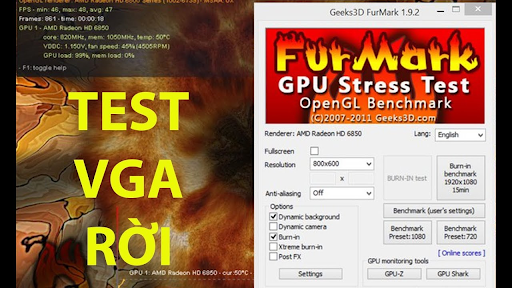
FurMark is developed by Geeks3D. Use a trusted source such as the TechPowerUp FurMark download page. Choose the build for your operating system and read its requirements. The screenshots below include the older FurMark interface, so your buttons may look different.

Run a benchmark or a short stress test
- Save your work, put the laptop or PC where its vents are clear, and close other demanding apps. Start with the GPU’s normal settings.
- Check that FurMark targets the card you intend to test. For a comparable benchmark, record the resolution, graphics API, and preset, then use the same settings for later runs.
- For a stress test, start with a short run and watch temperatures, clocks, and fan behavior. Use your GPU or system maker’s guidance on temperature limits. Stop if the system shows artifacts, loses the display, shuts down, or exceeds its recommended limits.
Compare the result with what happens in your apps
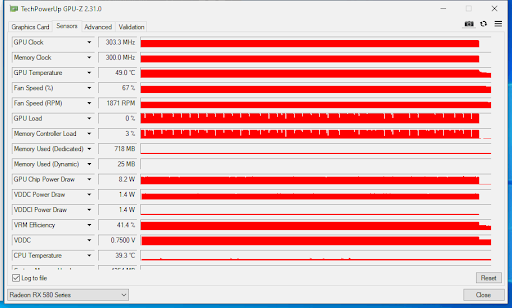
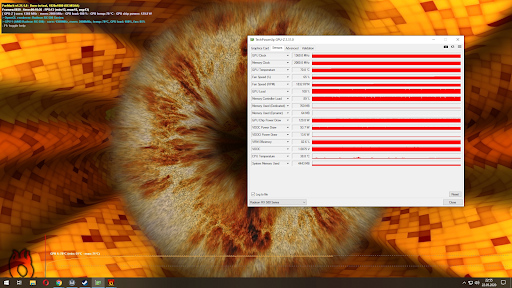
Use the built-in readings or a hardware monitor such as GPU-Z to see what changed during the run. A high fan speed can be a normal response to a heavy load. Falling clocks, a temperature limit, or a crash gives you a clue, but drivers, cooling, power delivery, and tuning can all be involved. Read this guide to temperature and power symptoms before swapping parts.
Related Articles
 How to test VGA with Furmark tool
 How to stress test GPU with Furmark
 How to use Furmark to test VGA, CPU, GPU of computer
 Furmark - Software to test VGA and hardware performance
 How to test the video card for errors if not equal to Furmark when buying an old, new vga card
 The most accurate way to test a computer's power supply? Measure the capacity. test the power supply.
Reader Comments 0
Sign in with email or Google to join the discussion.