Table of Contents
This guide covers dell latitude 'swallowed' 50% of CPU power with practical context and easy-to-follow details. Use it to understand the subject and apply the information confidently.
Notebookcheck Said that many users have gone to computer forums to complain about the machine's CPU processing speed reduced to 50%, from 2 GHz to about 1 GHz.
When a member posted a post about this situation to Dell's official forum - Dell Forum, was immediately " Banned " - hanging up the account. But the Dell Forum administration's work couldn't stop the discontent and resentment of many other users who had similar problems with the Dell Latitude E6500 and E6400. A member with nick Tinkerdude describes the " Bottleneck " issue in a very detailed way with 59 pages of writing and posting on the forum.
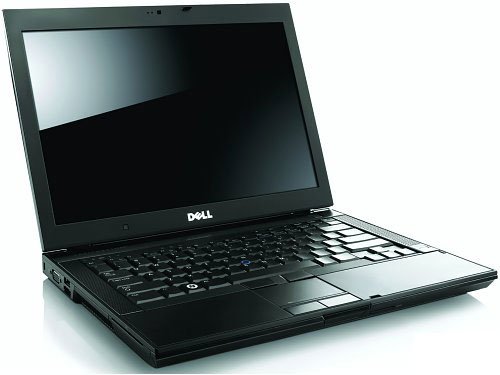 Dell Latitude E6500 and E6400 are experiencing a 50% CPU " Swallowing " error (Photo: JmuEdu)
The same phenomenon was discovered with Dell XPS 1645 version on some other forums. Users complained that although running very smoothly with batteries, as soon as the 90 Watt adapter plugged in, the system began to work slowly. Some others said that if using a 130 Watt adapter instead of a 90 Watt type, the problem will be fixed and this adapter is provided by Dell for free.
This phenomenon, in fact, has been sent to Dell since early 2009, but the company has yet to respond.
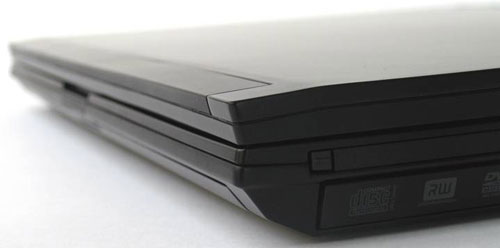 Dell Latitude E6500
FAQ
What should I check before following these steps?
Confirm device and software compatibility, save important data, and make sure you have the required permissions, files, and account access.
Why might the process not work?
Common causes include outdated software, missing permissions, incompatible hardware, an unstable connection, or completing a step in the wrong order.
Can I undo the changes if necessary?
That depends on the tool or setting. Use built-in restore options when available, keep a backup, and record the original configuration first.
Related Articles
 Dell Latitude 7400 Review: the Perfect Combination of Performance5 minutes read
 Dell Latitude E7440 Review: Enduring Ultrabook with8 minutes read
 Dell 5450 Latitude Review: Secure, Fast and Elegant9 minutes read
 Dell Latitude E7240 Review: Excellent 12.5-inch Ultrabook7 minutes read
 Dell Introduced Latitude 2011, More Beautiful and Powerful4 minutes read
 Dell Revealed the Latitude E4310: Not Much Improvement4 minutes read
Reader Comments 0
Sign in with email or Google to join the discussion.