Table of Contents
This guide covers asus, lg revealed the product for ces 2011 with practical context and easy-to-follow details. Use it to understand the subject and apply the information confidently.
* LG ultra-thin border screen laptop
 A device with a luxurious design with aluminum frame and mirror screen.
 And this tablet supports hard keyboard and USB 3. 0 port.
 The cover is beautifully decorated and supports the camera.
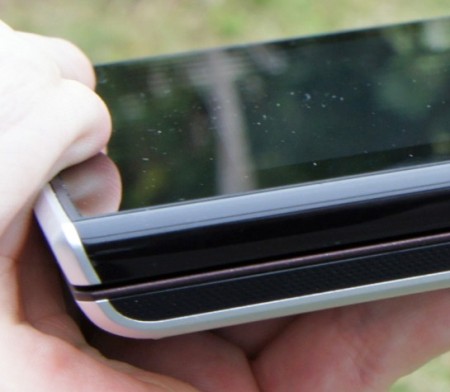 The final product has 2 separate parts. Many believe that this is a "hybrid" tablet laptop, using Windows 7 operating system and running Intel's Oak Trail chip.
LG's ultra-thin border screen laptop
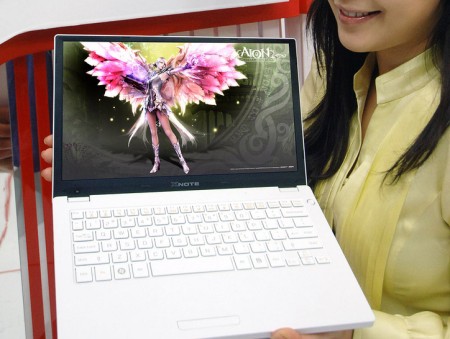 The product is about the same size as the MacBook Air 11. 6 inches and weighs 1. 3 kg. The Xnote P210 is equipped with a high-end configuration such as a Core i5 470UM chip with flexible speeds from 1. 33 to 1. 86 GHz, up to 4 GB of RAM and a 320 GB hard drive. It uses Windows 7 Home Premium 64 bit operating system, supports 1. 3 megapixel camera and Bluetooth 3. 0 port.
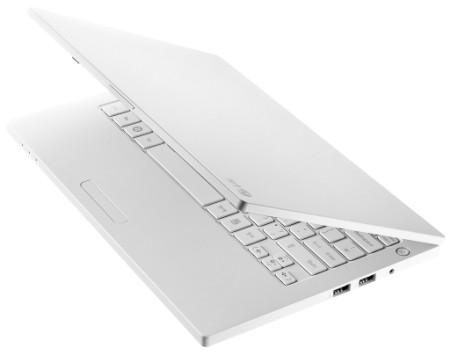 Expected, the Xnote P210 will be sold in February for about $ 1, 100. This is considered the first laptop to support thin-screen border in the world.
FAQ
What should I check before following these steps?
Confirm device and software compatibility, save important data, and make sure you have the required permissions, files, and account access.
Why might the process not work?
Common causes include outdated software, missing permissions, incompatible hardware, an unstable connection, or completing a step in the wrong order.
Can I undo the changes if necessary?
That depends on the tool or setting. Use built-in restore options when available, keep a backup, and record the original configuration first.
Related Articles
 Where Are ASUS Laptops Made? Buying Tips7 minutes read
 ASUS Launches a Complete Product Range of AI Copilot+ Pcs11 minutes read
 Chromebook Asus C200 Exposes Images and Features3 minutes read
 ASUS Warranty Center in Vietnam3 minutes read
 Asus Transformer Pad Netbook Style Launched3 minutes read
 ASUS Launches the World's Thinnest Laptop3 minutes read
Reader Comments 0
Sign in with email or Google to join the discussion.