Table of Contents
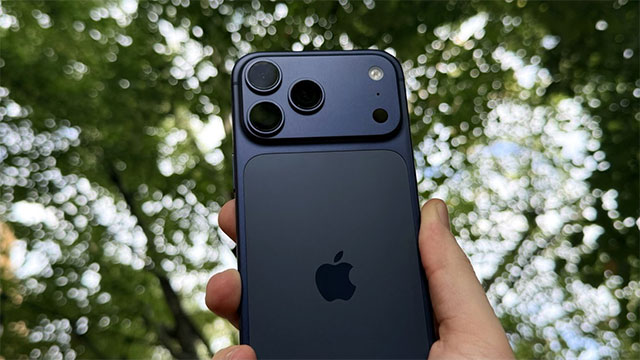
Night mode Portrait is not listed as supported on iPhone 17 Pro or iPhone 17 Pro Max in Apple’s Night mode documentation. Ordinary Night mode photography and Portrait mode remain separate camera features. Having both features on a specification sheet does not mean they can be combined.
Which iPhones support Night mode portraits?
Apple’s compatibility list names the Pro and Pro Max models from iPhone 12 through iPhone 16 for Night mode Portrait. It does not include the iPhone 17 Pro models. The same document lists the newer models for other Night mode uses, including selfies and time-lapse capture.
Night mode helps capture a low-light scene, sometimes over several seconds. Portrait mode uses depth information to produce adjustable background blur. The older supported Pro models can combine those effects, while owners of an iPhone 17 Pro should not expect the same Night mode Portrait option.
How to photograph people in low light
- Choose Photo mode with Night mode when capturing the scene and preserving detail matter more than simulated background blur. Keep the phone steady until capture finishes and ask the subject to remain still.
- Choose Portrait mode with more light when background blur is the priority. Move the subject toward a suitable light source and follow the camera’s distance and lighting prompts.
- Review the result at full size. A sharp face is generally more useful than a strong blur effect on a motion-blurred photograph.
A tripod can steady the phone, but it cannot stop the subject from moving. Longer capture times are therefore not automatically better for a person in motion. Turning on the flash or Live Photos also deactivates Night mode, as Apple explains in its support guide.
Can you add Portrait blur after taking a Night mode photo?
Do not assume that every photo contains editable depth data. Apple’s Portrait camera guide says supported Photo-mode captures can record depth when the Depth control appears. Check whether Portrait editing is available for the particular image; it is not a guaranteed workaround for the missing Night mode Portrait feature.
Apple’s documentation does not explain the reason for the omission or promise a future restoration. Claims about noise, resolution targets, or product-quality decisions remain speculation.
For related background, TipsMake covers Night mode selfies on the iPhone 12 and Portrait and Portrait Lighting on earlier iPhones. Those guides illustrate the concepts; controls and supported combinations vary by model and iOS version.
Related Articles
 Turn on the secret feature of iPhone Camera on iOS 11
 Apple's latest deal will help iPhone take photos with less light
 Apple counts Android world for mobile photography with a host of quality additions to the iPhone 11
 iPhone 13 has the background noise cancellation feature removed when making phone calls
 Change these settings on your iPhone for stunning nighttime photos!
 How to take Panorama photos on iPhone
Reader Comments 0
Sign in with email or Google to join the discussion.