Table of Contents
This guide reviews 5 laptops can replace desktop computers and highlights the differences that matter in everyday use. Compare the options below before making a choice.
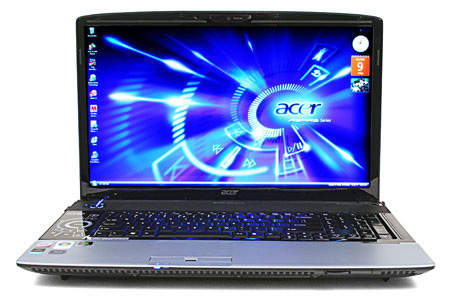
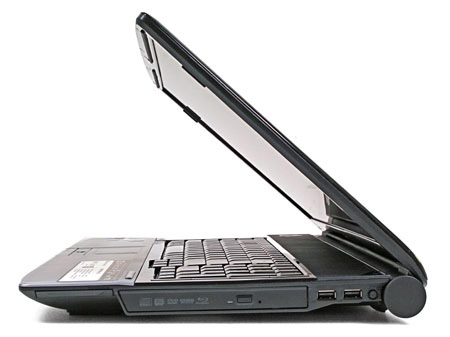
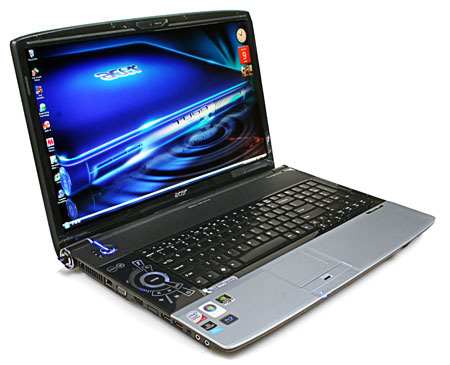 Acer Aspire 8920G has an 18. 4-inch screen, built-in Blu-ray drive Photo: PCmag .
The strength of the Acer Aspire 8920G lies in the visibility of the screen, with an aspect ratio of 16: 9. Along with the unique design, the tap-key system for controlling multimedia entertainment features and Acer Empowerment software is very supportive for users. However, the handset's grip is made of plastic so it is not impressive, the touchpad is not very sensitive, the sound management system is inconvenient and only equipped with a single digital TV receiver The weaknesses of the Aspire 8920G. In short, although not a wise choice for those who are constantly on the move, the Acer Aspire 8920G is a top-notch entertainment machine, with a 16: 9 screen, Blu-ray drive. , high quality audio system and integrated digital television receiver. 2. Dell Studio 1735 (2. 5 GHz Core Duo T9300, 2 GB RAM, 17. 1 inch screen)

 Studio 1735 is Dell's low-cost entertainment laptop line Photo: Computershopper .
Compared to the XPS M1730 heavy-duty gaming laptop, the Dell Studio 1735 is much lighter and more beautiful, while still being equipped with advanced entertainment features and powerful graphics processing capabilities. It is equipped with HDMI connector, mini remote control, large keyboard with full number keys and full-HD resolution screen (optional). In addition, Dell also provided Studio 1735 with a fingerprint recognition sensor with a tap-sensitive key system, but no S / PDIF digital audio output port, no integrated subwoofer, transceiver receiver. Image and eSATA port. In short, the Dell Studio 1735 is an ideal desktop replacement laptop for entertainment enthusiasts who have a tight budget. Not only that, it also offers many upgrade options for those with deep pockets. 3. HP Pavilion dv7 (Core 2 Duo P8400 CPU 2. 26 GHz, 4 GB RAM, 17. 1 inch screen)
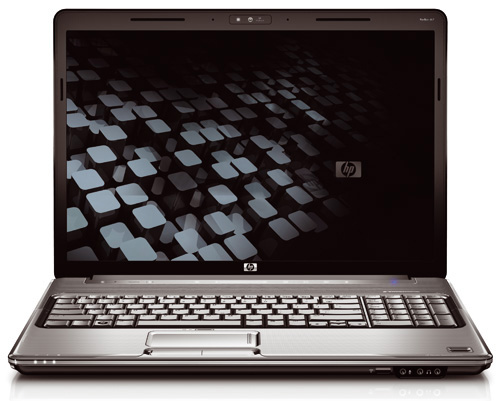
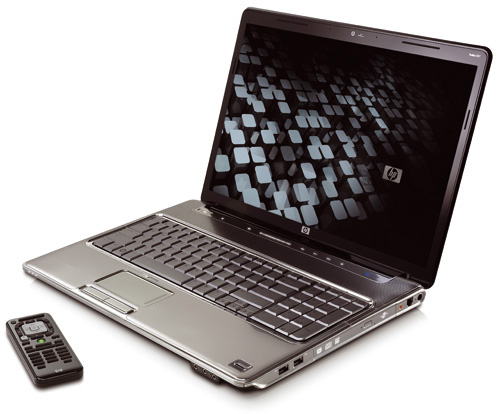 HP Pavilion dv7 has a unique design Photo: Cnet .
HP Pavilion dv7 impresses thanks to its unique new style Pavilion design and frameless screen. The device is built on Intel's latest Centrino 2 platform, so it runs multimedia apps very well. In addition, the HP Pavilion dv7 is equipped with a touchpad on / off button, dedicated keys for managing multimedia features, two headphone jacks and HDMI and eSATA ports. Although the glossy surface of the machine is easy to attach to dust and save fingerprints, at the same time there is no choice of full-HD screen, but this is still considered an ideal laptop model for discerning users who want a deck The machine can support well for work, study, while taking excellent responsibility of a mobile entertainment center. 4. Sony VAIO VGN-FW12G (Core 2 Duo P8400 2. 26 GHz CPU, 2 GB RAM, 16. 4 inch screen)
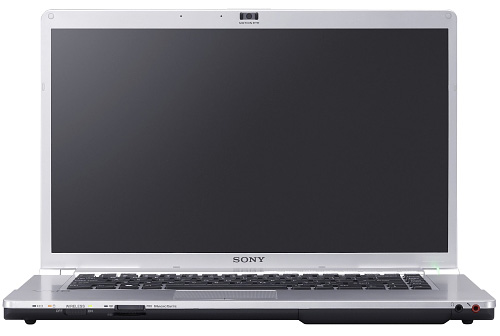
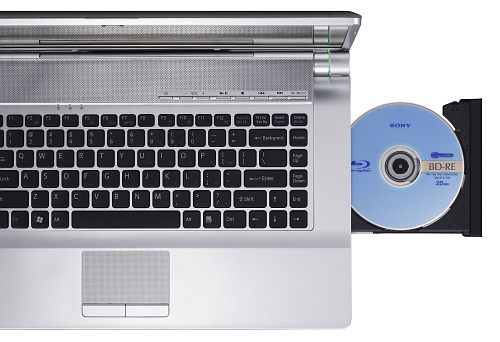
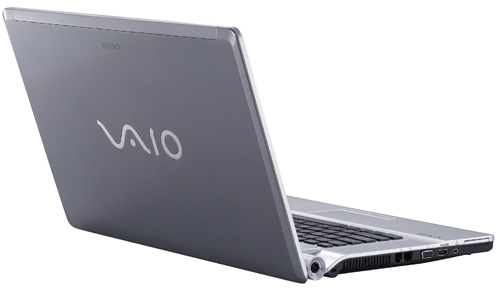 Sony Vaio VGN-FW12G is one of the desktop replacement laptops The lightest in the market Photo: Cnet .
Sony Vaio VGN-FW12G has a simple but very attractive design, with a 16-inch screen with a 16: 9 aspect ratio ideal for watching HD movies. Along with the long battery life, the rugged and rugged keyboard, is powered by Intel's Centrino 2 technology platform, which provides very high performance for the machine. Despite the high price, Sony Vaio VGN-FW12G is one of the lightest desktop replacement laptop models on the market. 5. Apple MacBook Pro-Core 2 Duo (2. 5 GHz Core 2 Duo CPU, 2 GB RAM, 17-inch screen)
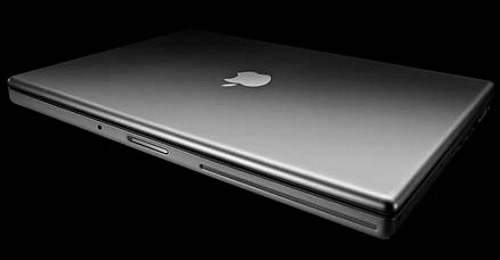
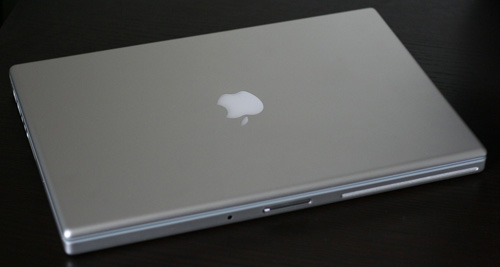
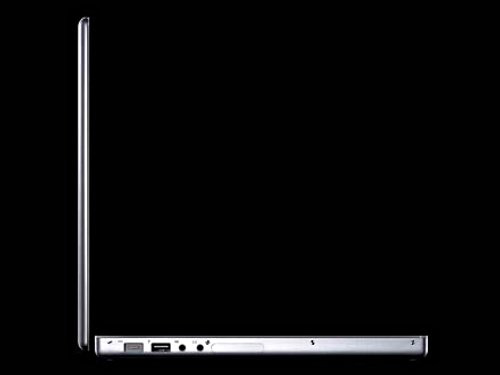 The Apple MacBook Pro is still one of the sexiest laptops Photo: Cnet .
This is the new MacBook Pro version that Apple upgraded the processor and lowered the price. This model is still rated as one of the desktop replacement laptops with the slimmest, lightest and sexiest design on the market, with the body made of aluminum, preinstalled with Mac OS X operating system. And iLife software supports multimedia features well. It also allows users to reset profiles for use with Windows operating systems and Microsoft software.
FAQ
How should I compare the options in this list?
Compare compatibility, essential features, ease of use, support, and total cost rather than choosing by popularity alone.
Are free options enough for most users?
Free options may cover basic needs, but advanced features, fewer limitations, and better support can make a paid option worthwhile.
What feature matters most when choosing?
Prioritize the feature that solves your main need reliably on the device or platform you use.
Related Articles
 Top 5 Laptops 'Terrible'5 minutes read
 How to Replace SSD Drive for Laptop, How to Upgrade SSD for4 minutes read
 5 Laptops Have the Same Power as Desktop Computers3 minutes read
 Dell Launched Many New Computers Inspiron Line4 minutes read
 Ultra-thin Laptops Can Replace MacBook Air7 minutes read
 Why Do You Need a More Desktop Laptop?4 minutes read
Reader Comments 0
Sign in with email or Google to join the discussion.