Table of Contents
Explore 5 Android camera features only available on foldable phones.
The reason might surprise you – leading brands, including Samsung, Google, and Motorola, are all integrating proprietary camera features into their foldable phones that you won't find anywhere else. These are a dream for mobile photographers, delivering better quality photos and enabling a more time-saving workflow. Here are five camera features that many consider a key benefit of owning a foldable phone!
Camcorder mode
Use a foldable phone as a classic voice recorder
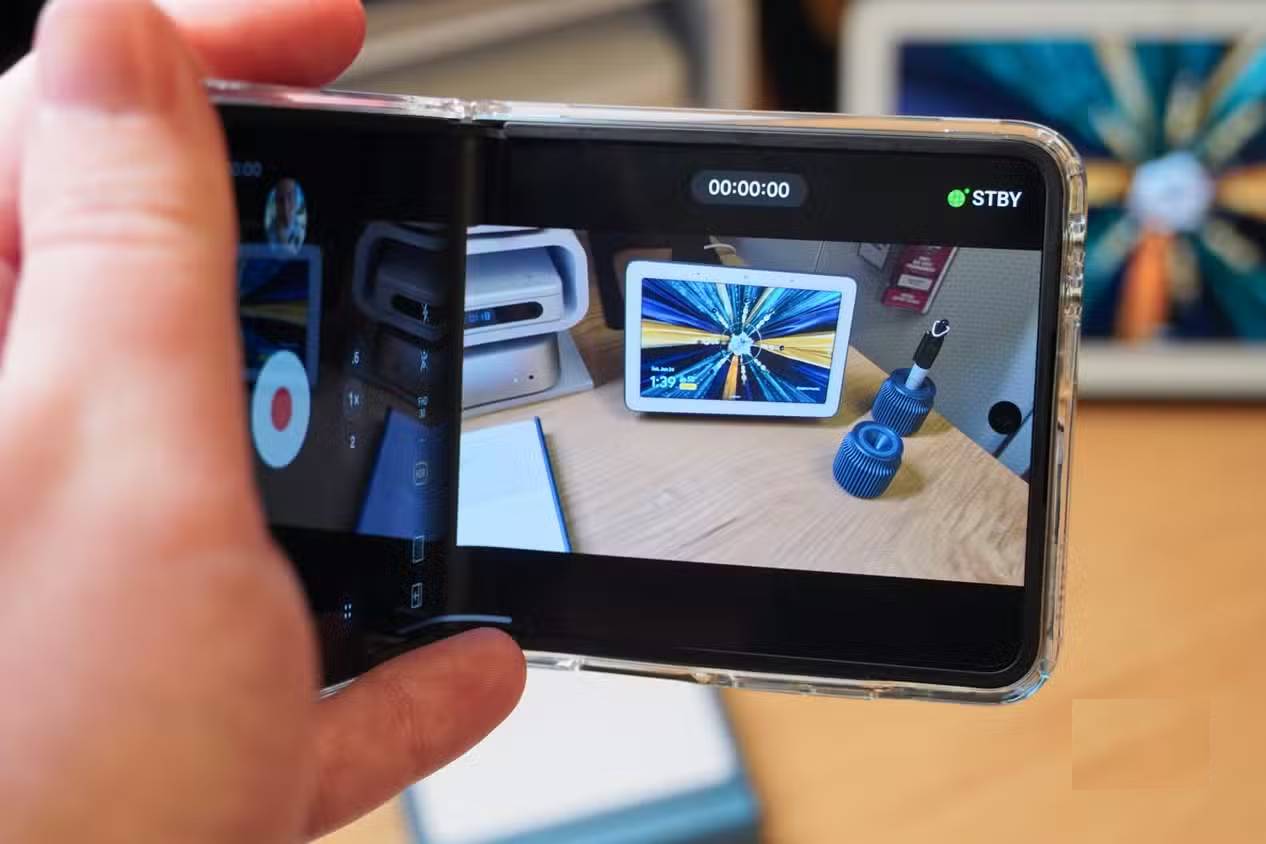
Camcorder mode is a handy tool available on Samsung and Motorola foldable phones, simulating the experience of using a classic video camera. When the main screen is opened about halfway, the foldable phone's camera app switches to a camcorder-like interface. The protruding part of the foldable phone screen displays the viewfinder, while the other half contains all the controls. You can optionally enable secondary screen preview to display the viewfinder on both the inner and outer screens.
Dual Screen Preview
Allows both the photographer and the subject to view the viewfinder
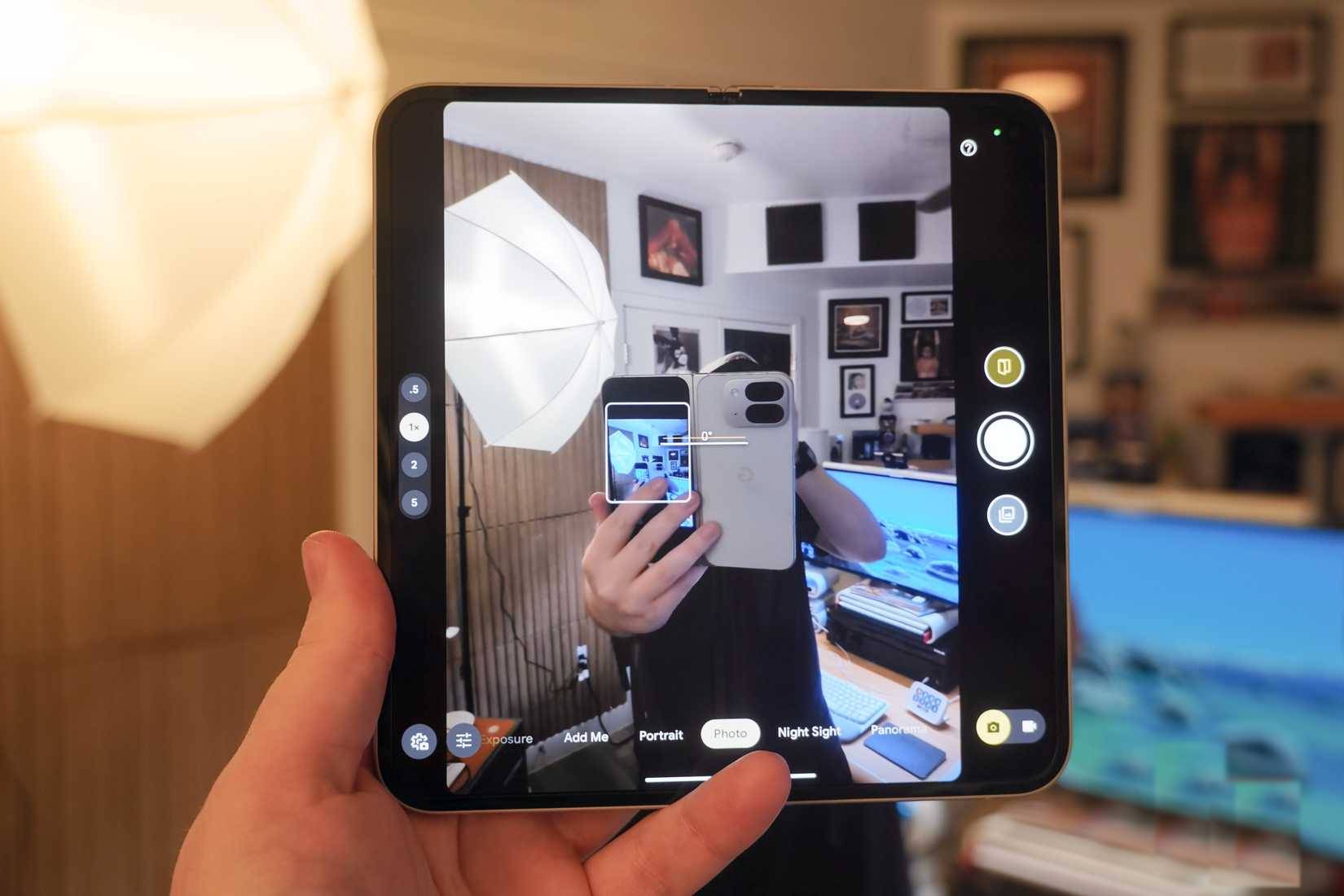
This feature, called Dual Screen Preview on some phones and secondary screen preview on others, is useful regardless of which foldable phone model you're using. It works simply – tap the secondary screen icon while the main screen is on to activate the live preview on the other screen. Once activated, the live preview will appear on both the main and secondary screens.
Flex mode
Use your foldable phone as a built-in tripod stand
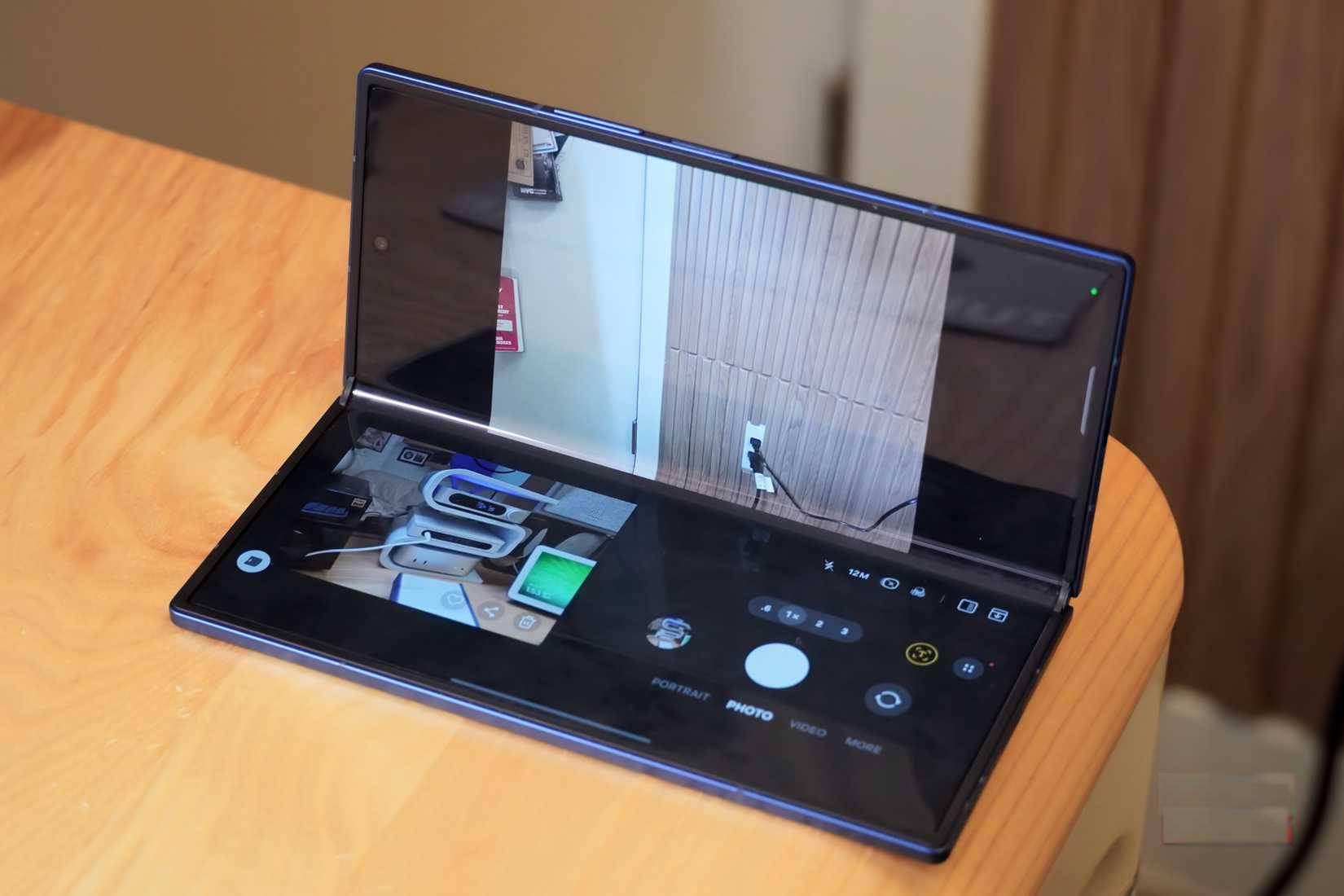
Flex mode on Samsung phones and the equivalent tabletop mode on Pixel phones are two of the most useful features on foldable phones. They are available across the entire Android operating system in apps like YouTube. This feature works with the Camera app, using the top half of the screen as a viewfinder and the bottom half for shooting controls. You can use other photography features while in Flex mode or tabletop mode, such as Dual Screen Preview or Capture View.
Capture View
View your most recent photos on a large screen while taking pictures
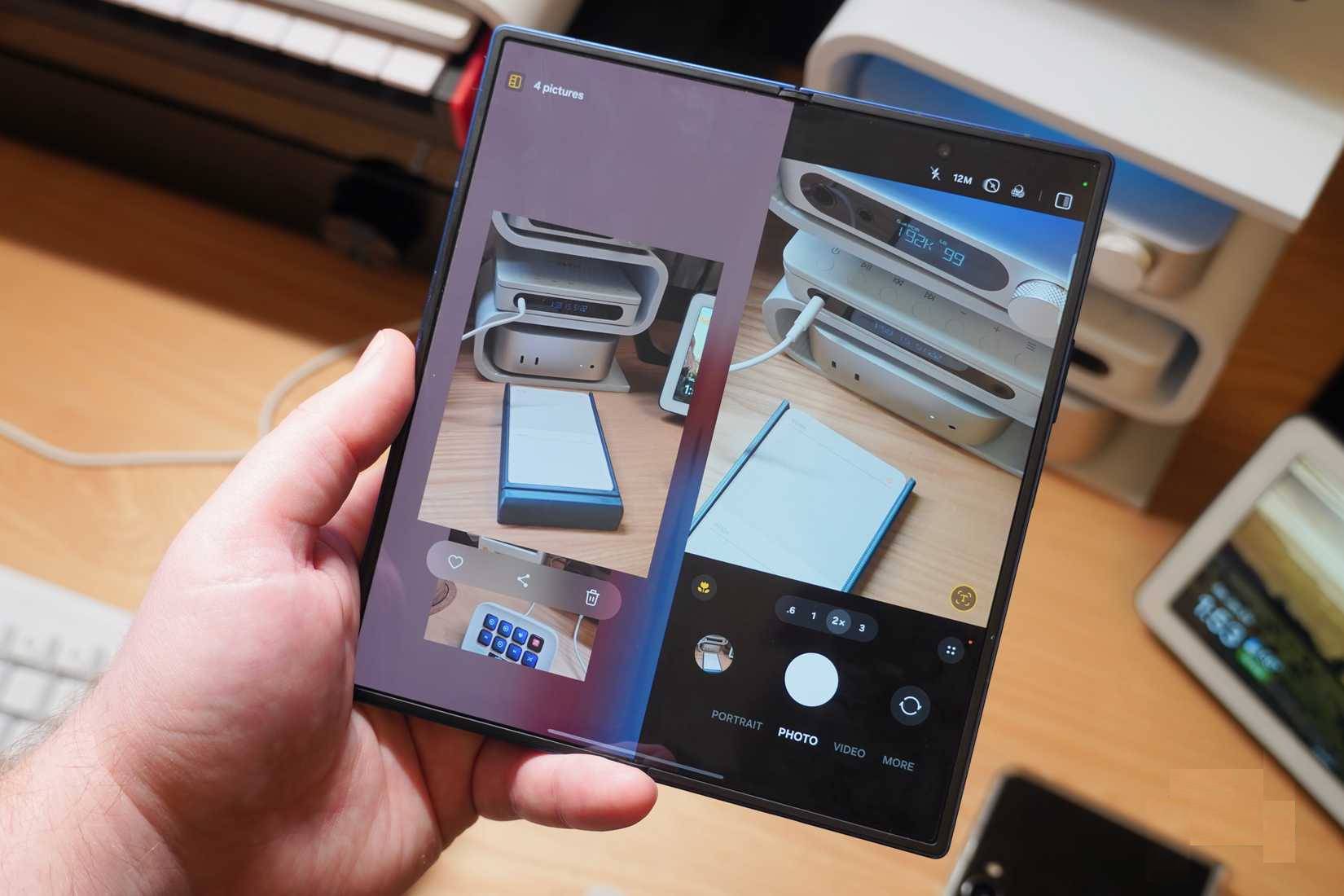
Foldable phones have a hidden feature that displays the results of the last shot along with the camera interface. This feature is called Capture View on Galaxy foldable phones and Instant View on Pixel foldable phones. Essentially, the two features work the same way – they display your most recent shot on the left half of the screen and allow access to the rest of the camera app on the other half. This way, you can check what your most recent shot looks like without leaving the camera interface.
Take a selfie using the rear camera
Use an external monitor to take higher-quality selfies
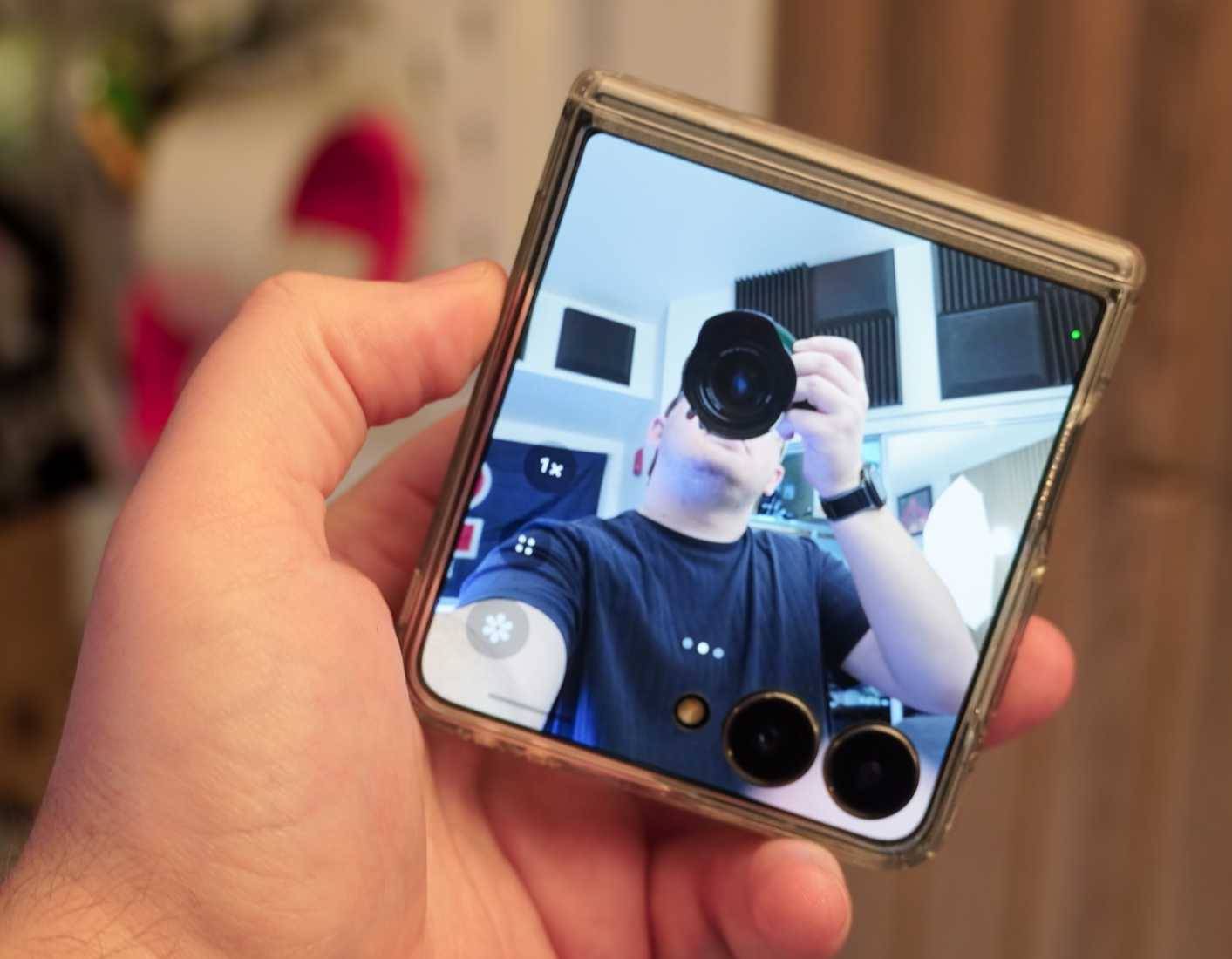
Finally, the most obvious—but least noticed—advantage of using a foldable phone as a mobile camera is the better selfie image quality. You can always open the camera app on the outer screen of any foldable phone to use the rear camera as a selfie camera. The clear advantage here is taking advantage of the larger and higher-quality main camera.
For example, on the Samsung Galaxy Z Fold 7, you can use the 200MP rear camera to take selfies. Many people never use the actual selfie camera on foldable devices because the image quality is significantly improved by using rear sensors.
Final Thoughts
Understanding 5 android camera features only available on foldable phones makes it easier to evaluate the information and apply the most relevant recommendations. Focus on the key points above and verify details that may change over time.
FAQ
What is 5 android camera features only available on foldable phones?
Explore 5 Android camera features only available on foldable phones.
What key points does this article cover?
The article focuses on Camcorder mode, Use a foldable phone as a classic voice recorder, Dual Screen Preview, with practical explanations and examples.
How can you use this information in practice?
Use the explanations to compare options, verify important details, and make a more informed decision. Apply the recommendations that best match your goals and situation.
Related Articles
 8 iPhone Camera Features Android Phones Need to Learn: What You Need to Know7 minutes read
 The Best Camera App for Android14 minutes read
 9 Great Hidden Features on Android You May Never Know13 minutes read
 The Best Foldable Smartphones in 20254 minutes read
 Why Are Many People Still Hesitant to Buy Foldable Screen Phones: Explained8 minutes read
 An Extremely Dangerous Vulnerability on Android Phones Allows Bad3 minutes read
Reader Comments 0
Sign in with email or Google to join the discussion.