Table of Contents
This guide organizes the entries in "3 Best Methods to Play Xbox 360 Games on Windows PC" and explains what each option, idea, or example offers. It also highlights practical details that matter when comparing the choices.
1. Xbox Cloud Gaming
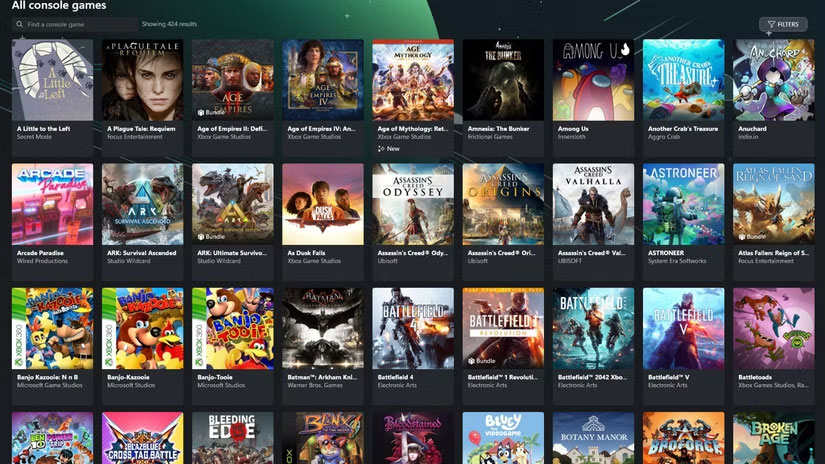
If you want to start playing Xbox 360 games on your Windows PC as quickly as possible without worrying about hardware or software configuration, Xbox Cloud Gaming is the easiest way.
Xbox Cloud Gaming is Microsoft's cloud gaming service. It works by streaming games from a server that runs them for you. So you need very little hardware to play smoothly. You can stream games from the Xbox app for Windows or even your web browser if you need to.
To access Xbox 360 games on the service, you'll need to sign up for Xbox Game Pass Ultimate. The best part about this subscription is that you can play all of the Xbox 360 games - and many more - available on Xbox Cloud Gaming for one monthly fee.
While your PC hardware doesn't matter much for cloud gaming, there are still a few requirements to keep in mind. You may need a game controller for certain games. You'll also need a fast internet connection: Microsoft recommends 20Mbps for desktops and 10Mbps for laptops for smooth gameplay.
Xbox 360 games available on Xbox Cloud Gaming
Games from the Xbox 360 collection are being added to Xbox Cloud Gaming all the time. Currently, popular Xbox 360 games available include:
- Gears of War 1, 2 and 3
- Crysis 1, 2 and 3
- Skate 3
- Fight Night Champion
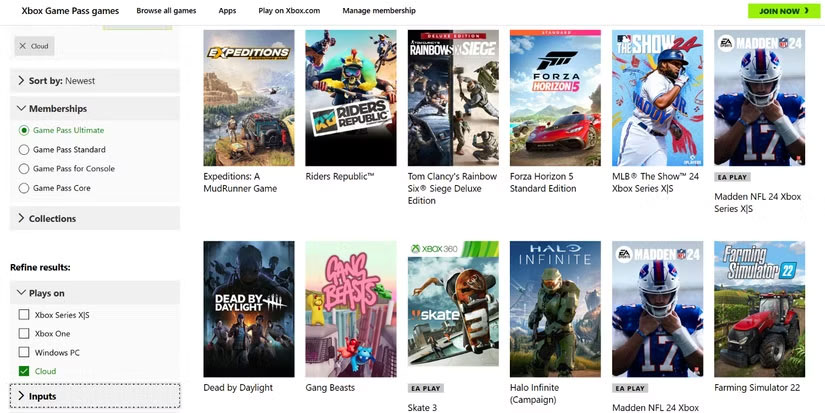
To see more games you can play, visit the Xbox Game Pass library, filtering through Cloud and Game Pass Ultimate .
2. Steam
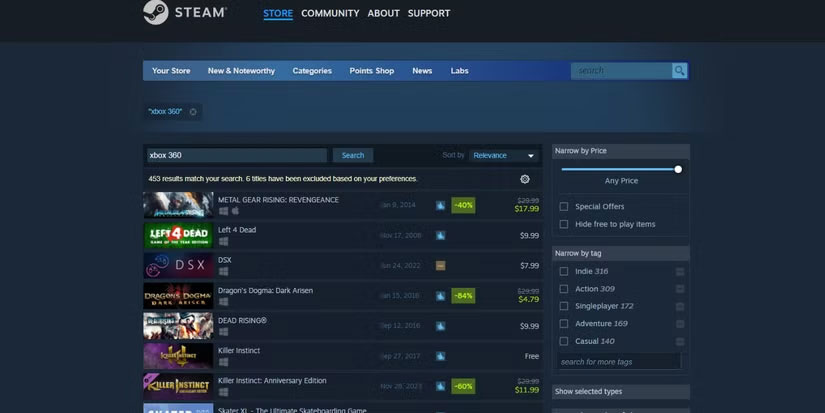
If you just want to play a few games on PC and don't want to pay a monthly subscription fee, you can buy individual Xbox 360 titles on Steam.
For those new to Windows gaming, Steam is the most popular gaming platform for purchasing and installing games from various publishers. Many Xbox 360 console games have been ported to Steam or have native Windows versions.
The downside is that your PC needs to have enough hardware to run the games you want to play. Since Xbox 360 games are quite old, many of them are not very graphically demanding. You can use a CPU with integrated graphics for games, or better yet, a dedicated GPU on a budget PC setup.
Xbox 360 games available on Steam
Steam's Xbox 360 games catalog is extensive and includes titles such as:
- Halo 3
- Fallout 3
- Tom Clancy's Rainbow Six: Vegas
- Burnout Paradise
- Dragon's Dogma
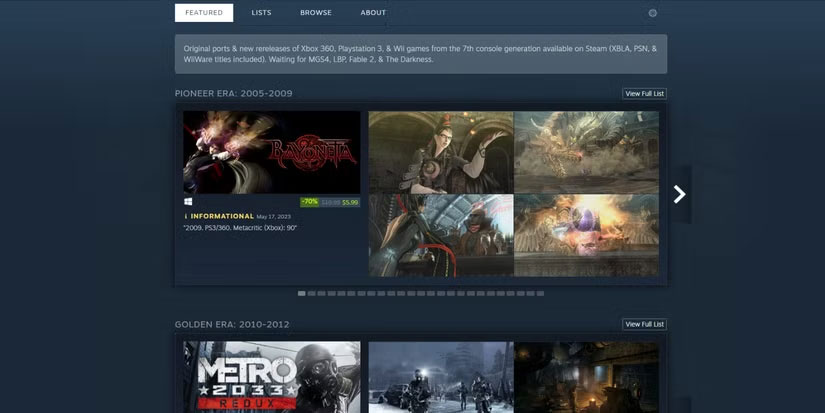
To find Xbox 360 games available on Steam, you can search for individual titles. You can also check out this curated list for a more comprehensive overview.
The best thing about owning an Xbox 360 game on Steam is the ability to play it on other devices. For example, you can:
- Play directly on Steam Deck or use Steam Deck's remote play feature to stream games from your PC.
- Play from your living room TV by streaming PC games to Apple TV using Steam Link or NVIDIA Shield TV via Steam Link.
- Play PC games on mobile with Nvidia GeForce Experience or Moonlight apps.
3. Xenia: Xbox 360 Emulator
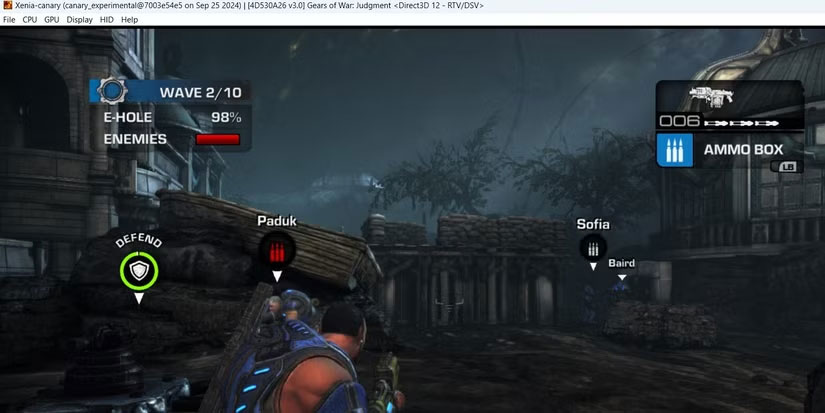
If Xbox Cloud Gaming and Steam don't have the Xbox 360 game you're looking for, is there another way? You can play Xbox 360 games on your PC using the Xenia emulator. Xenia is a Windows program that emulates the Xbox 360 console as software so you can play Xbox 360 games on your PC.
Xenia has all the pros and cons of playing games on an emulator. Many Xbox 360 games run almost perfectly, as if they were native PC ports. However, some games display graphical glitches, lack sound, or freeze. Others run slowly, even on top-end hardware. Unlike the methods mentioned above, it's not always a plug-and-play affair.
One more thing: Xenia is just an emulator, so it doesn't come with any games. You'll need a legal way to back up ROMs for the games you want to play.
Xbox 360 games available on Xenia
You can check the status of almost any Xbox 360 game you want to play from Xenia's game compatibility list. Searching for a specific game like Ninja Gaiden II will let you see how well it runs on Xenia. Many people also like to use the label:state-playable filter to cycle through all playable titles from start to finish.
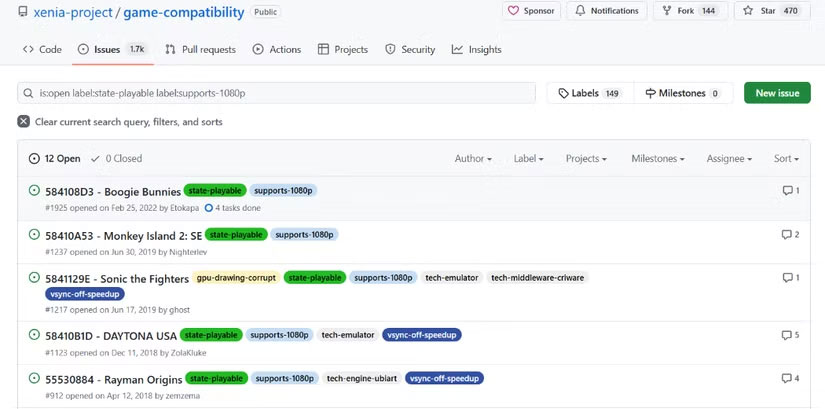
Some of the currently 'imperfect' titles can be made playable by applying the tweaks mentioned in the respective threads. When that is not possible, the simple solution is to wait: Xenia's developers can improve the game's compatibility over time.
FAQ
What should you know about 1. Xbox Cloud Gaming?
If you want to start playing Xbox 360 games on your Windows PC as quickly as possible without worrying about hardware or software configuration, Xbox Cloud Gaming is the easiest way.
What should you know about xbox 360 games available on Xbox Cloud Gaming?
Games from the Xbox 360 collection are being added to Xbox Cloud Gaming all the time. Currently, popular Xbox 360 games available include:
What should you know about 2. Steam?
If you just want to play a few games on PC and don't want to pay a monthly subscription fee, you can buy individual Xbox 360 titles on Steam.
What should you know about xbox 360 games available on Steam?
Steam's Xbox 360 games catalog is extensive and includes titles such as:
Related Articles
 LG Smart TVs Can Now Play Xbox Games5 minutes read
 How to Connect Two TVs to an Xbox: Step-by-Step Guide9 minutes read
 The Prospect of Experiencing Xbox One Games on PC Is Not Far Away4 minutes read
 How to Enable Full-screen Xbox on Windows 11: Step-by-Step Guide4 minutes read
 Top 5 Xbox One Emulator Software for Windows PC13 minutes read
 Steps to Connect a Mouse and Keyboard to Xbox5 minutes read
Reader Comments 0
Sign in with email or Google to join the discussion.