Table of Contents
One company is taking matters into its own hands, providing Windows 10 security patches for five years, and all you have to do is sign up and download the company's software.
In October 2025, Microsoft officially stopped supporting Windows 10. Feature updates will stop, and only those enrolled in the Microsoft Extended Security Updates (ESU) program will continue to receive security updates.
Microsoft has made it clear: It's time for a change.
That said, one company is taking matters into its own hands, offering five years of Windows 10 security patches, and all you have to do is sign up and download the company's software.
0patch is your ticket to continue using Windows 10
At least, that's what it seems
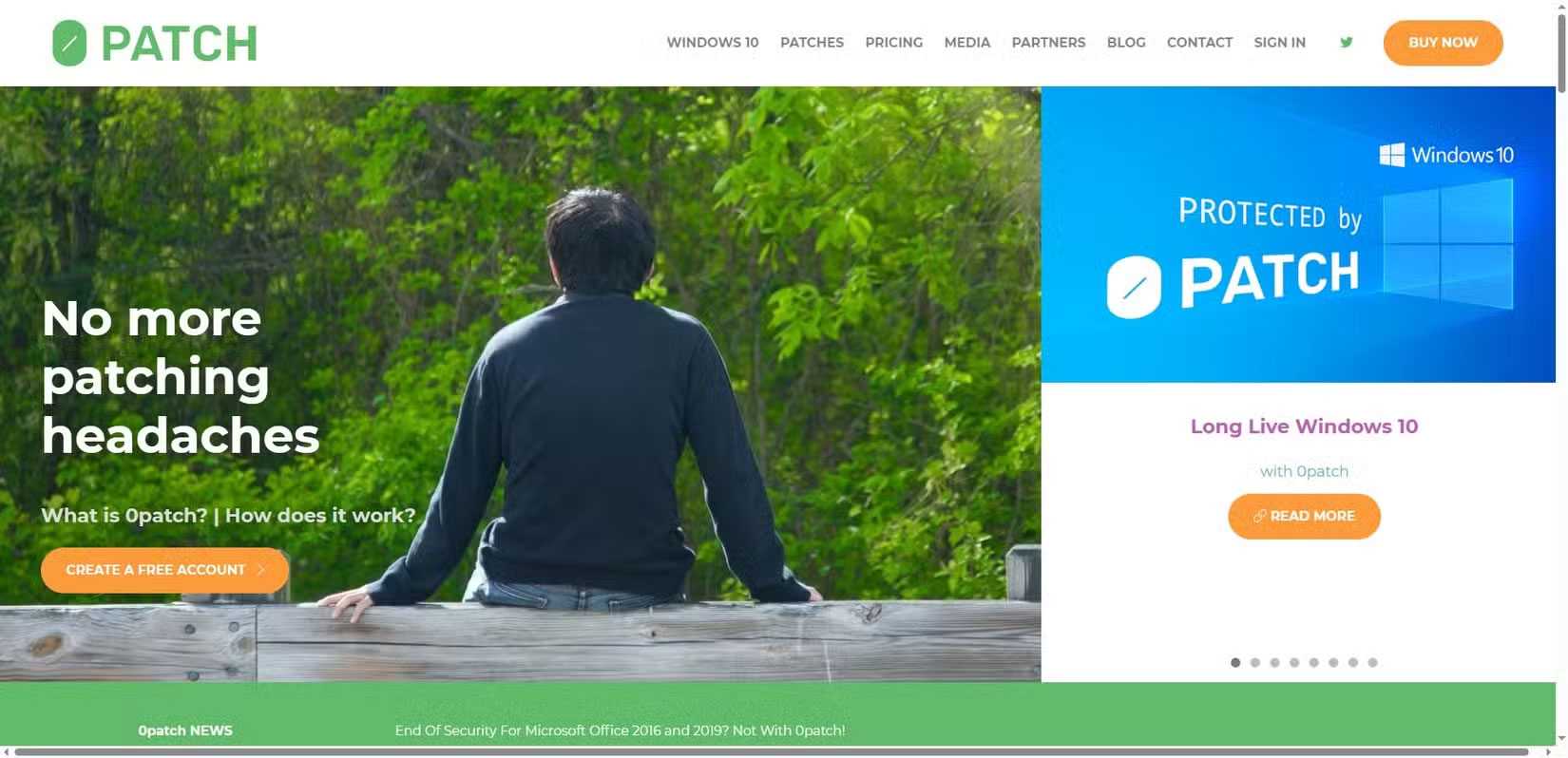
The biggest problem with Microsoft ending support for Windows 10 is the lack of security updates. Windows 10 feature updates slowed down significantly throughout 2024 as Microsoft shifted its full focus to Windows 11. But security patches continued to roll out, ensuring that all Windows 10 users remained safe.
0patch is filling this gap with its 'micropatch' approach, targeting vulnerabilities and issues that appear on Windows 10 after Microsoft stops supporting it.
0patch's goal is not to patch every vulnerability, but rather to target important vulnerabilities, such as those that are being exploited in the wild or those that don't have an official patch from the vendor.
0patch is free for personal use. You install their 0patch Agent software, which you can use to apply specific patches to Windows 10. The company aims to provide minor patches for Windows 10 for up to five years, a huge relief for many users who can't afford to leave Windows 10 (or simply don't want to).
The recent 0patch update also brings more good news: The tool will also patch and secure Office 2016 and Office 2019, since Microsoft will also stop supporting these tools in October 2025. In both cases, 0patch will provide an additional 3 years of support, which is great if you don't want to switch to Microsoft 365 just yet.
Install 0patch and login
The installation process is very simple
The 0patch installation process is straightforward, similar to installing any other Windows software.
- First, You should create an 0patch account.
- After registration, download 0patch Agent.
- Follow the on-screen installation instructions. This is a standard installation procedure.
- Once the installation is complete, 0patch Agent will open automatically.
You should log in to 0patch Agent using the account credentials you created.
0patch Agent automatically starts patching Windows 10
Lots of patches
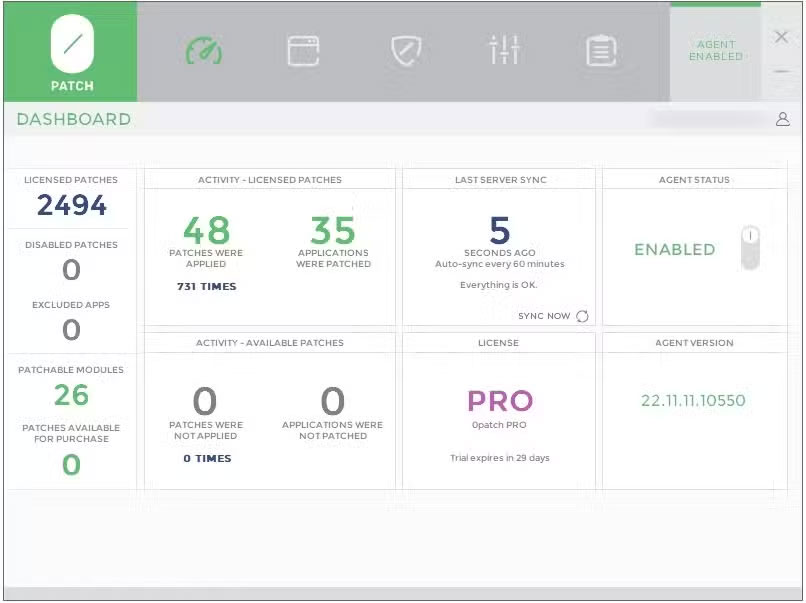
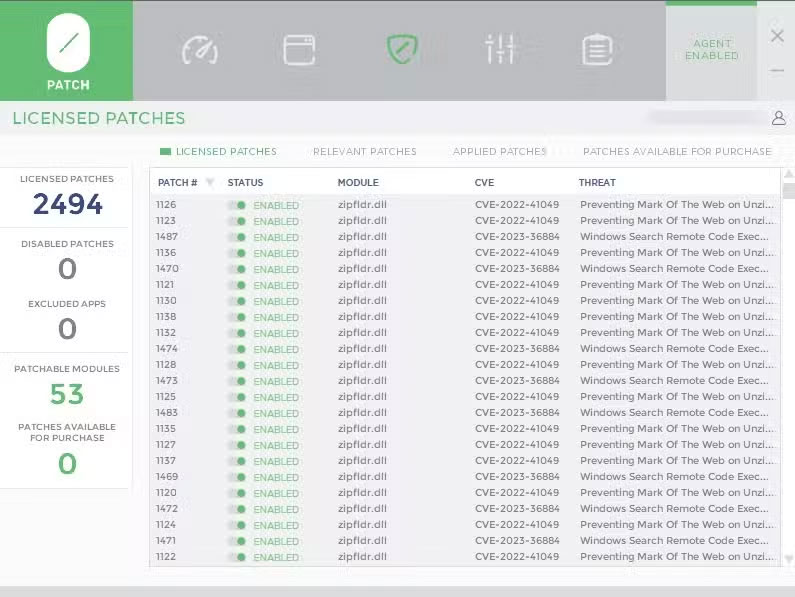
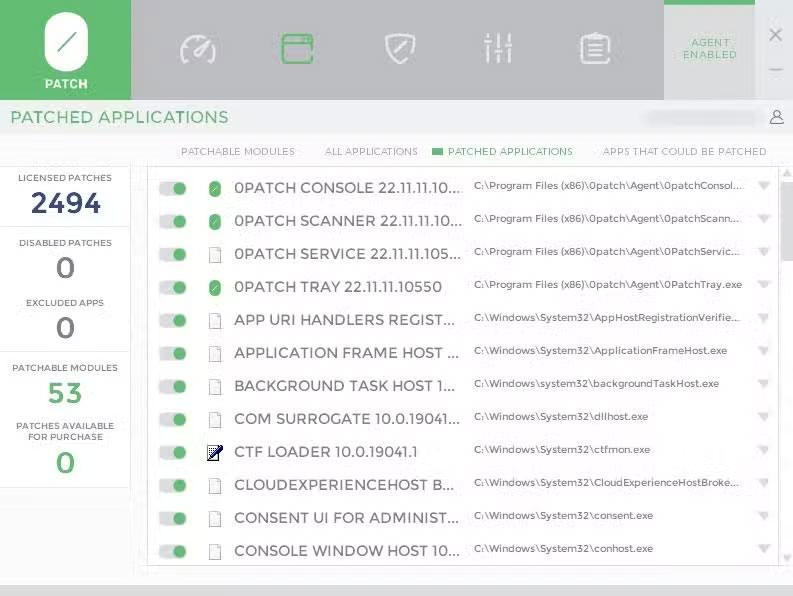
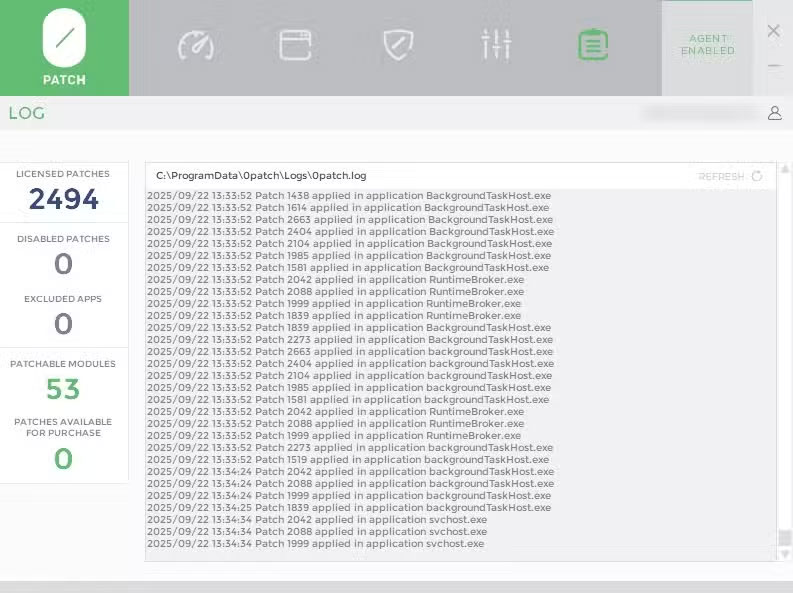
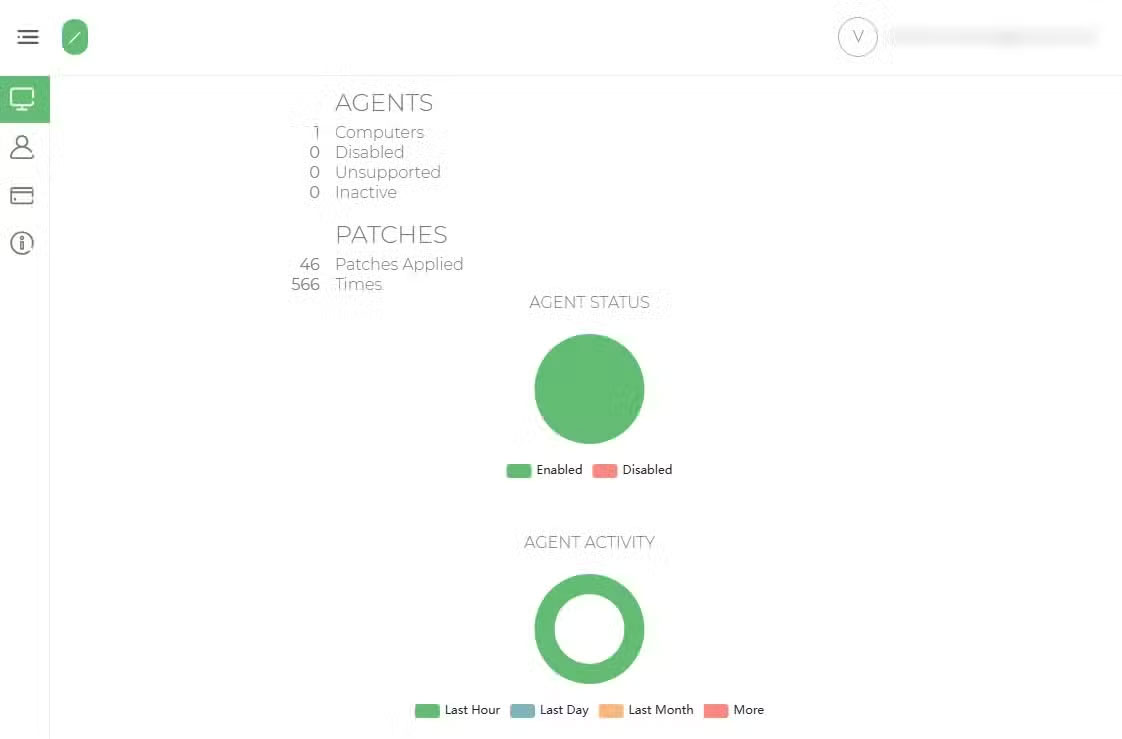
Once you log in, 0patch Agent will get to work immediately, "fixing what really matters".
The 0patch Agent dashboard also gives you an overview of the vulnerabilities and programs being patched. In the example dashboard, it shows 58 applications patched, with 49 patches applied. Note that this is on a fresh Windows 10 installation in a virtual machine, with no other software installed.
So after installing on a full-time Windows 10 installation, the results from the control panel may vary, as 0patch finds more programs and tools for security.
That said, what people like about 0patch Agent is that it applies patches to Windows 10 without waiting. The patches are applied almost instantly and you don't need to restart your computer for them to take effect.
That said, it is recommended that you restart your computer after installing the patches, as that is the best practice. But the 0patch documentation says that you don't need to do that.
Should I use 0patch or Microsoft's ESU?
Or can you choose both?
The countdown to Windows 10's end of life has put a spotlight on patching processes, as many people want to continue using the decade-old operating system. This comes with some significant risks, especially security, as Microsoft ends support.
As it stands, joining Microsoft's Extended Security Update program is one of the most popular ways to keep using Windows 10, especially since the company has made it free until October 2026. Just remember to sign up for the program before October 14, 2025, or you'll no longer be able to use it.
But that's the beauty and power of 0patch and 0patch Agent. If you miss the October 14 deadline, you can opt for 0patch and its small patches, which the company will provide for the rest of the decade.
Furthermore, since 0patch is free for personal use, there's nothing wrong with signing up and seeing if it's right for you, or if it's time for you to move to Windows 11.
FAQ
What should you know about 0patch is your ticket to continue using Windows 10?
In practical terms, one company is taking matters into its own hands, providing Windows 10 security patches for five years, and all you have to do is sign up and download the company's software.
Why does 0patch is your ticket to continue using Windows 10 matter?
The article highlights that 0patch is filling this gap with its 'micropatch' approach, targeting vulnerabilities and issues that appear on Windows 10 after Microsoft stops supporting it.
What is the main takeaway?
The main takeaway is that 0patch Agent automatically starts patching Windows 10 Lots of patches Once you log in, 0patch Agent will get to work immediately, "fixing what really matters".
Related Articles
 Windows 10 Will Receive 5 Years of Additional Support Through5 minutes read
 How to Be a Ticket Broker: Step-by-Step Guide10 minutes read
 How to Fight a Jaywalking Ticket: Step-by-Step Guide14 minutes read
 How to Write a Letter to Contest a Parking Ticket8 minutes read
 Windows 7, Windows Server 2008 R2 Will Continue to Be Unofficially Supported for6 minutes read
 How to Scalp Tickets: Step-by-Step Guide11 minutes read
Reader Comments 0
Sign in with email or Google to join the discussion.