Table of Contents
the Function of Buying a Thermos Bottle can be easier to understand when its features and use cases are examined together. This guide provides a clear overview and practical context.
When choosing to buy a thermos, you should choose to buy a bottle with the following functions for more convenient use.
Special functions of electric thermos
Self-boiling feature when water cools
This is one of the most basic features that any thermos have. When you add more water to the bottle or when the water in the bottle cool down to below 70 degrees C, the thermos will automatically boil again, helping users always have hot water to use.
Function to boil water again
With this feature, users will automatically press the " Reboil - Boil - Re-boil " button, which will boil water again, so you can use hot water whenever you need it.
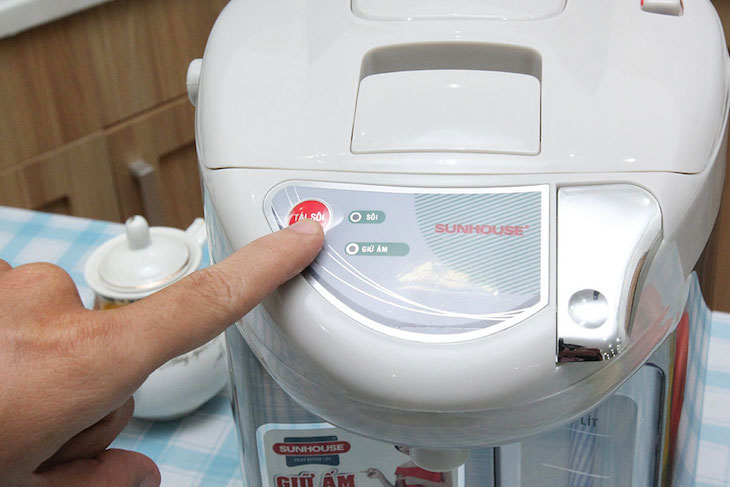
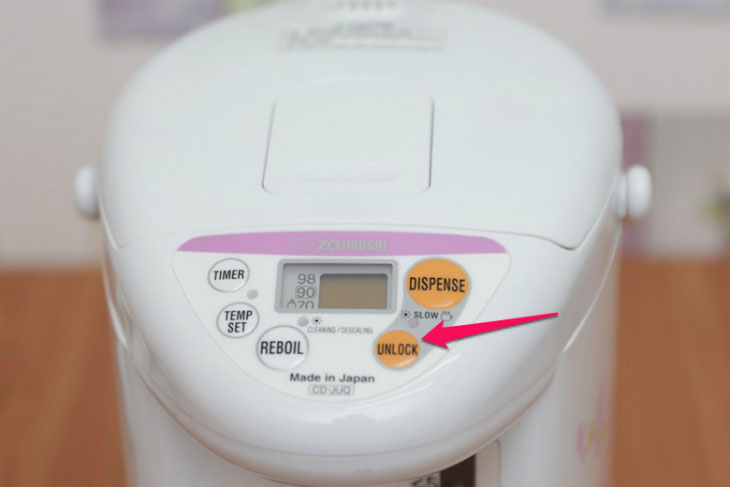
Electronic water filling lock
This function is usually available in electronic thermos. This is an essential feature when families have young children, helping to protect them from burns if unfortunately mischievous. Just press the " Lock " button on the control panel and the tap will no longer flow. To unlock and pour water, press "Unlock" Button.
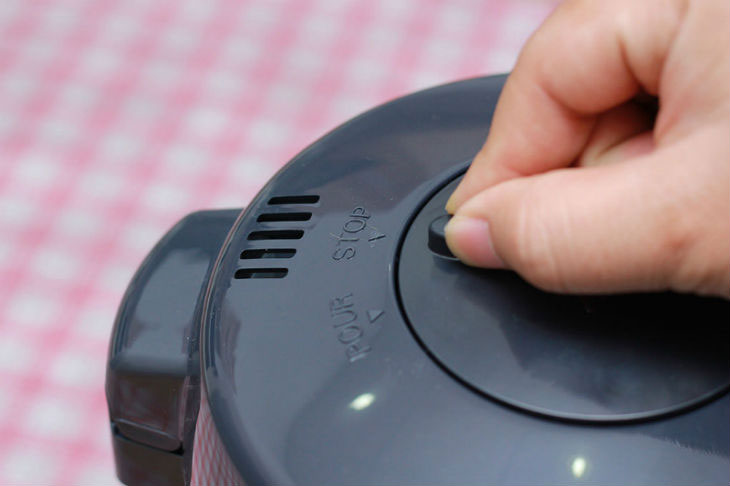
Hand pump for pouring water
This feature is usually integrated on a filling pump. Similar to the above function but applied to hand pump lock, the water does not flow even though the baby has pumped.
Stand rotate 360 degrees to take water
Thermoelectric design with 360-degree rotating base is similar to the electric relay of the electric kettle so you can take water from all directions easily.
Boil timer again
Some types of high-class electronic thermos will integrate this function to help users use electricity more efficiently. Users can set the timer to re-boil for 4 - 10 hours (each bottle will have a different timer). When you use this mode, the power will turn off and 1 hour before the end timer mode will boil the water again. When the water is boiling, it will switch to keep warm mode.
Power saving mode
When using a thermos you must plug in electricity 24/24 so it consumes many electricity. However this problem has been solved. Note: This feature is only available on Tiger thermos.
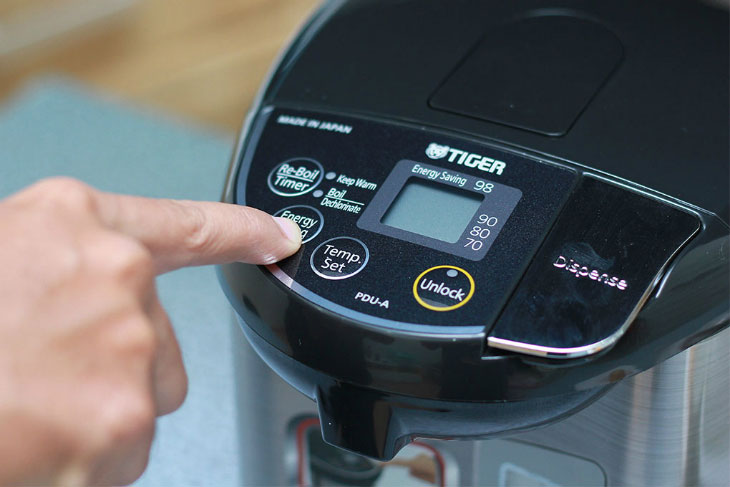
You just need to click the " Energy Saving" or "Eco " button on the control panel of the jar. Here. com will guide you how to activate the power saving mode of the thermos.
Press and hold the ' Energy Saving ' button on the control panel for 1 second. When boiling in power saving mode, the thermos will automatically turn off when the internal temperature reaches 98 degrees Celsius and start the steam boil down mode.
Boil the deodorized chlorine in the water
This function is not all electric water heaters have because the price will be more expensive so the company will not mass produce. When using this function will help clean drinking water more pure and healthy, good for health.
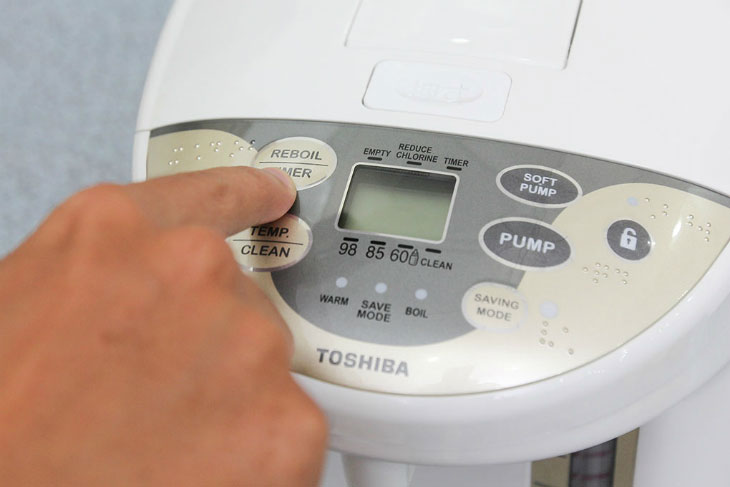
To use the boil function to deodorize chlorine in the water, users presses Reboil Button 2 times when the water is kept warm or once when the water boils, then users will see the Reduce Chlorine Indicator light glowing.
Slow water regime for burns
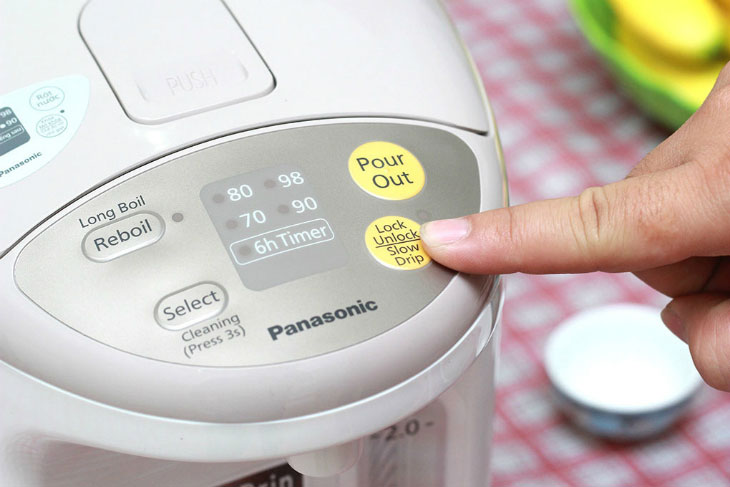
This mode is suitable for you when you need to make coffee, make tea or suitable for the elderly to use to prevent burns. To do this, press the Slow Drip or Soft Pump button . Then the water will flow out gently, slowly, ensuring safety without worrying about burns.
Boiling water for tea
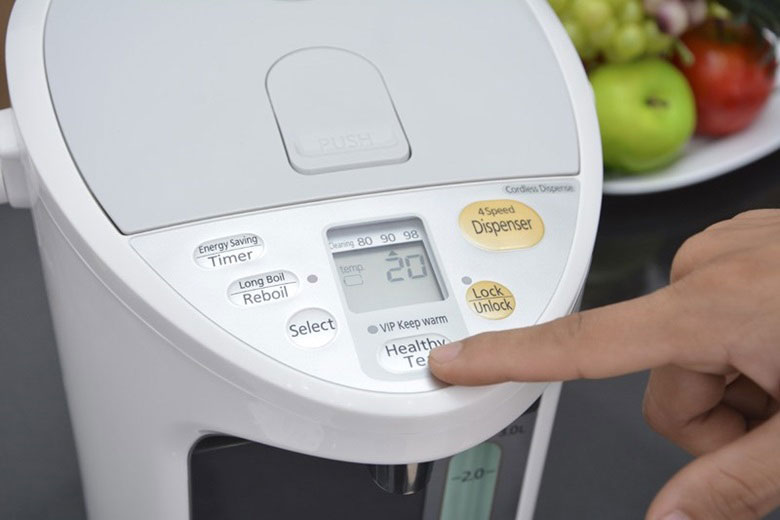
This function is only available in Panasonic hydroelectric power. This function helps you make more delicious tea. You put tea and water in the jar and press the ' Healthy Tea ' button, the bottle will increase Theanine by 11%, antioxidant Catechin to 17% in tea leaves.
Energy saving light sensor
For hydropower plants equipped with light sensors, when the light in the surrounding environment is weak, the thermos will automatically switch to the lowest warming temperature at 60 degrees Celsius for less electricity consumption.
The kettle automatically returns water to the original temperature when ambient light returns to normal.
Choose a thermos with vacuum insulation
Users should choose a thermos with 3 layers: 2 metal layers, in the middle is a vacuum environment. The vacuum environment does not conduct heat, so it helps the thermos to retain heat well and keep it warm for a long time and helps to prevent the shell from getting hot, ensuring safety for users.
Hopefully this article will help you better understand the special features of the thermos to find the best product.
FAQ
What is the function of buying a thermos bottle used for?
It is used to support the functions and workflows described in this guide. The exact benefits depend on your device, software version, and intended use.
How does the function of buying a thermos bottle work?
It works through the features, settings, or process explained above. Start with the core concept, then review the practical examples before applying it.
Who should learn about the function of buying a thermos bottle?
It is useful for beginners who need a clear overview and for experienced users who want to confirm key settings, limitations, or troubleshooting steps.
Related Articles
 Identification Signs Need to Be Replaced Immediately by the Thermos6 minutes read
 Why Is the Thermos Flask So Fast? How to Use the Bottle for Safety?9 minutes read
 4 Reasons to Befriend with a Thermos Bottle4 minutes read
 How to Design a Thermostat to Keep the Heat So Long?7 minutes read
 What Kind of Thermos Can Keep the Heat for the Longest?10 minutes read
 4 Great Deodorant to Remove Heat for New Bottles4 minutes read
Reader Comments 0
Sign in with email or Google to join the discussion.