Table of Contents
This guide explains In-game FPS, why it matters, how it works, and how to evaluate or use it in practical situations.

FPS stands for Frame Per Second which is the number of images that appear per frame per second. It shows the ability of the graphics card to process images that can draw as many images on the user's screen. The higher the FPS , the stronger your computer or display card or PC system will be, the better the display image, the depth, and the game play smoothly. And vice versa, the lower the FPS, the game will play lag, very uncomfortable.
Normally our eyes see about 24 frames per second or 24fps, so people choose 24 fps is the basic speed for people to watch videos without jerky, often used for movies.

30fps: that's the minimum FPS you want to play a game for. If higher than 30fps, the better, you can play the game smoothly without any inhibition or discomfort. However with combat scenes or half-bouncing combat, the figure of 30fps will not be enough for you to enjoy it.
And the 60 FPS figure in the game seems to be perfect for you to enjoy the game without feeling lag, smooth and smooth images. Of course, the higher the FPS, the better game experience you will have. For some gamers, the number 60 is still not enough when the type of screen with 120Hz or even 240Hz speed is increasingly popular.
If currently you only play the game offline, online normally, with the 60hz screen you just need a PC enough to pull the game up to 60 FPS only. Meanwhile, depending on your needs or interests, you need to invest in a processor chip to bring the game to higher FPS levels, such as 120 FPS with DOTA 2, or 300 FPS with CS: GO.
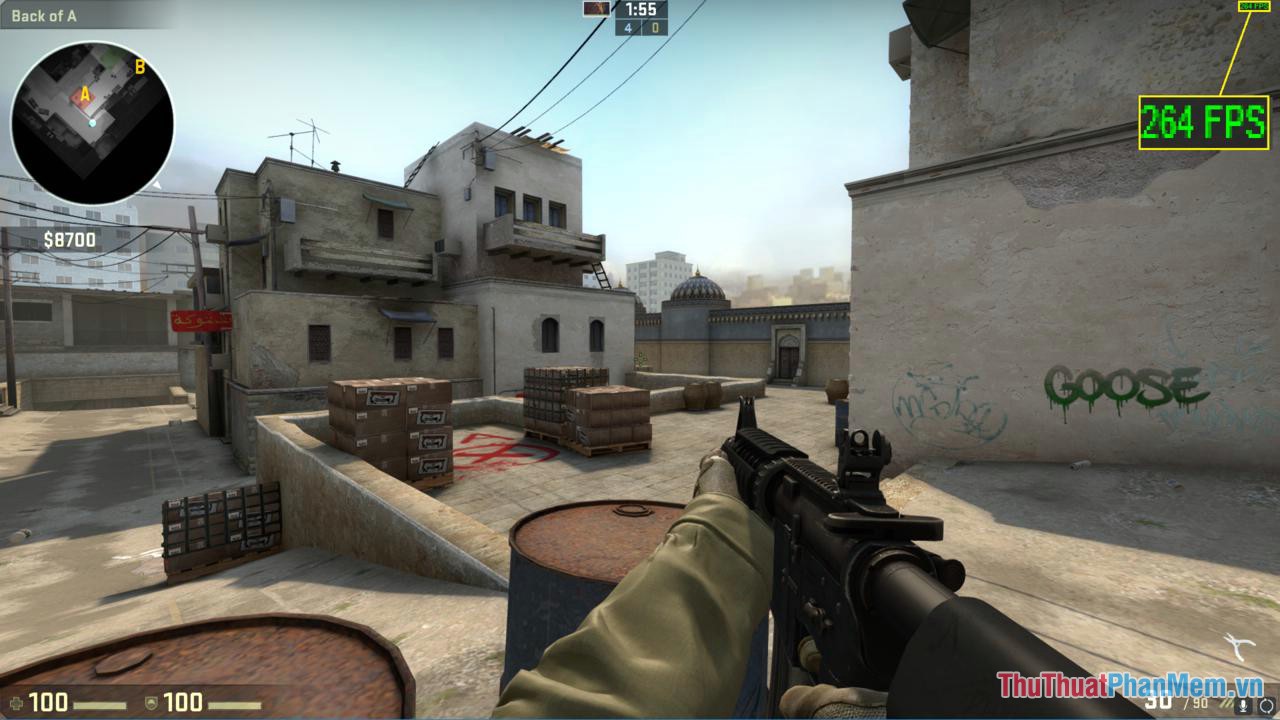
You already know what FPS is, right? TipsMake. com recommends that you find ways to optimize the settings in the game to get the best FPS, the smoothest game play. Thank you for watching!
FAQ
What should I know about In-game FPS?
Focus on the key features, requirements, limitations, and practical use cases explained in this guide.
How do I get the best results with In-game FPS?
Follow the recommended steps, use current software or information, confirm compatibility, and review settings before major changes.
Are there any risks or limitations?
Potential limitations depend on compatibility, data quality, cost, privacy, support, and how the product or method is used.
Related Articles
 How to Remove Xbox Game Bar Windows 11 App3 minutes read
 Game Bar Features: 6 Great Features of Game Bar in Windows 106 minutes read
 What's So Interesting About Squid Game 2?8 minutes read
 What's Interesting About Squid Game 3?10 minutes read
 What Is Indie Game7 minutes read
 How to Download the Sims 3 Game: Complete Guide11 minutes read
Reader Comments 0
Sign in with email or Google to join the discussion.