Table of Contents
A universal laptop charger uses interchangeable tips or supported USB-C charging profiles to work with more than one device. It is not automatically compatible with every laptop. A plug that fits can still supply the wrong voltage or insufficient power, so check the laptop manufacturer's requirements before connecting an adapter.
Check compatibility before buying
- Read the laptop's label, manual, or manufacturer support page for the required input voltage and power rating.
- For a barrel connector, confirm the plug size and polarity as well as voltage. Do not rely on appearance alone.
- Choose a charger that can supply at least the power required by the laptop and that is designed for that device's charging method.
- For USB-C charging, confirm that the laptop supports charging over that port and that the adapter and cable support the required USB Power Delivery profile and power.
- Use an adapter and cable from the laptop maker or a reputable supplier, with applicable electrical safety certifications for your region.

Can one charger work with different laptop brands?
Sometimes, but brand names alone do not establish compatibility. Different models from the same brand may require different connectors or power ratings, and a multi-tip charger only supports the devices listed by its manufacturer. Check the exact laptop model against the charger's compatibility list.
Is a universal charger safe to use?
A correctly specified, well-made compatible charger can power a supported laptop. An unsuitable, damaged, or poorly made adapter can fail to charge, overheat, or damage equipment. Stop using a charger if it becomes unusually hot, smells burnt, has a damaged cable, or causes charging to repeatedly connect and disconnect.
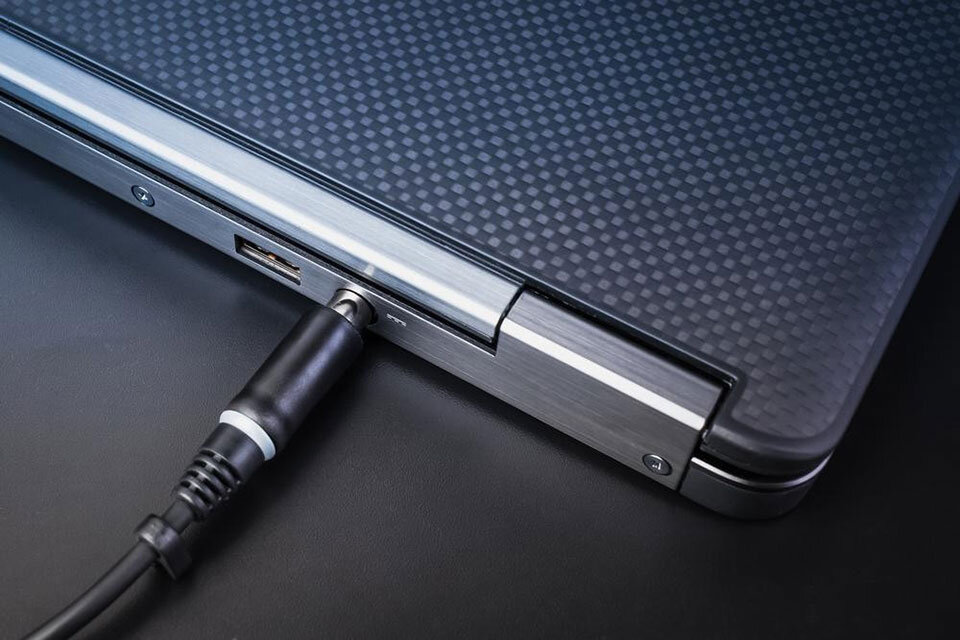
If you cannot confirm the laptop's charging requirements, use the manufacturer's recommended adapter or ask its support team. Do not choose a charger solely because its connector fits.
Related Articles
 Is it really safe to use another laptop charger?
 Is the laptop broken, should it be repaired or purchased?
 Instructions on how to charge your laptop quickly and conveniently without a charger
 Use a battery charger like 'the beard that he has on her chin'
 How to distinguish genuine and fake laptop chargers
 Is the laptop charger hot?
Reader Comments 0
Sign in with email or Google to join the discussion.