This memory is made from a thin film of ferromagnetic material that preserves information without requiring energy (no data loss) and ensures data durability for more than 200 years if properly stored at 35 degrees Celsius, the shelf life will be reduced to 95 years if stored at 55 degrees Celsius.
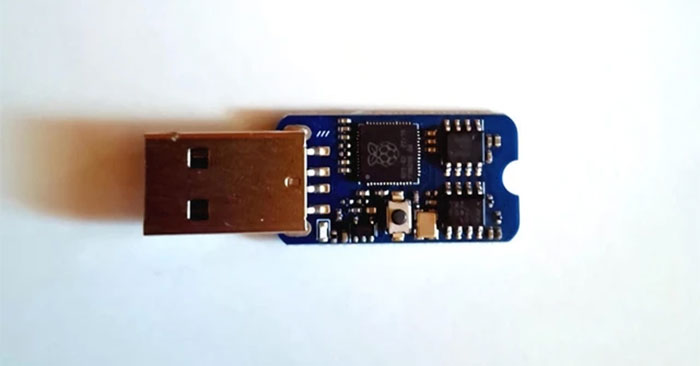
Thanks to Fe-RAM memory technology, the drive has very high write and read speeds. However, this drive has the disadvantage that the device's capacity is only 8 KB.
Fe-RAM not only helps create USB flash drives capable of storing data for a long time, but is also a variation of traditional RAM that promises future smartphones.
A phone with Fe-RAM can be kept in standby mode without consuming any power, although boot data still needs to be loaded. So when needed it will start immediately.
Fe-Ram has lower power consumption, so putting this memory in a smartphone will extend the time between charges, helping to better protect data stored on the phone even when the device is not turned on for a while. long time.
Fe-RAM technology is not currently equipped on any smartphone, but that could change in the future, especially with the push from companies like MachDyne.




Reader Comments 0
Sign in with email or Google to join the discussion.