Table of Contents
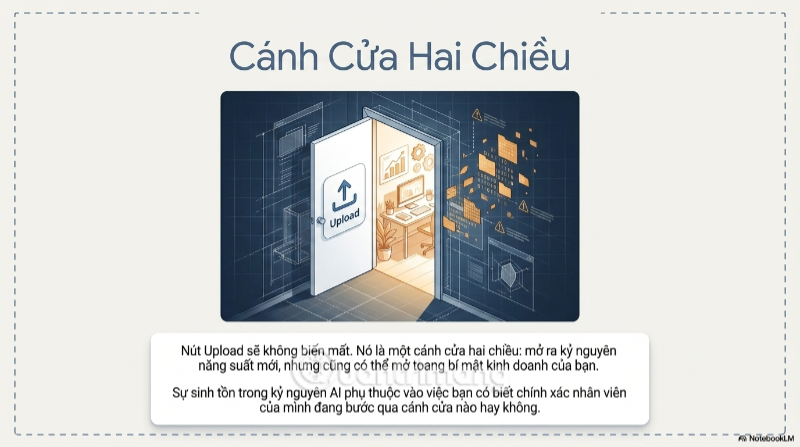
Uploading a document to an AI assistant can save time, but it also sends the document to another information system. The practical risk depends on the data, the account and product being used, the provider's current terms, retention settings, administrator controls, and the organization's contract—not on the Upload button alone.
The safest rule for employees is simple: do not paste or upload confidential, regulated, personal, credential, or trade-secret data to an AI service unless the organization has approved that exact service and workflow.
Why “Shadow AI” creates risk
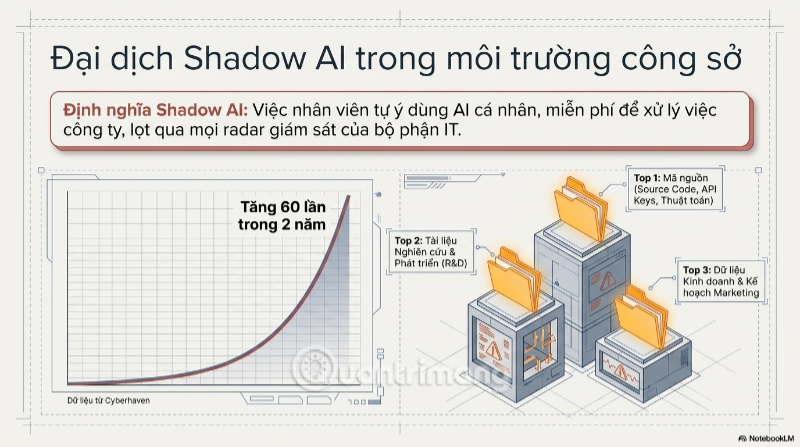
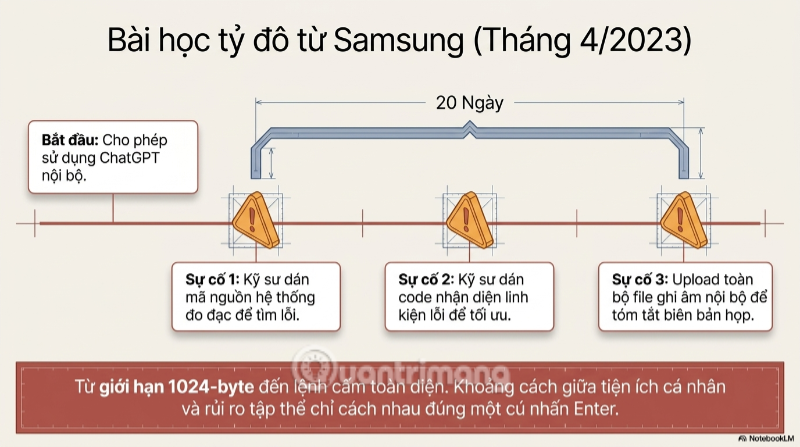
Shadow AI is the use of AI services outside an organization's approved tools and controls. It often begins with an employee trying to work faster: summarizing meeting notes, debugging code, reviewing a résumé, or rewriting a customer document through a personal account.
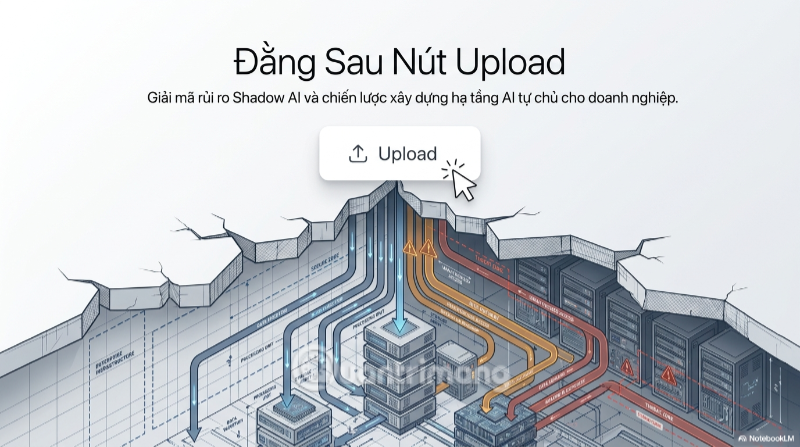
The problem is not necessarily malicious behavior. IT and security teams may simply have no record of which provider received the data, which settings applied, how long the file will remain available, or whether the employee had permission to disclose it.
What happens when a file is uploaded
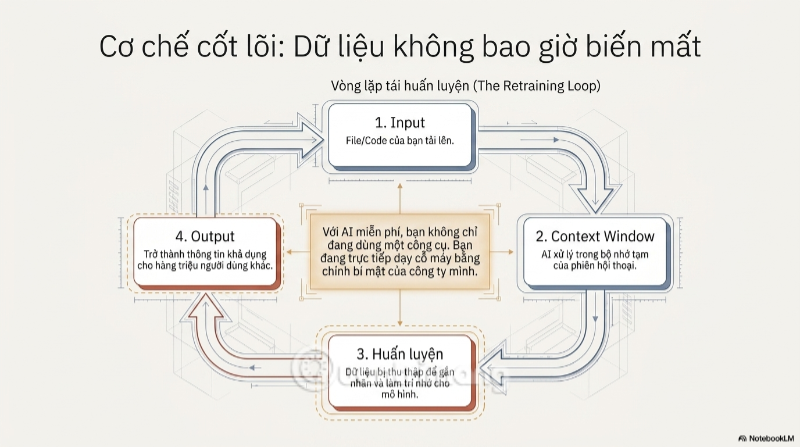
A typical cloud AI workflow sends the file to the provider's infrastructure, where the service may extract text, create temporary indexes, retain a conversation or file, run safety monitoring, and generate a response. Exact behavior varies by product and plan.
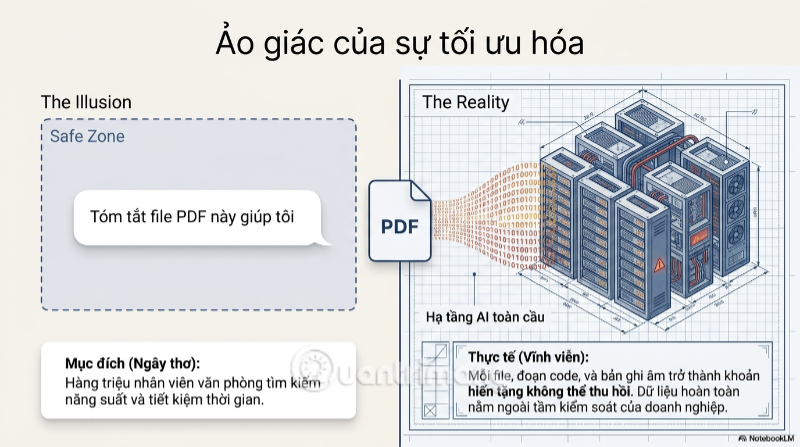
Uploading data does not automatically mean the file becomes public or that another user can retrieve it. It also does not mean every service trains on every upload. Those claims are too broad. The real questions are:
- Is the account a consumer account or an organization-managed business product?
- Can content be used to improve models, and is that setting on or off?
- How long are chats, files, logs, abuse-monitoring records, and backups retained?
- Can provider staff or contractors review content, and under what circumstances?
- Where is the data processed, and which subprocessors are involved?
- What deletion, encryption, access-control, audit, and legal commitments apply?
Consumer settings and business contracts are different
Do not infer business protections from a provider's consumer app—or the reverse. For example, OpenAI's business privacy commitments state that business product and API inputs and outputs are not used to train models by default. Anthropic gives a similar default commitment for its commercial products, while consumer Claude accounts have their own model-improvement control. Google's Gemini Apps Privacy Hub describes separate activity, retention, and human-review behavior for consumer Gemini Apps.
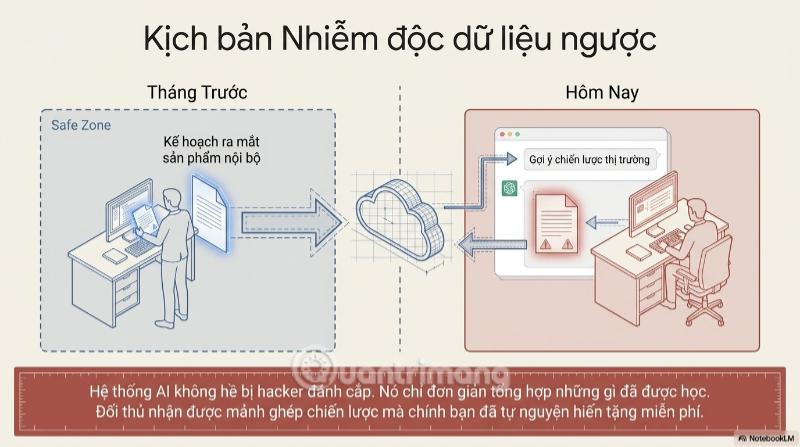
These policies can change and may differ across products from the same company. An organization should verify the current contract and documentation for the exact SKU it has purchased, rather than telling employees that an entire brand is either “safe” or “unsafe.” Disabling model training also does not by itself answer questions about retention, human review, legal requests, integrations, or account compromise.
Data that should trigger a stop
| Data type | Examples | Safer action |
|---|---|---|
| Credentials and secrets | Passwords, API keys, private keys, tokens, connection strings | Never upload; revoke and rotate if exposed |
| Personal or regulated data | Customer records, medical details, payroll, IDs, student or applicant information | Use only an approved, legally assessed workflow with the minimum necessary data |
| Trade secrets | Source code, algorithms, product plans, pricing, unreleased financials | Use an approved environment and remove unnecessary proprietary details |
| Privileged or restricted communications | Legal advice, investigations, security incidents, confidential meetings | Consult the responsible legal or security team first |
| Third-party material | Client files, licensed data, partner documents | Check contractual disclosure and usage rights |
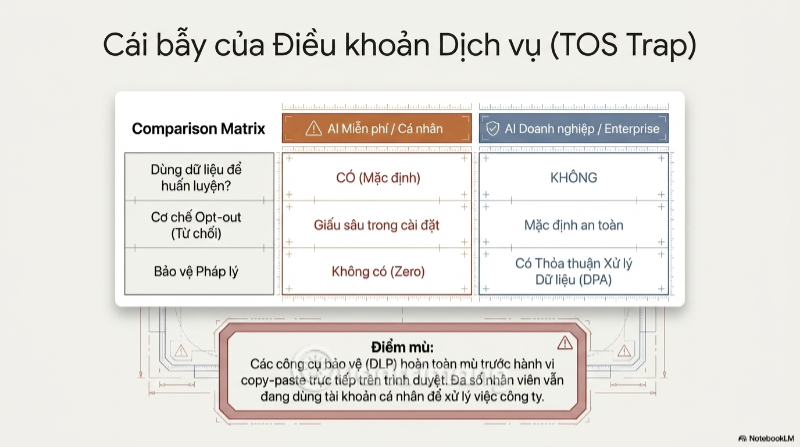
Legal and contractual duties still apply
An AI vendor does not take over the customer's legal responsibilities simply because it processes the file. Privacy, confidentiality, employment, sector-specific, copyright, recordkeeping, and cross-border transfer rules may apply.
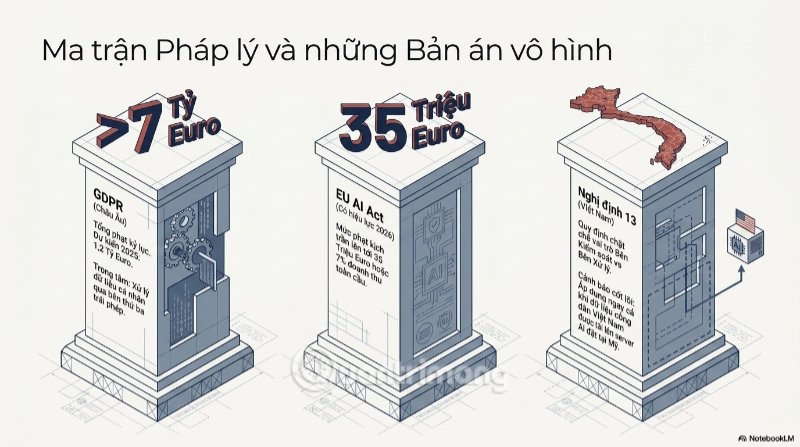
In Vietnam, Law No. 91/2025/QH15 on Personal Data Protection took effect on January 1, 2026. Decree No. 356/2025/ND-CP provides implementing detail and replaced Decree No. 13/2023/ND-CP from that date. Organizations handling Vietnamese personal data should assess their duties under the current framework.
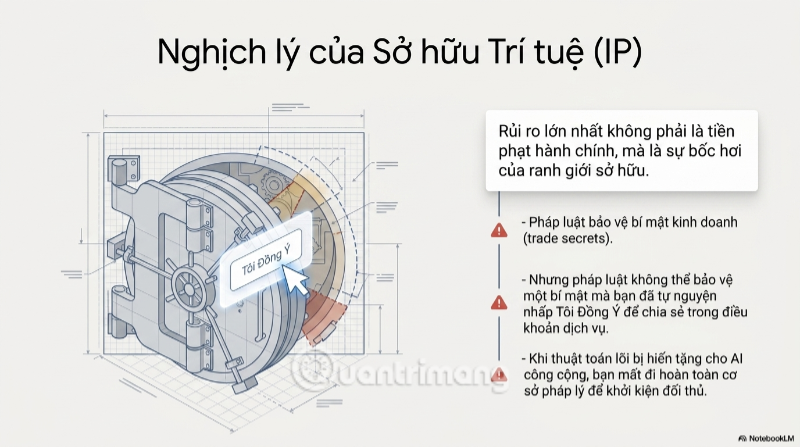
Organizations operating in other jurisdictions may also need to address laws such as the GDPR or rules for automated employment decisions and sensitive sectors. This article is a security checklist, not legal advice; counsel should evaluate the actual data, purpose, contract, and locations involved.
A practical AI governance policy
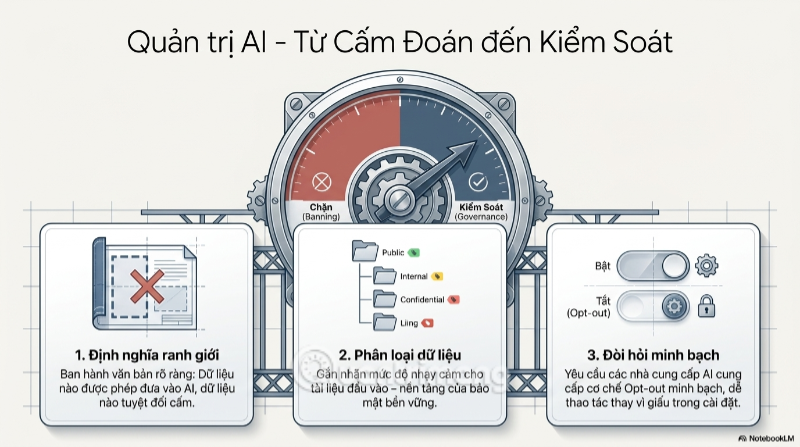
A useful policy is short enough to follow and specific enough to enforce. It should name approved products and account types, then classify data into clear handling levels.
- Inventory use cases. Identify which teams use AI, for what purpose, and with which data sources.
- Classify data. Mark public, internal, confidential, restricted, personal, and regulated information with concrete examples.
- Approve tools by workflow. Assess the product, plan, configuration, contract, integration, and destination—not only the vendor name.
- Apply least privilege. Limit connectors, file access, retention, sharing, exports, plugins, and administrator roles.
- Redact and minimize. Remove names, identifiers, credentials, unnecessary rows, hidden spreadsheet tabs, comments, and document metadata.
- Keep human review. Require a knowledgeable person to check generated results before they affect customers, employees, systems, or public content.
- Log and monitor. Use available audit logs and data-loss controls, while respecting employee privacy and applicable law.
- Prepare an incident path. Tell employees how to report an accidental upload without delay.
Cloud, private cloud, and self-hosted AI
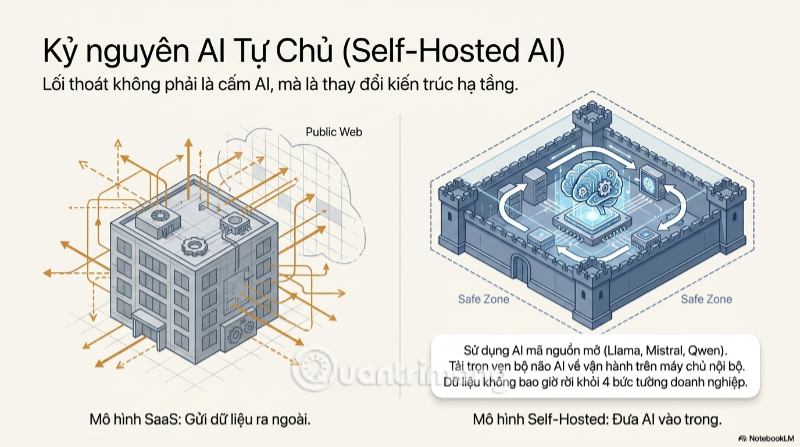
An organization has several deployment choices. A managed business AI service can provide contractual controls, centralized administration, and less operational burden. A private-cloud deployment may offer more network and identity control. A self-hosted model can keep inference within infrastructure the organization manages.
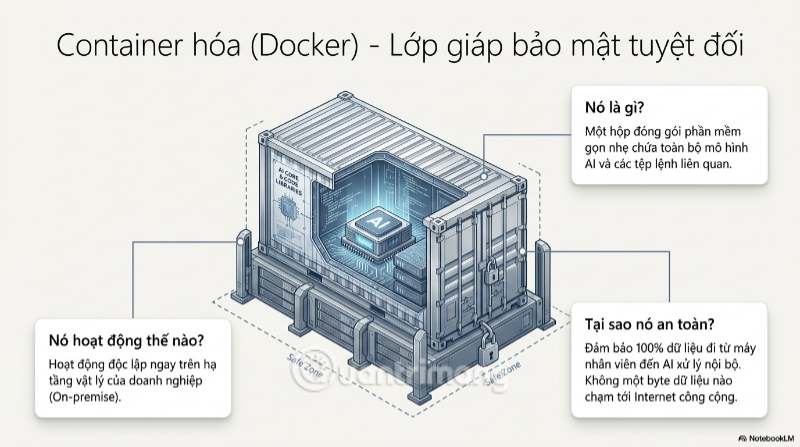
Self-hosting is not automatically secure. Docker packages an application; it does not by itself prevent data exfiltration, vulnerabilities, excessive access, unsafe plugins, compromised models, or logging mistakes. A private deployment still needs network restrictions, patching, model and image provenance checks, encrypted storage, secret management, authentication, authorization, audit logs, backups, monitoring, and an incident response plan.
Where RAG fits
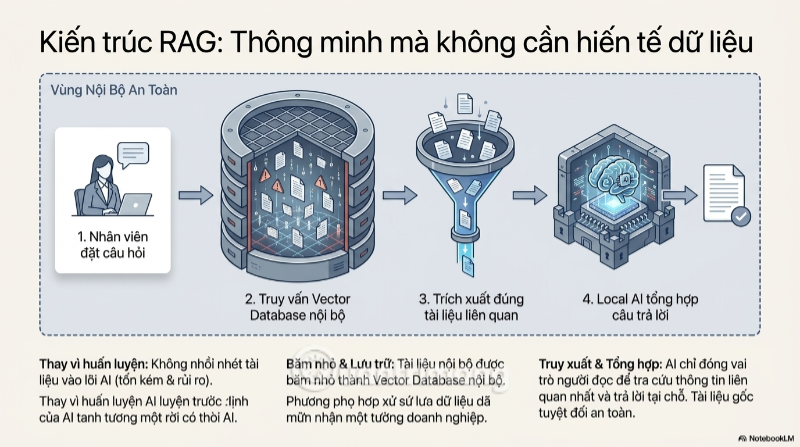
Retrieval-augmented generation (RAG) lets an application retrieve relevant passages from an authorized document store and provide those passages to a model as context. It can avoid retraining a model whenever documents change and can attach access controls or citations to the retrieval layer.
RAG is not a privacy guarantee. The retrieved text is still sent to whichever model endpoint processes the prompt. The application must enforce each user's document permissions before retrieval, protect embeddings and indexes, limit prompt injection from documents, and decide what is logged. If a cloud model is used, the organization's contract and configuration still matter.
Three questions before an upload
- Am I authorized to disclose every part of this file to this exact service?
- Does the approved account, contract, retention policy, and configuration cover this data?
- Can I achieve the task with a redacted excerpt, synthetic example, or approved internal system instead?
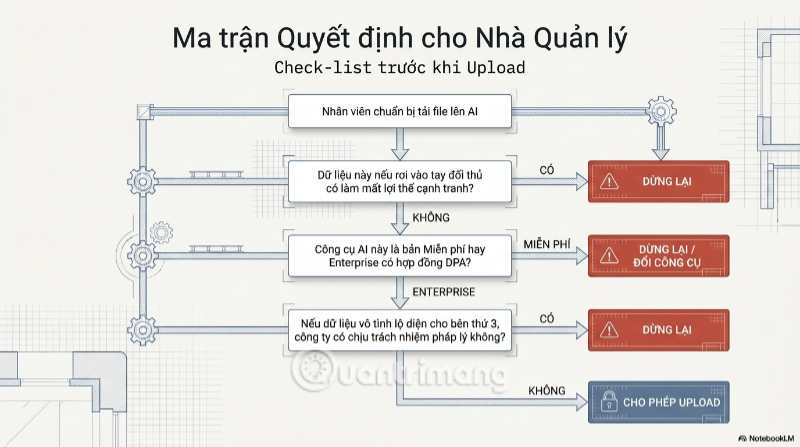
If the answer is unclear, stop and ask the organization's security, privacy, legal, or data owner. The goal is not to ban useful AI; it is to make the approved route easier than an ungoverned personal account.
Related Articles
 What Is Trap: What Is a Trap? Trap Has Any Meaning4 minutes read
 How to Fix 'the 504 Gateway Timeout' Error12 minutes read
 SpaceX Signs on to Ship Cargo to NASA's Future Lunar Gateway3 minutes read
 With a Simple Trap, the Boy Caught the Bird Bigger Than His Own2 minutes read
 Gateway to Ultra-thin NV-series4 minutes read
 If You Ignore This Microwave Button, You Need to Think Again9 minutes read
Reader Comments 0
Sign in with email or Google to join the discussion.