Article on the subject of "windows server 2008"
-
Deploying IPsec Server and Domain Isolation with Windows Server 2008 Group Policy - Part 4
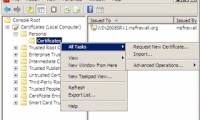
in this article we will show you how to test clients and how security certificates are assigned, removed automatically as well as how clients are connected or ...
-
Application security with AppLocker
applocker is a new integrated tool on windows 7 and windows server 2008 r2 helps block unwanted applications on the network.
-
Secure FTP Server with Windows Server 2008
ftp is an unsecured protocol, it transmits data without performing encryption so that users may encounter risks when using this protocol.
-
Deploying IPsec Server and Domain Isolation with Windows Server 2008 Group Policy - Part 2
in this part 2, we'll move on to the second step, which is the step to install and configure the network policy server, the health registration authority and the subordinate ca.
-
Deploying IPsec Server and Domain Isolation with Windows Server 2008 Group Policy - Part 3
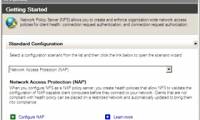
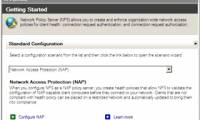
in this section, we will show you how to configure nap ipsec enforcement policy on nps, then switch to using them for testing.
-
Overview of Windows Server 2008 Firewall with advanced security features - Part 3
in this article, i will continue the discussion by showing you how to use group policy to enforce domain isolation using ipsec.
-
Overview of Windows Server 2008 Firewall with advanced security features (continued part 3)
in this article, i will show you how to create an ipsec isolation domain policy in a simple network, create a quarantine domain rule for servers and clients that require security (authentication), configure the server to use ping connections sent to them to check the newly created rule.
-
Windows PowerShell - Automate system administration tasks
powershell is windows' new command line interface, providing a very effective interactive environment for the operating system. powershell is great for automating system administration tasks. powershell can be run on windows xp sp2, windows server 2003 and windows vista, windows server 2008.
-
8 reasons to switch from Windows to Linux
now is a good time to give up windows to linux both on the desktop and the server.
-
Internet Explorer 9 Platform Preview
in this article we will show you the recent release of internet explorer which is the internet explorer 9 platform preview.
-
Create, install and attach VHD files
new features in windows 7 and windows server 2008 r2 allow admin to create, install and attach virtual drives vhd which helps reduce costs on third-party applications with similar functionality.
-
Failover Cluster Management configuration of Server 2008
failover cluster management tool in windows server 2008 allows users to create and manage multiple cluster.
-
Discover VDI in Server 2008 R2 Hyper-V
vdi allows an organization to deploy virtual computers on the server in the data center and provide direct connections to users to another virtual computer.
-
Move DHCP from 2000 Server / Server 2003 to Server 2008
dhcp is one of two network-based services that help control network behavior (the other is dns).
-
Check Server 2008 operating time
knowing how much time the system has operated is a very useful information for system administrators.
-
Configure AppLocker in Windows Server 2008 and Windows 7
the windows server 2008 r2 applocker feature allows additional policy configuration for software used on the server.
-
Managing printers in Windows Server 2008 - Part 1
in this article series, i will show you some of the advantages of how to manage printers in the windows server 2008 network.
-
Managing printers in Windows Server 2008 - Part 2
in this section, i will continue the discussion by showing you how to transfer other network print servers to another network print server you created.
-
Managing printers in Windows Server 2008 - Part 3
in this section, we'll conclude the series by showing you how to use group policy to deploy printers to network clients.
-
Microsoft supports Windows Server 2008 for another 2 years
microsoft products are usually officially and freely supported for 5 years, and then there are 5 more years of conditional extension.
-
Steps to prepare for installing Windows Server 2008
with windows server 2008, this is the best time to start the installation and learn about the installation of 2008, as well as the necessary executable functions (such as roles and other features), analyze new installation options. available with 2008 as core server installation, using windows
-
New points in SQL 2008 (Part 1)
sql server 2008 will be released around february 2008, along with new versions of visual studio and windows. ctp (community technology preview) of sql 2008 is now available on the internet and you can download it from the microsoft url. in this article we will highlight some of the new features
-
Some new points in the network connection of Windows Server 2008 R2
in this article, i will show you some of the new networking issues of windows server 2008 r2.
-
Microsoft stopped supporting SQL Server 2008 and Windows Server 2008
sql server 2008 and 2008 r2 will stop supporting on july 9, 2019. windows server 2008 and 2008 r2 will stop supporting on january 14, 2020.
-
Windows Server 2008 cleans the path for 64-bit
microsoft ceo steve ballmer will unveil two important new products tomorrow night: windows server 2008 operating system
-
Microsoft rushed to release security updates for Windows XP, Server 2003
if you are still using a copy of windows xp or windows server 2003 on networked systems (and both windows 7, windows server 2008 and 2008 r2), pay attention!
-
Configure Windows Server 2008 to remotely access SSL VPN Server (Part 3)
in the previous two articles of this series on how to create an ssl vpn server on windows server 2008, we introduced the basics of vpn connection issues, then went into the configuration of the server. . in this process,
-
Application security with AppLocker
applocker is a new integrated tool on windows 7 and windows server 2008 r2 helps block unwanted applications on the network.
-
Managing printers in Windows Server 2008 - Part 1
in this article series, i will show you some of the advantages of how to manage printers in the windows server 2008 network.
-
Install SQL Server 2008
there are many different requirements for sql server 2008 that must be met, depending on the version of sql server you are installing and the operating system platform you are using.
-
Install Hyper-V Virtualization on Windows Server 2008 R2
in the following article, we will introduce and guide you a few basic steps to install and deploy the technology platform that supports virtualization of hyper-v on windows server 2008 r2.
-
How to Install Windows Server 2008
windows server 2008 is a closed source operating system released february 4, 2008 based on windows vista. it has extended support until the 14th january 2020.it is available in both 32 and 64 bit versions but will be the last 32 bit...
-
10 tips with PowerShell in Windows Server 2008 - Part 1
in fact, there are a lot of windows server 2008 tasks that we can do a lot faster with powershell than the gui-based application or tool. in the following article, we will introduce you some basic and most frequently used operations with powershell ...
-
Set up Wi-Fi authentication in Windows Server 2008 - Part 2
in this article, i will continue the discussion by configuring the radius function in windows server 2008, introducing how to configure wireless access points and how to configure clients.
-
Using Windows Server 2008 system like Router NAT
in this article we will install a test network using a dsl router to connect to the internet.
-
If you want to get more updates in the future, Windows Server 2008 must be installed on version KB4493730
windows server 2008 sp2 administrators will be provided with a new service update starting today to add support for the signed sha-2 updates (sha-2 code signed ) future.
-
Remote computer management in Windows Server 2008 R2
unlike windows server 2008 rtm, windows server 2008 r2 has a feature that allows you to manage remote computers using server manager.
-
10 reasons to install Windows Server 2008
the new server operating system recently released by microsoft: windows server 2008 (windows longhorn) is it really the best, most effective and secure server operating system? the answer depends on the specific user but even though
-
10 tips with PowerShell in Windows Server 2008 - Part 2
in the previous article, i have shown you some of the basic functions and tricks that can be done with powershell in windows server 2008. and this time, we will continue with part 2, which is also the end. in powershell series in windows server environment ...
-
Learn the new Network Policy Server feature in Windows Server 2008
although we are familiar with the concepts and terms related to microsoft's network access protection (nap) and cisco nac technologies, we still have to consider the new network policy server feature of windows server. 2008. our interest the windows 2008 network policy server (nps) is able to use