Table of Contents
There is no verified method in this article that guarantees 100 free Free Fire profile likes or guarantees protection from penalties. A third-party service asking only for a UID is not automatically approved by Garena, and “no password required” is not proof that it is safe.
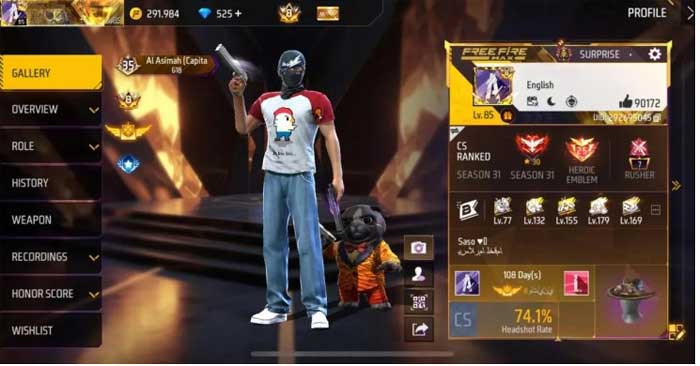
What a UID does—and does not prove
Your UID identifies your game profile. You can find it by opening your profile in Free Fire and checking the player ID. It is different from a password, but a website accepting it still has to establish what it does and whether the method complies with the game's rules.
Do not treat a counter, a queue animation, testimonials, or an “anti-ban” label as evidence that likes will arrive. Claims about a universal 100-like daily allowance, reset time, or suppression of teammates' likes need an official source; they should not be assumed to be game rules.
The images illustrate the subject of like boosting. They do not verify a service or establish Garena's approval.
How to encourage genuine profile engagement
- Play with friends and teammates who choose to interact with your profile.
- Be helpful and respectful in matches and community discussions.
- Share gameplay or profile information only in communities whose rules allow it.
- Use the official game's available social features rather than automated tools.
None of these steps guarantees a particular number of likes. Profile likes are a social signal, not a substitute for skill or proof that an account is trustworthy.
Why boosting claims deserve caution
Garena's game security guidance prohibits unauthorized tools and modifications that interfere with its services or security measures. A third-party operator cannot promise immunity from enforcement.
A page may start with a UID request and later demand a download, login, payment, survey, or access to another account. Stop if it asks for your password, verification code, recovery code, or a modified game client. Do not disable device protections to obtain likes.
Similar warning signs appear in fake currency offers; see legitimate Free Fire reward options and methods to avoid.
If you already used a suspicious service
Entering only a UID is not the same as disclosing login credentials. Review what else you provided or installed before deciding what to do.
- If you entered a password or login code, secure the linked account through its official provider, enable two-step verification, and review unfamiliar sessions.
- If you installed an unofficial app, remove it and use your device's security tools to check for problems.
- If you see unknown logins or account changes, use official Garena support rather than a paid “recovery” seller.
Follow Garena's account-protection instructions for supported account and recovery controls. Keep like counts secondary to keeping access to your account.
Related Articles
 How to get Free Fire Diamonds for free in January 2021
 Free Fire Looting Guide: Land Faster and Build a Useful Loadout
 Free Fire OB51 Patch Notes: Nero, Flame Arena, and Loadout Rework
 Instructions to receive The Burning Leo package in Free Fire
 Free Fire Battle Royale Tactics for Better Survival
 How to Use Sniper and Marksman Rifles in Free Fire
Reader Comments 0
Sign in with email or Google to join the discussion.