Table of Contents
AI assistants are rapidly becoming a part of modern operating systems. Windows has Copilot , and Google has begun adding AI features to Chrome OS. For a while, Linux users missed out on this until Newelle launched. Now, they have a powerful AI assistant built specifically for the GNOME desktop environment. Let's explore how this AI assistant can make Linux desktops smarter and save you time on everyday tasks.
Newelle is built for the GNOME desktop environment.
Unlike typical chatbots, Newelle integrates deeply with Linux, particularly the Gnome desktop environment. Users can run terminal commands in natural language, interact with files, search the web, and connect with various AI models. It combines conversational AI with system-level tools, making it a true desktop assistant while respecting Linux's control and privacy principles. You can choose your preferred AI model, including OpenAI, Google Gemini, Anthropic, or even a local one, so you're not tied to a single vendor. This flexibility, combined with seamless system integration, makes the Linux desktop smarter and more efficient.
The first thing that's immediately noticeable is how seamlessly Newelle works within the GNOME environment. It doesn't look or function like a separate application. It blends in completely. You no longer feel the need to switch contexts. When you need help, you simply open Newelle like any other GNOME application and continue working. There's no interruption to your concentration and no distractions from the browser.
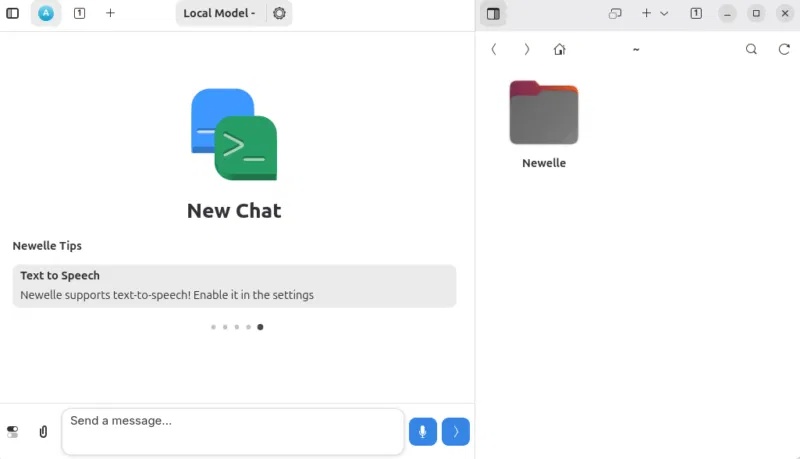
Initially, some people thought that support for multiple AI models was just a technical feature. However, it turns out to be one of the most useful aspects. For example, when writing or researching, switch to the cloud model for better feedback. But when working with local files or sensitive data, switch to the local model.
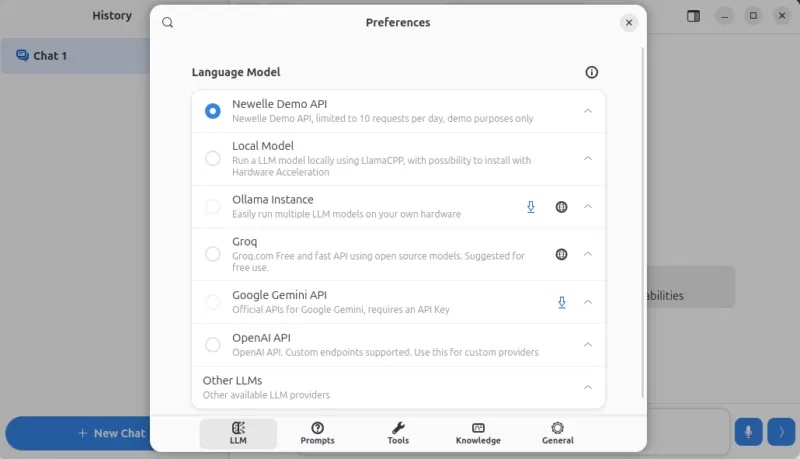
This simple choice gives you control. You're not tied to a single system, and that changes the comfort level of using AI on a desktop.
AI for diverse conversational and text applications.
Newelle is more than just a chat window. It's become a place to think and organize ideas. For example, when writing technical content, you can use it to draft explanations, save notes with Markdown , check code snippets, and even format structured content.
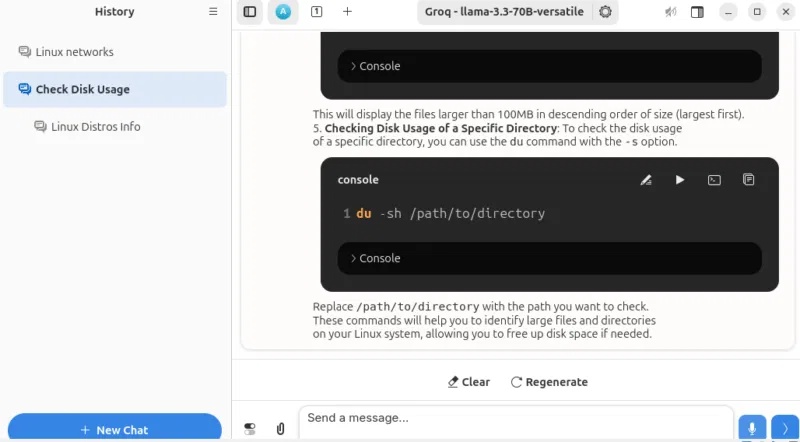
Instead of switching between text editors, browsers, and note-taking apps, people tend to stay in Newelle. Furthermore, conversations are saved, so you can revisit them later instead of starting over.
Voice interaction
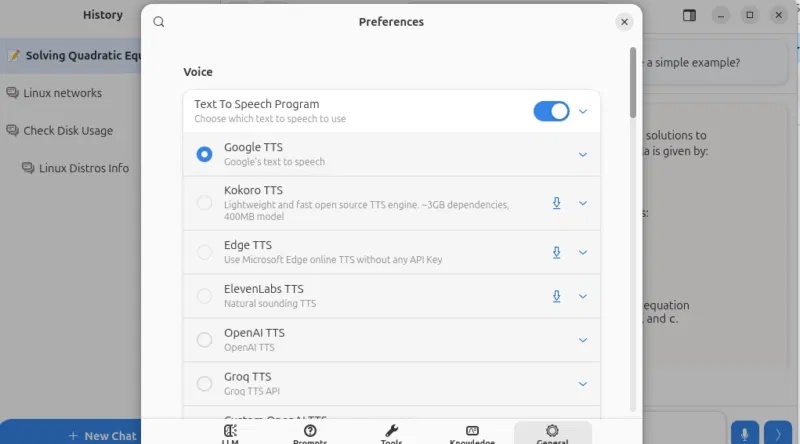
We don't use voice commands all the time, but they become surprisingly useful when you're multitasking. For example, if you're reading something or checking a journal, you can simply say a quick question instead of typing it out. This feature isn't essential, but using it will save you time and effort.
Web search integration
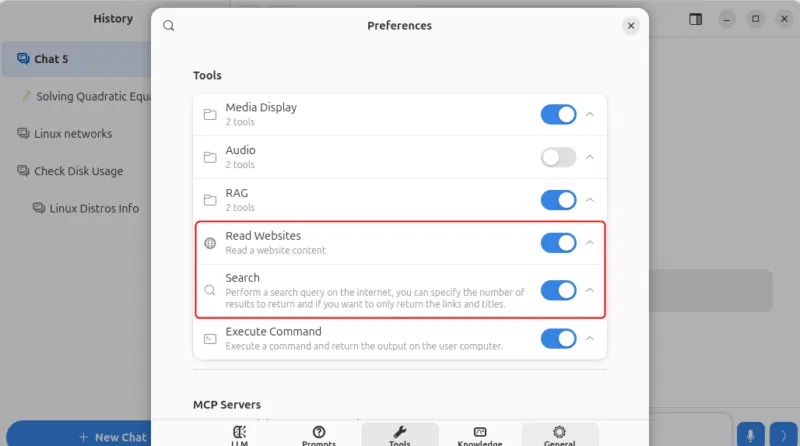
Before using Newelle, people constantly turned to their browsers for small tasks like checking commands, searching for quick fixes, or reading documents. Now, they often ask Newelle directly. For example, instead of reading long pages, you simply provide the URL and request a summary or the exact information you need. It feels like having a smart assistant that not only answers questions but can also search the web whenever you need it.
Chat with the document
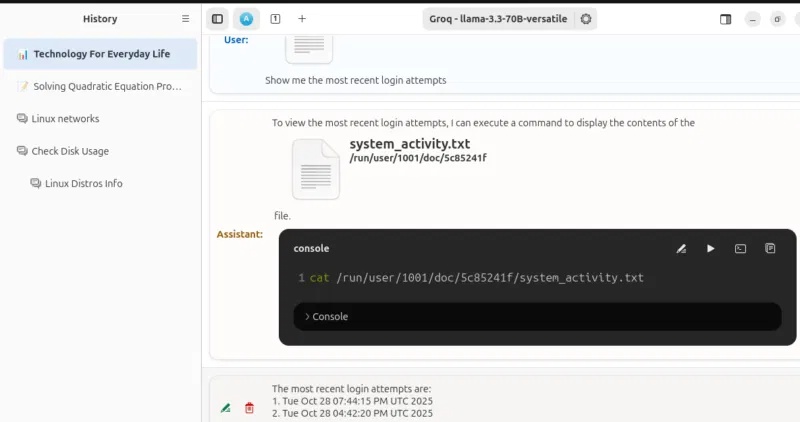
The document chat feature is where Newelle starts to really save you time. For example, you have a log file tracking login activity. Normally, you would scroll through it or use grep commands. Instead, upload the file and ask: 'Show me the most recent logins'. It will respond immediately. This changes how you interact with files. You're not just opening them anymore, but asking questions about them.
Mini cup
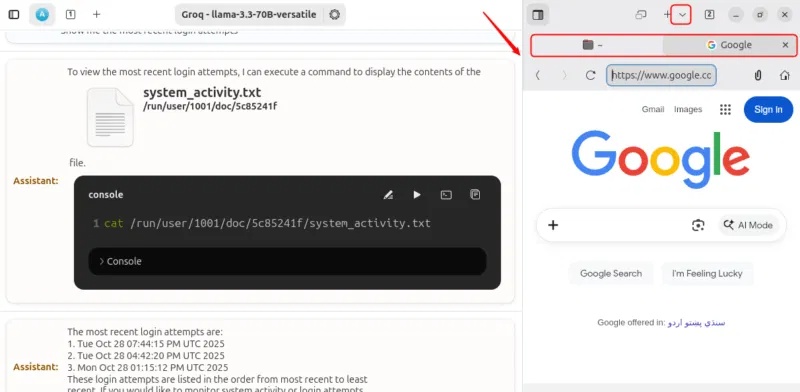
Mini apps are the feature that makes the biggest difference in your daily workflow. Instead of opening multiple applications, you can open the terminal, browse files, edit content, and even use a web browser—all within Newelle.
For example, when writing, you can open the document in the editor, check something in the browser, and quickly run a terminal command without switching windows. This simplifies things much more than expected.
Extensions and personalized profiles
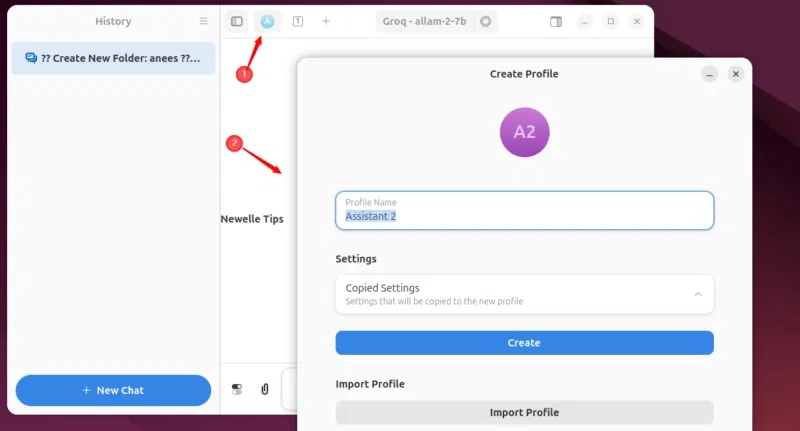
One feature that many people don't expect to use much is profiles, but it turns out to be very useful. Create different settings for different tasks, such as writing, development, and general queries. Each profile remembers the preferred model and settings, saving time and keeping everything organized.
One thing that sets Newelle apart from other AI assistants is its extensions. Whenever you need functionality beyond the built-in features, you can install the appropriate extensions.
Installing the Newelle AI assistant on Linux
Newelle is distributed via Flatpak. To install, first ensure that Flatpak is set up on your system and Flathub is enabled. Then run this command:
flatpak install flathub io.github.qwersyk.Newelle
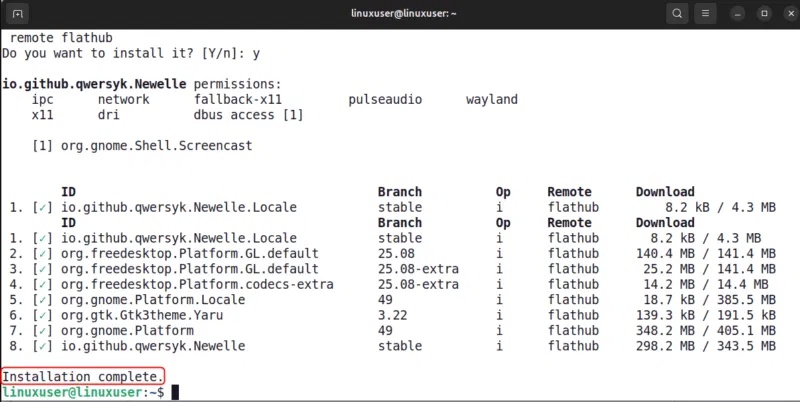
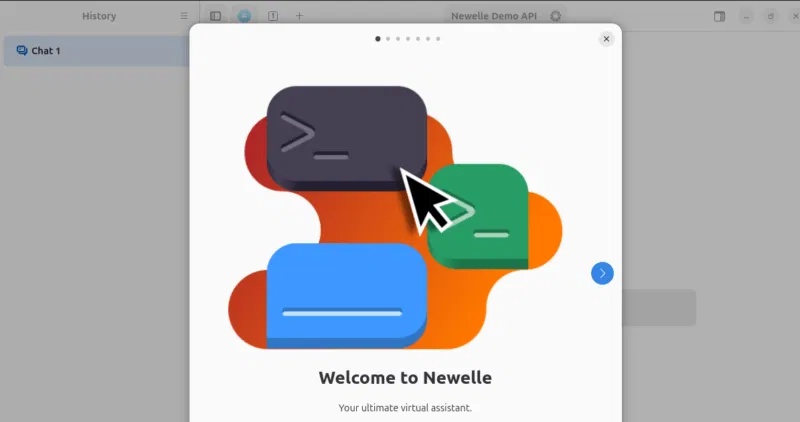
After installation, launch Newelle using the following command:
flatpak run io.github.qwersyk.Newelle
How the Newelle AI assistant improves daily productivity on Linux.
Before using Newelle, people's workflows required constantly switching between the terminal to run commands, the browser to search, the editor to write, and separate tools for note-taking. Now, they can perform many of these tasks in one place. The biggest improvement is not just speed, but also the reduction in context switching.
No more switching between different tools, which allows you to focus longer and complete smaller tasks more efficiently. While Newelle doesn't replace every app you use, it eliminates enough inconvenience to make daily work smoother, and over time, that benefit really adds up. If you use GNOME and want an AI assistant integrated into your system instead of just sitting in a browser tab, Newelle is definitely worth a try.
Related Articles
 5 Ways to Make Linux Desktops Look Great8 minutes read
 Google Confirms Gemini Will Completely Replace Assistant on Phones by 20265 minutes read
 Samsung's Bixby Virtual Assistant Is Smarter Thanks to AI Creation Explained5 minutes read
 Google Assistant Is Updated with a Variety of New Features to Become Smarter, Even Knowing Where5 minutes read
 What Makes Astra Linux Stand Out?4 minutes read
 How to Quickly Switch Between Virtual Desktops on Windows 104 minutes read
Reader Comments 0
Sign in with email or Google to join the discussion.