Table of Contents
This guide covers new design of aspire one from acer with practical context and easy-to-follow details. Use it to understand the subject and apply the information confidently.
Acer's Aspire One netbook line has sold very well over the past time, mainly because it is more attractive than its competitors. In the new design for this series, Acer seems to want to focus more on the brand by arranging a large Aspire One logo and located in the middle of the face on the machine. Typical new models are D260 and D533.
Another noteworthy point is the Aspire One D260 and D533, which also has a reworked housing with an anti-stick seal design against previous glossy plastic.
In addition, the Aspire D260 is unique with the ability to choose one of two operating systems, Windows 7 or Android. While the D533 is more advanced with DDR3 support and Bluetooth 3. 0.
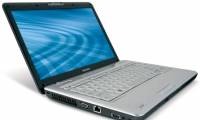
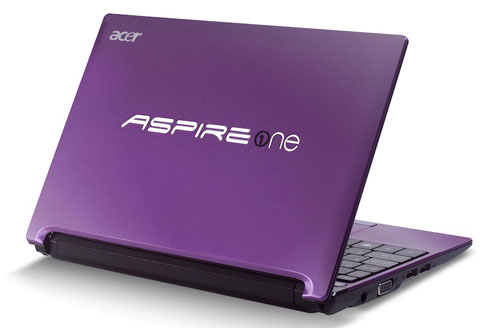 The official image of the new generation Aspire.
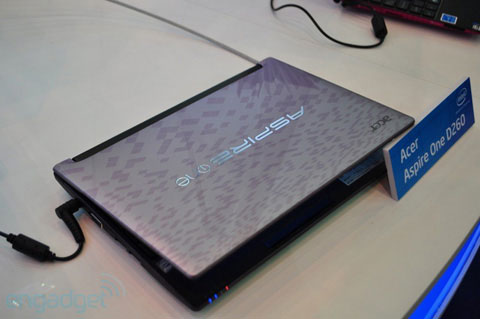 The rough surface design helps prevent fingerprint adhesion.
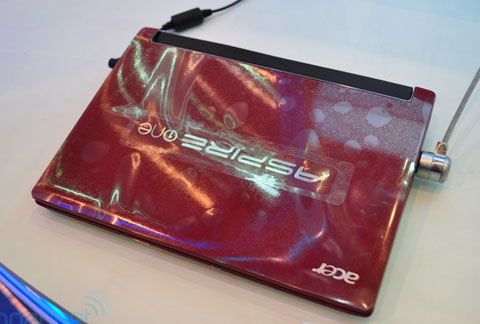 Large Aspire logo.
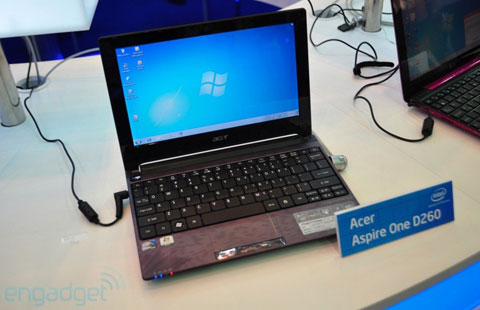 D260 can boot one of two operating systems, Windows 7 and Android.
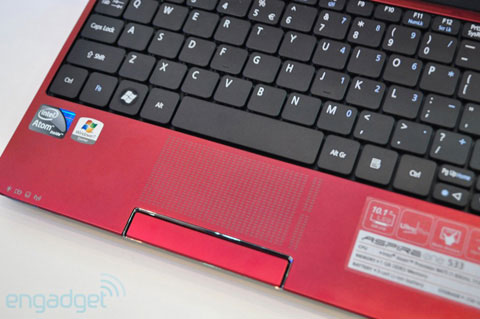 The inner surface also has a rough design with a keyboard that characterizes Acer models.
FAQ
What should I check before following these steps?
Confirm device and software compatibility, save important data, and make sure you have the required permissions, files, and account access.
Why might the process not work?
Common causes include outdated software, missing permissions, incompatible hardware, an unstable connection, or completing a step in the wrong order.
Can I undo the changes if necessary?
That depends on the tool or setting. Use built-in restore options when available, keep a backup, and record the original configuration first.
Related Articles
 Ultrabook Aspire S3, S7 Allows Ordering3 minutes read
 The Acer Aspire One 'White Clam Shell' Officially Launched5 minutes read
 Acer Entertainment Laptop with Centrino 2 App5 minutes read
 The Strengths of the Acer Aspire P3 Hybrid Computer6 minutes read
 Aspire 3811TZ, Acer 'Green' Laptop2 minutes read
 10 Best-selling Laptops in November 20097 minutes read
Reader Comments 0
Sign in with email or Google to join the discussion.