Table of Contents
This guide covers netbooks run both Windows 7 and Android with practical context and easy-to-follow details. Use it to understand the subject and apply the information confidently.
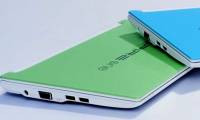
Aspire One D250-613 owns a machine configuration that is not much different from the netbook models available on the market with 10. 1-inch screen with 1024 x 600 pixel resolution, equipped with Intel Atom N280 1 CPU. , 66 GHz, 2 GB RAM, 160 GB HDD, 802. 11b / g Wi-Fi connection and 6 cell 5800 mAh battery with running time of up to 9 hours. The device measures 204. 2 x 258. 3 x 25. 4 mm and weighs 1. 2 kg.
Aspire One D250, besides Windows 7 pre-installed, runs both Google Android (Photo: Pocket-lint)
But the difference and originality of this new netbook is the ability to run two operating systems. In Dual Boot mode, users can easily run Google Android to experience the display interface and capital apps that only know a lot on mobile phones, or switch to Windows 7 operating system to implement the familiar work.
Google Android's display interface and apps on the Aspire One D250 netbook (Photo Pocket-lint).
According to information from Engadget, the Aspire One D250-613 netbook has been sold online on Amazon for $ 350, equivalent to VND 6. 3 million.
Actual image of the Aspire One D250 netbook running Google Android.
 Fast transfer via Windows 7 while running Google Android.
FAQ
What should I check before following these steps?
Confirm device and software compatibility, save important data, and make sure you have the required permissions, files, and account access.
Why might the process not work?
Common causes include outdated software, missing permissions, incompatible hardware, an unstable connection, or completing a step in the wrong order.
Can I undo the changes if necessary?
That depends on the tool or setting. Use built-in restore options when available, keep a backup, and record the original configuration first.
Related Articles
 8 Best Linux Netbooks6 minutes read
 Netbooks Run Simultaneously Android and Windows XP4 minutes read
 There Will Be No New Netbooks in 20134 minutes read
 Netbooks Are Not Labeled 'Windows 7 Compatible'4 minutes read
 Netbooks Run Both Android and Acer's Windows XP3 minutes read
 Acer Launches a Series of Netbooks Running Two Operating Systems3 minutes read
Reader Comments 0
Sign in with email or Google to join the discussion.