Table of Contents
This guide provides a practical overview of Microsoft released service pack 1 update for office 2013 with clear explanations and useful details. It focuses on the information users are most likely to need.
How Microsoft Released Service Pack 1 Update for Office 2013 Works
This is the first update for Office 2013 office application since it was officially released on January 29, 2013, and Microsoft said users can receive a message to download the SP1 package through Windows. Update at the earliest within 30 days.
The new update will be compatible with Windows 8.1 and Internet Explorer 11, better supported for modern hardware such as high-resolution screens and high-precision touchpads.
The new application will also help develop some hidden features and APIs for developers, and add some features like Power Map for Excel in Office 365 ProPlus, a visual 3D tool to be able to mapping, exploring interacting with geographic data in Excel.
Some other changes focus on improving Click-to-Run virtualization technology to install and update computer applications for Office 365. Meanwhile, cloud storage service is built into SkyDrive. Pro has been converted into OneDrive for Business.
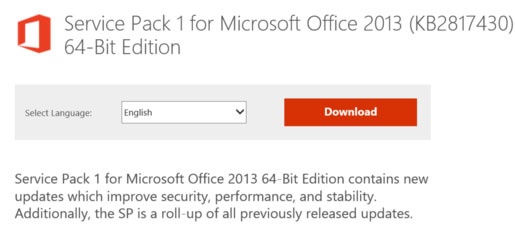
Microsoft also said that Office 2013 SP1 will include all the public updates and cumulative updates it has released between the time when Office 2013 launched so far. Office RT users on Windows RT will also receive the update starting today (February 25).
If you do not want to receive automatic updates via Windows Update, interested users can download two 32-bit versions here, or 64 bit here.
FAQ
What is the main benefit of Microsoft released service pack 1 update for office 2013?
The main benefit is a clearer understanding of the topic and a practical way to apply the information covered in this guide.
What should I check before using Microsoft released service pack 1 update for office 2013?
Confirm compatibility, review the required settings, protect important data, and use the latest supported version whenever possible.
What should I do if the result is different?
Repeat the steps carefully, verify permissions and version differences, and consult the product's official support documentation for changes not shown in the article.
Related Articles
 Windows 7 Will Automatically Install Service Pack 1 on March 204 minutes read
 Office 2013 SP1 Will Be Released Early Next Year4 minutes read
 Microsoft Improved Some Features in Office 2007 SP35 minutes read
 Microsoft Released an Update for Windows 84 minutes read
 Install && Uninstall Service Pack 1 on Windows 78 minutes read
 Microsoft Released a New Update for Windows 73 minutes read
Reader Comments 0
Sign in with email or Google to join the discussion.