What you will learn
- Define a schema before extraction.
- Separate extraction from interpretation.
- Require evidence for each important value.
- Validate accuracy on a representative sample.
What you need
- A set of documents or notes you are authorized to process.
- A spreadsheet or table for checking the output.
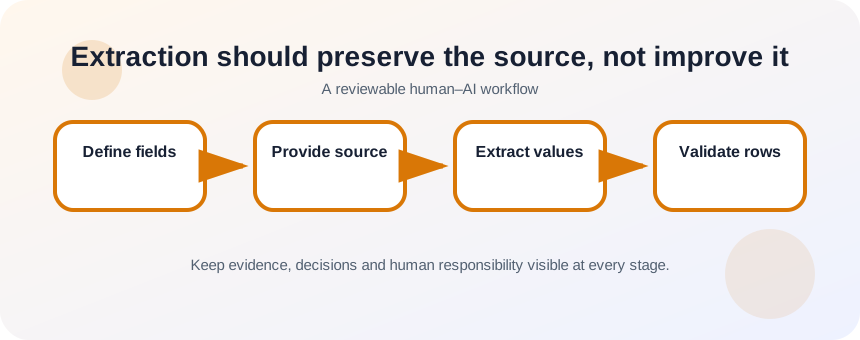
Extraction should preserve the source, not improve it
OpenAI’s prompt guidance recommends clear, specific instructions and context, which are essential when a model must map source text to predefined fields.
NIST’s AI RMF emphasizes measurement and documentation, supporting validation rather than assuming a structured output is accurate because it looks orderly.
Define whether each field is verbatim, normalized or inferred. A verbatim quotation should keep the source wording. A normalized date changes form but not meaning. An inferred sentiment is an interpretation and should be labeled separately.
Design a schema with missing-value behavior
For each field, write its name, definition, allowed values, whether multiple values are permitted and what to do when information is absent. Add source location or evidence text for high-value fields. Test the schema on a small sample before running a large batch.
- 1
Choose the downstream use.
- 2
Define every field.
- 3
Mark fields as verbatim, normalized or inferred.
- 4
Set allowed values and formats.
- 5
Define null or unknown behavior.
- 6
Add an evidence field.
Extract in stages and validate
Start with five diverse documents. Ask for a table using only the provided text. Review false positives, missing values and ambiguous mappings. Revise field definitions before scaling. For large or consequential datasets, sample rows after every batch and compare them with source text.
- 1
Provide the schema and source text.
- 2
Require unknown when evidence is absent.
- 3
Extract a small pilot.
- 4
Compare each row with the source.
- 5
Record error types.
- 6
Revise definitions and examples.
- 7
Run the full batch in manageable groups.
- 8
Sample and audit the final output.
Measure field-level accuracy
A single overall accuracy number can hide a dangerous field. Names may be accurate while consent status or monetary values are not. Track false positives, false negatives and ambiguity for the fields that matter. Escalate records that need interpretation rather than forcing them into a category.
Extraction quality depends on a field dictionary. Define what each column means, the allowed format, how missing values are represented and whether one source item can produce multiple rows. Include at least one edge case in the example. After extraction, sample both populated and blank fields against the original document; a tidy table can still be wrong if the model silently inferred values that were never present.
- Missing information remains missing.
- High-value fields include evidence.
- Ambiguous records are separated for review.
Extract action items from five notes
Create a table with owner, action, due date, status and evidence.
- 1
Define the five fields.
- 2
Set unknown behavior.
- 3
Extract from five notes.
- 4
Check every due date and owner.
- 5
Revise the schema after errors.
- 6
Export only reviewed rows.
Common mistakes to avoid
- Letting the model fill blanks.
- Mixing verbatim extraction with interpretation.
- Scaling before testing diverse examples.
- Reporting one accuracy score for all fields.
Key takeaways
- A schema is a contract for extraction.
- Evidence makes structured data auditable.
- Ambiguity should be routed to review, not hidden.
Frequently asked questions
Can AI extract data from PDFs reliably?
It can help, but layout, scans, tables and OCR errors affect results. Validate against the original pages and use specialized tools when precision matters.
Should I ask AI to clean the data at the same time?
Separate extraction and cleaning when possible. It is easier to detect whether an error came from reading the source or applying a transformation.
Sources and further reading
- Prompt engineering best practices for ChatGPTOpenAI Help Center
- AI Risk Management FrameworkNIST
Ready to continue?
Mark the lesson complete so your Learning Path progress stays current on this device.