What you will learn
- Identify high-consequence and irreversible actions.
- Separate recommendation from execution authority.
- Design meaningful human approval.
- Create limits, monitoring and emergency stops.
What you need
- A proposed automated AI workflow.
- Knowledge of the people, systems and data affected.
Authority is a separate design decision
NIST’s Generative AI Profile recommends managing risks such as confabulation, privacy, harmful bias and over-reliance in the context of deployment.
Microsoft’s responsible AI principles include reliability and safety, transparency and accountability, all of which become critical when AI can take action.
An AI system can prepare a recommendation without being allowed to execute it. Define authority in layers: read, summarize, draft, recommend, approve, modify and transact. Grant only the minimum layer needed for the benefit.
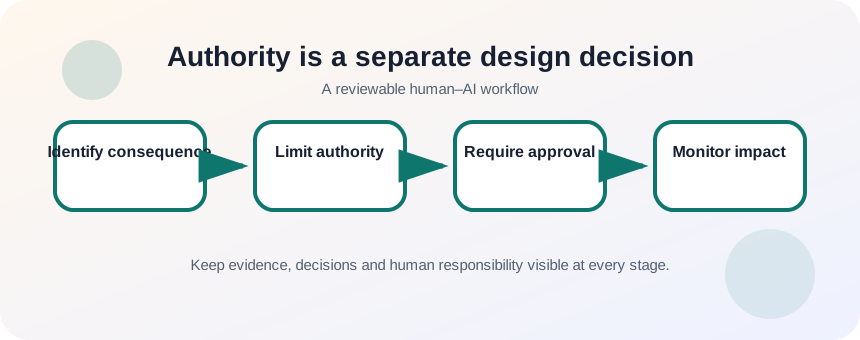
Map consequence, reversibility and affected people
List every external effect the workflow can cause. Consider financial loss, privacy disclosure, safety, access to services, employment, reputation and legal rights. A reversible database edit is not necessarily harmless if a person acts on it before correction.
- 1
List all tools and permissions.
- 2
Identify external actions.
- 3
Rate consequence and reversibility.
- 4
Name affected groups.
- 5
Identify legal or policy restrictions.
- 6
Choose the maximum permitted authority.
Add approval, limits and fail-safe routes
Meaningful approval shows the reviewer the input, evidence, proposed action, uncertainty and consequences. Avoid “approve all” queues that encourage rubber-stamping. Add transaction limits, rate limits, allowlists, confirmation for destructive actions and a kill switch. Test failures deliberately in a safe environment.
- 1
Keep high-impact actions in recommendation mode.
- 2
Show evidence to the reviewer.
- 3
Require a reason for approval or rejection.
- 4
Limit amount, scope and frequency.
- 5
Block action when required data is missing.
- 6
Log decisions and outcomes.
- 7
Provide manual fallback and emergency stop.
Monitor real-world impact after release
Track false approvals, rejected recommendations, overrides, complaints and uneven outcomes across groups. Reassess boundaries when the model, data, policy or operating context changes. Some tasks should remain manual because the benefit does not justify the risk.
Reversibility is a practical boundary test. Drafting a reply that a person reviews is easy to reverse; sending payments, deleting records or denying access may not be. Classify actions by consequence, reversibility, detectability and available appeal. Require stronger approval and logging as any of those risks increase. A workflow that cannot explain who approved an irreversible action is not ready for automation.
- The AI has only the authority required.
- Reviewers can reject with evidence and time.
- The system stops safely when inputs or services fail.
Redesign an over-automated workflow
Take a workflow that sends, deletes or changes something and introduce safer boundaries.
- 1
List all actions it can take.
- 2
Identify the highest-consequence action.
- 3
Convert it to recommendation mode.
- 4
Design an evidence-rich approval screen.
- 5
Add limits and a kill switch.
- 6
Test missing-data and tool-failure cases.
Common mistakes to avoid
- Equating capability with permission.
- Giving broad credentials for convenience.
- Using a confirmation button without evidence.
- Failing to monitor affected people and outcomes.
Key takeaways
- Recommendation and execution are different authority levels.
- Meaningful oversight needs evidence, time and rejection power.
- Some actions should not be automated.
Frequently asked questions
Are email sends high risk?
They can be. External messages may disclose data, create commitments or damage reputation. Drafting is usually safer than unattended sending.
What is a kill switch?
A tested mechanism that rapidly stops automated actions while preserving enough information for investigation and recovery.
Sources and further reading
Ready to continue?
Mark the lesson complete so your Learning Path progress stays current on this device.