What you will learn
- Classify sensitive information before submission.
- Minimize and redact AI inputs.
- Distinguish product privacy controls from organizational authorization.
- Create a safe alternative when data cannot be submitted.
What you need
- Access to the applicable privacy or data-handling policy.
- A document or task that can be practiced with synthetic data.
Data settings and permission are different questions
OpenAI’s Data Controls allow individual ChatGPT users to choose whether new conversations help improve models and explain the behavior of Temporary Chats.
NIST’s Privacy Framework is a voluntary tool for identifying and managing privacy risk while protecting individuals.
A setting describes how a service handles data under certain conditions. Authorization comes from law, contract, client agreement and organizational policy. Even when training is disabled, retention, access, connected tools, sharing and account security still matter.
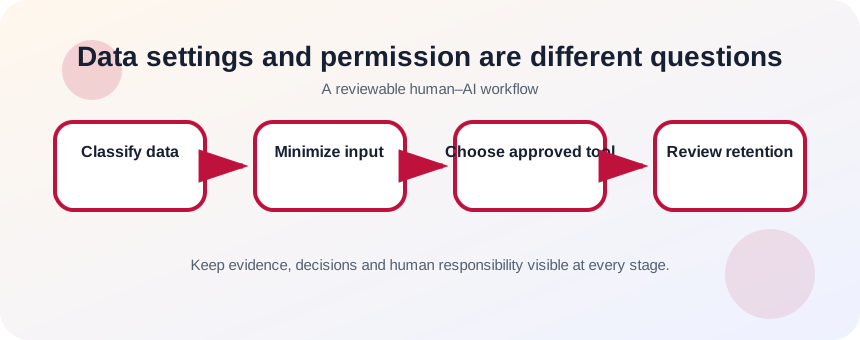
Classify and minimize before upload
Identify direct identifiers, confidential business information, authentication secrets, financial data, health data, children’s data and information about other people. Ask whether the task can be completed with fields removed, generalized, tokenized or replaced by synthetic examples.
- 1
Identify the data owner.
- 2
Classify the document.
- 3
Remove passwords, keys and authentication codes.
- 4
Remove names and identifiers not required.
- 5
Replace examples with synthetic values.
- 6
Confirm the approved tool and account.
Use the least data and least access
Submit only the excerpt required for the task. Disable unnecessary connectors, sharing and memory features according to policy. For organizational data, use the approved business environment and follow retention, logging and access rules. When the task cannot be performed safely, create a local template or ask the AI for a method using dummy data.
- 1
Choose the approved workspace.
- 2
Review current data controls.
- 3
Limit the input to the necessary section.
- 4
Use neutral tokens for identifiers.
- 5
Avoid public shared links.
- 6
Review generated output for leaked details.
- 7
Delete or archive according to policy.
Check the full data path
Consider the input, chat history, uploaded file, connected apps, generated output, exports and shared links. Sensitive data may reappear in a summary or downloaded report. Record the lawful or contractual basis when required and consult privacy or security staff for regulated data.
Data minimization should happen before the prompt is written. Replace names with roles, remove identifiers, aggregate values and include only the excerpt needed for the task. Then confirm the organization’s approved tool, retention setting, sharing controls and contractual requirements. Deleting a chat later is not equivalent to never disclosing the information, so the safest sensitive detail is the one the AI never receives.
- The AI received only data necessary for the task.
- The tool, account and sharing method are approved.
- Outputs and exports do not expose removed identifiers.
Redact a document for a safe AI task
Create a sanitized version of a fictional support case.
- 1
Classify each field.
- 2
Remove credentials and direct identifiers.
- 3
Generalize dates or amounts when exact values are unnecessary.
- 4
Replace names with consistent tokens.
- 5
Run the AI task on the sanitized copy.
- 6
Inspect the output and document the controls used.
Common mistakes to avoid
- Assuming opt-out settings authorize any upload.
- Pasting a full document when one paragraph is enough.
- Forgetting sensitive data in screenshots or metadata.
- Creating public links to AI conversations.
Key takeaways
- Minimization is the first privacy control.
- Product settings do not replace policy and consent.
- Review the entire input-to-output data path.
Frequently asked questions
Is anonymized data always safe?
No. Details can sometimes be combined to re-identify people. Use minimization, aggregation and policy review rather than relying on removed names alone.
Can I use confidential data in a business AI plan?
Only under the organization’s approved configuration, contract and policy. Confirm retention, access, connectors and permitted data categories.
Sources and further reading
- Data Controls FAQOpenAI Help Center
- Privacy FrameworkNIST
Ready to continue?
Mark the lesson complete so your Learning Path progress stays current on this device.