Table of Contents
The easiest way to use DeepSeek is its official web chat: open the site, sign in, enter a prompt, and choose a thinking or search option when the task needs it. DeepSeek also offers official iOS and Android apps, a paid developer API, and downloadable model weights for people who want to build a local setup.
These options are not equivalent. The web chat and mobile app run on DeepSeek's servers. The API is billed by token usage. Offline use requires downloading a compatible open-weight model and running it with separate local software.
Choose the right way to use DeepSeek
| Method | Best for | Installation | Important limitation |
|---|---|---|---|
| Web chat | Questions, drafting, file reading, and quick research | None | Requires an account and internet connection |
| Mobile app | Using DeepSeek on iPhone, iPad, or Android | Official app-store download | Cloud service; confirm that the publisher is DeepSeek |
| API | Apps, automation, agents, and coding tools | Developer account and code or compatible client | Paid usage; model names and prices can change |
| Local model | Offline work, experiments, and controlled data processing | Model weights, runtime, and adequate hardware | Setup and security are your responsibility |
Use DeepSeek in a web browser
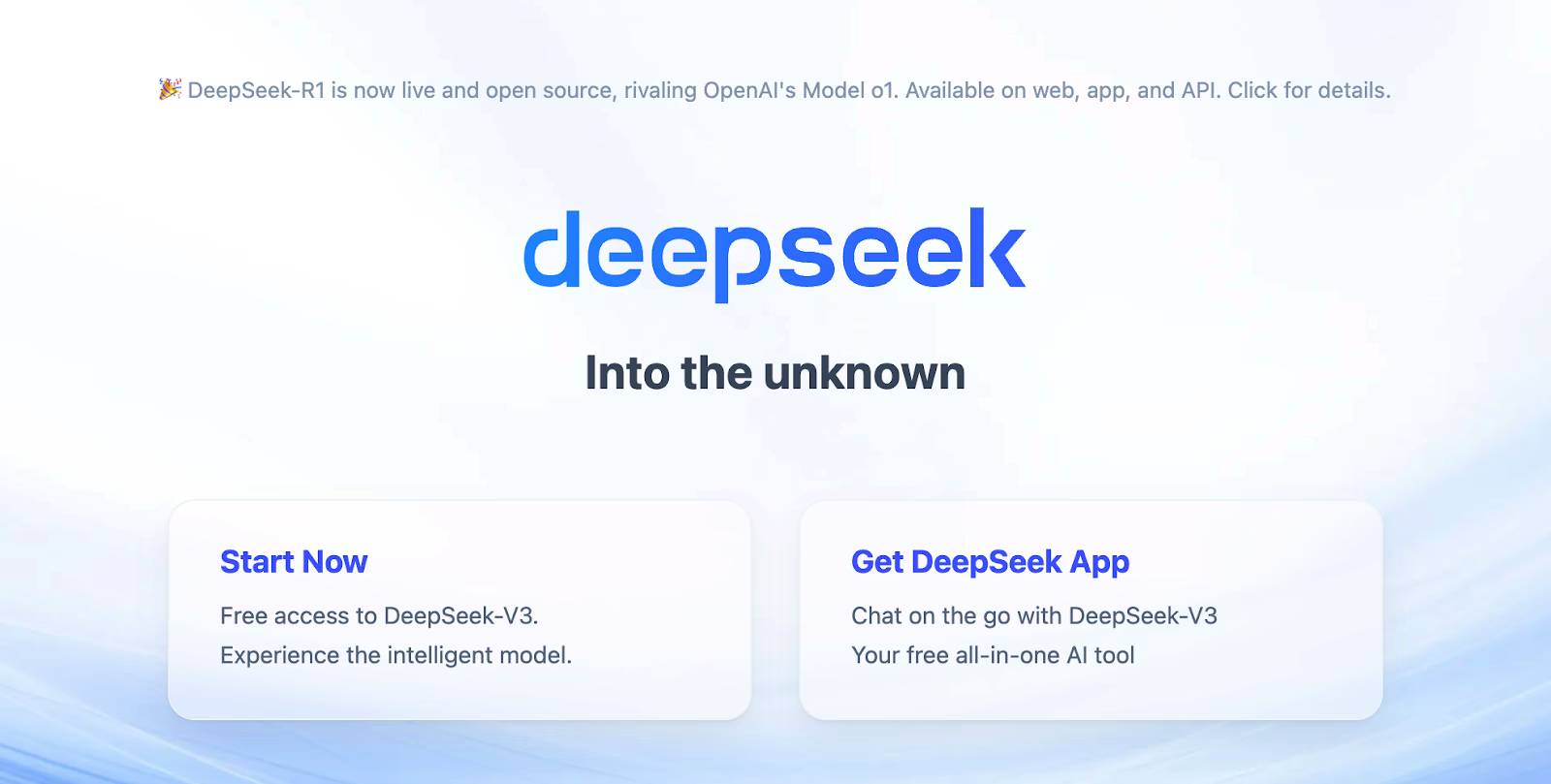
- Open DeepSeek's official web chat. Avoid look-alike sites and sponsored download pages.
- Create an account or sign in.
- Start a new conversation and describe the result you need, the relevant context, and the desired format.
- Attach a supported document or image only when it is necessary for the task.
- Enable the available thinking or web-search option when deeper analysis or current sources are required. Labels may change as the service is updated.
- Check important claims, calculations, citations, and code before using the answer.
Write prompts that produce useful answers
A specific prompt is more reliable than a broad request. Include the task, audience, constraints, and output format. For example:
Summarize the attached report for a project manager. Use five bullet points, identify any deadlines, and quote the page number for each claim. If the report does not answer something, say so.
For code, state the language and version, paste the smallest relevant example, include the exact error, and say what you already tried. Do not paste passwords, access tokens, customer records, confidential contracts, or unpublished source code unless your organization has approved that data flow.
Use the official mobile app
- Follow the app link from DeepSeek's official website, or search the Apple App Store or Google Play.
- Verify the developer and app details before installing. DeepSeek has warned users to download only from official channels.
- Open the app, sign in, and start a conversation. The mobile interface supports the same basic pattern as the web version: prompts, conversation history, attachments, and optional thinking or search features where available.
- Review phone permissions and disable any that are not needed.
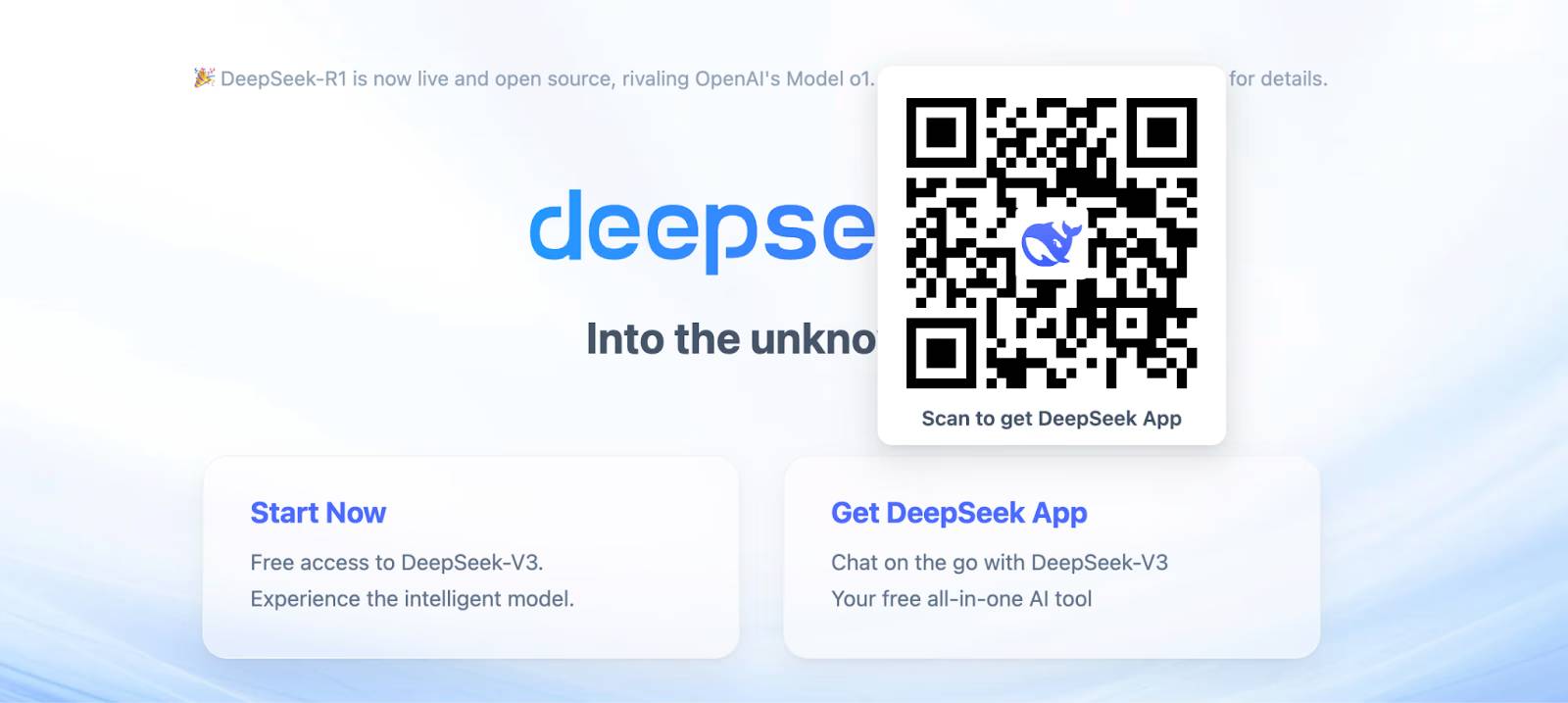
There is no need to install an unofficial “DeepSeek desktop app” to use the service on Windows, macOS, or Linux. Use the web version, an approved third-party API client, or a documented local-model runtime instead.
Use the DeepSeek API
The API is intended for software integrations. It is not simply a free version of the chat website: you create a key, add account credit, and pay according to token usage. DeepSeek currently provides OpenAI-compatible and Anthropic-compatible interfaces, which can simplify migration from supported SDKs and tools.
- Create an account on the DeepSeek developer platform.
- Create an API key and store it in a password manager or secret-management system.
- Read the current API quick start and select a currently listed model. Legacy model aliases may be retired.
- Set the documented base URL and pass the key through an environment variable or secrets store—not directly in source code.
- Test with low limits, log errors without logging sensitive prompt content, and add usage alerts before production deployment.
The API's available models, context limits, peak/off-peak rates, and supported features change over time. Consult the official pricing page when estimating cost rather than copying an old per-token figure into a budget.
API safety checklist
- Never expose a secret key in browser-side JavaScript, a mobile app bundle, a public repository, or a screenshot.
- Use a backend service to keep the key away from end users.
- Validate model output before executing generated code or tool calls.
- Apply request timeouts, spending controls, retries with backoff, and rate-limit handling.
- Separate test and production keys, and rotate a key immediately if it is leaked.
Developers using DeepSeek for coding agents can also read TipsMake's guide to running DeepSeek V4-Pro in Claude Code.
Run a DeepSeek model locally
“DeepSeek works offline” is true only for downloadable models or compatible derivatives that you run on your own hardware. The official web chat and mobile app are online services. Local deployment can keep prompts on your machine, but only if the runtime, extensions, logging, and integrations are also configured not to send data elsewhere.
A typical local workflow is:
- Choose an open-weight DeepSeek checkpoint whose license and hardware requirements you understand.
- Install a reputable runtime such as Ollama, LM Studio, llama.cpp, or another tool that explicitly supports that checkpoint.
- Download the model from the publisher's official repository or a source whose files and checksums you can verify.
- Start with a smaller quantized build, monitor memory use, and increase size only if speed and quality justify it.
- Test networking, telemetry, plugins, and document indexing before treating the setup as private.
For setup options, compare TipsMake's tools for running LLMs locally and its guide to local LLM software for computers.
Privacy and accuracy precautions
DeepSeek's privacy policy says the hosted service may collect prompts, uploaded files, photos, chat history, device identifiers, IP-derived location, and usage data. Read the policy that applies in your region before submitting personal, regulated, or business-confidential material. A cloud chatbot is not made private merely because its underlying model also has downloadable weights.
AI responses can be incomplete, outdated, or confidently wrong. Confirm medical, legal, financial, security, and safety-critical information with qualified sources. When using web search, open the cited pages and make sure they support the actual claim. When using generated code, review it, run tests, and execute it in a controlled environment.
Which option is easiest?
Use the web chat for the fastest start, the official mobile app for phone access, the API for an application you control, and a local model when offline operation or infrastructure control is worth the extra setup. The best choice depends more on data sensitivity, workflow, and hardware than on whether a service is advertised as free.
Related Articles
 DeepSeek Suffers Data Leak4 minutes read
 DeepSeek Hit by Cyberattack, New Registrations Restricted4 minutes read
 DeepSeek AI: What You Need to Know5 minutes read
 Install DeepSeek on PC, Laptop6 minutes read
 Which Is Better, DeepSeek or ChatGPT?10 minutes read
 What Makes DeepSeek Such a Sensation?4 minutes read
Reader Comments 0
Sign in with email or Google to join the discussion.