Table of Contents
This guide covers 'entrepreneur' hp compaq 2230s with practical context and easy-to-follow details. Use it to understand the subject and apply the information confidently.
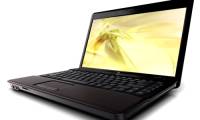
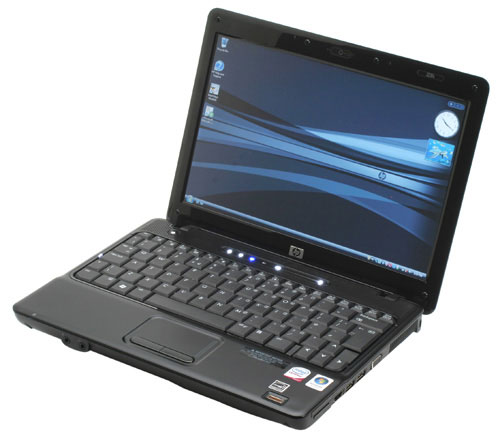 HP Compaq 2230s 12-inch screen Photo: CMC .
The design of the HP Compaq 2230s is compact with a light weight (1. 85 kg), the style of the HP Compaq product line: simple but equally luxurious. The edges of the device are rounded to create a soft feel, the case is covered with a matte black paint that accentuates the silver HP logo to create an impressive accent for the machine. In the front, there are only phone jacks and microphone jacks, the other connection ports are reasonably arranged on both sides, the heat exit slot on the right and the bottom side helps to effectively dissipate heat. 12. 1-inch widescreen TFT LCD screen with WXGA resolution (1, 280 x 800 pixels) displays handwriting or clear, sharp images. The above keystroke sequence allows volume up and down, turn on and off the speaker, turn on and off the Wireless connection, open the slideshow, or quickly access the HP help section. Since HP Compaq 2230s is aimed at high-end users such as business people, it is possible to integrate security features with fingerprints. This function is not appreciated and appreciated by ordinary users, but is an effective solution to protect valuable data. The keyboard of the HP Compaq 2230s makes users feel comfortable. The position of the keys is arranged logically and familiarly. The HP Compaq 2230s' own function keys are integrated with the F key sequence, help quickly access the web, turn off the phone, play music, lock the device. The two buttons of the glossy tap are like the piano keys.
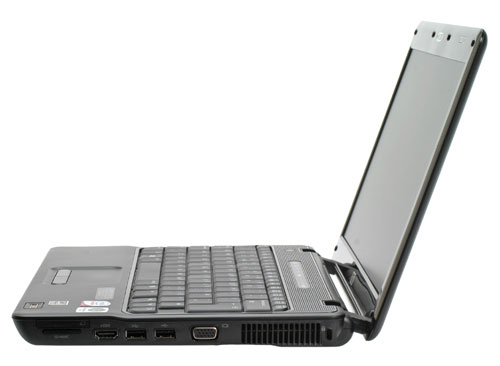 It is equipped with HP 3D DriveGuad anti-shock technology Photo: Krunker .
HP Compaq 2230s is equipped with Intel Core 2 Duo processor, 1 GB DDR2 RAM (maximum 8 GB). Large hard drive capacity supports HP 3D DriveGuard anti-shock technology (motion detection technology, hard drive protection), DVD-RW optical drive with LightScribe function. So performance is not inferior to any desktop computer. Connection of HP Compaq 2230s is quite rich. Users can access the Internet via integrated modem, Marvell Ethernet 10/100/1000, wireless 802. 11 a / b / g / N, fully support security standards. HDMI connection allows to output quality picture signals to the projector. In addition, the HP Compaq 2230s also incorporates common connections such as ExpressCard slots, SD card slot, Bluetooth 2. 0, USB 2. 0, VGA output port. In addition to work, this machine also helps users to relax with HD movies supported by integrated Intel Mobile GMA 4500MHD graphics card, or play online games. The sound of the speaker is enough for you to relax. The 12-inch screen of HP Compaq 2230s is suitable for enjoying movies. Connecting via HDMI port is also simple, so increasing the effect is easy.
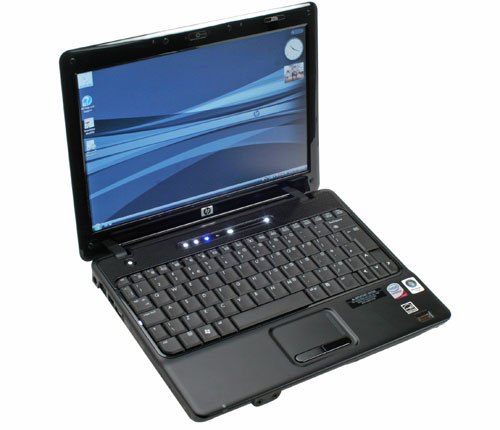 The product with the lowest price is 759 USD Photo: Apcmag .
HP Compaq 2230s by CMC Distribution Co. , Ltd. Costs from 759 USD, a reasonable price for Intel Core 2 Duo platform. Currently in Vietnam there are only two configurations: Core2 Duo T5670 (2 x 1. 8 GHz) / 12. 1 "/ 1. 024 MB screen - DDR2 / 160 GB SATA / DVD-RW / Webcam / 802. 11a / b / g / N + BT / Linux China 1 year warranty, priced at 759 USD. Core2 Duo T5870 (2 x 2. 0 GHz) / 12. 1 "/ 1, 024 MB-DDR2 / 160 GB SATA / DVD-RW / Webcam / 802. 11a / b / g / N + BT / Linux China 1 year warranty, price 799 USD.
FAQ
What should I check before following these steps?
Confirm device and software compatibility, save important data, and make sure you have the required permissions, files, and account access.
Why might the process not work?
Common causes include outdated software, missing permissions, incompatible hardware, an unstable connection, or completing a step in the wrong order.
Can I undo the changes if necessary?
That depends on the tool or setting. Use built-in restore options when available, keep a backup, and record the original configuration first.

Reader Comments 0
Sign in with email or Google to join the discussion.