Table of Contents
This updated guide examines Discover the Samsung Galaxy Note10 ++ 5g Interior, Complex and and organizes the essential facts, background, and practical takeaways in clear American English.
- Samsung Galaxy Note 10+ achieved 13 records of display performance
- Design, configuration and official selling price of Galaxy Note 10 / Note 10+
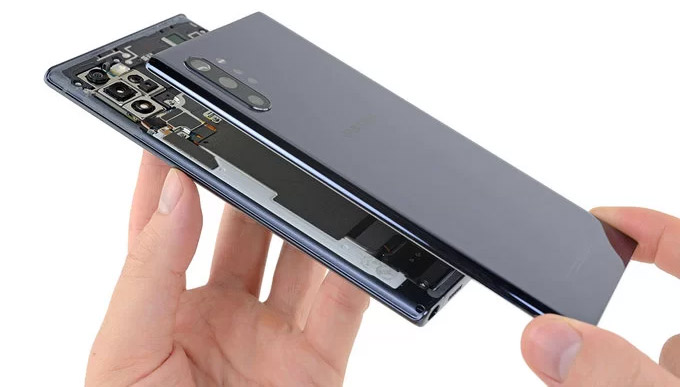
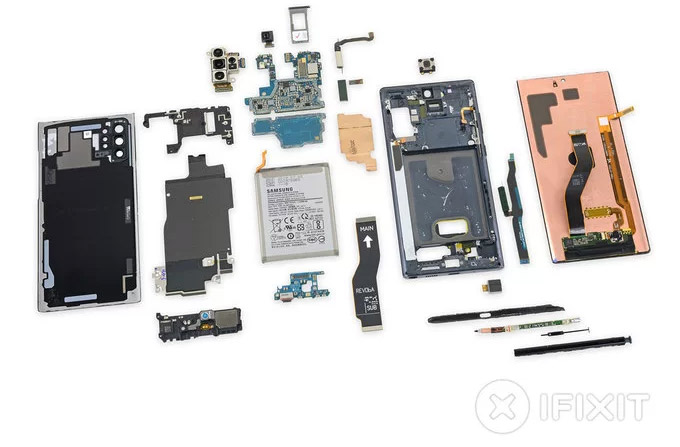
When I just took the Samsung Galaxy Note10 + 5G version, iFixit conducted 'dissection' to explore the interior of this expensive smartphone.
iFixit had to use a heat exchanger to melt the glue and specialized tools when performing the peeling of the Note10 + 5G.
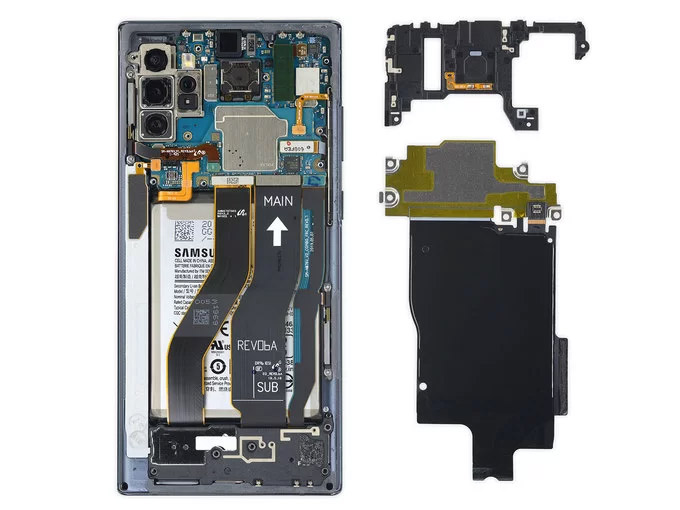
Compared to the previous generation, the Note10 + 5G wireless battery protection board and the wireless charging board section are not much different. The phone motherboard part is placed on the top half like the iPhone X, making the cables connected to the board become complicated but creating a wider space to place the battery. The cables placed above the battery make them more susceptible to damage if the glass back of the device has a problem.
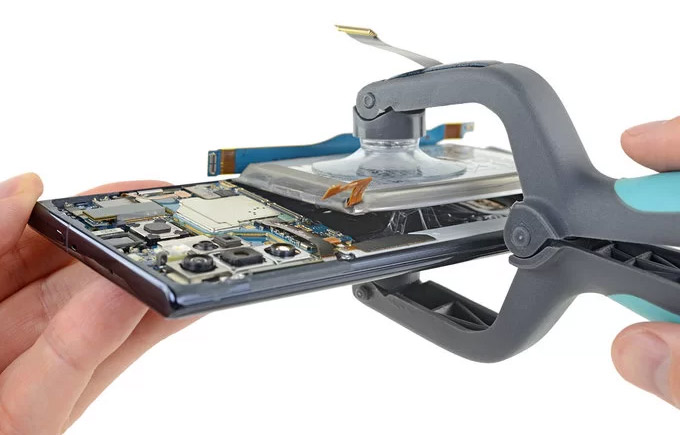
Page iFixit said, they had to use the ISclack dedicated tool to get the battery out because Samsung uses a lot of glue under the battery. Galaxy Note10 + 5G is equipped with a 16.56 Wh battery.
The motherboard is removed quite easily because the battery and connection cable have been removed before. Note10 + 5G still has a hybrid sim tray that supports users to upgrade memory via microSD card.
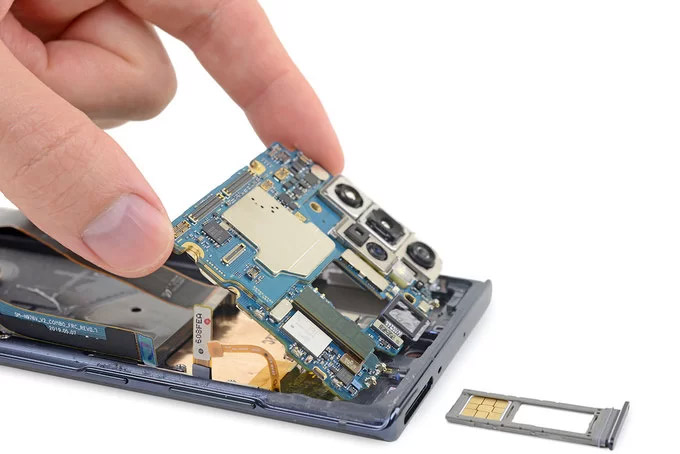
Galaxy Note 10+ 5G is equipped with 5 cameras including: 16 wide-angle 16 MP sensor (123 degrees), 12 MP telephoto sensor (2x optical zoom), 12 wide-angle MP sensor with dual aperture (f / 1.5 - 2.4), ToF sensor and 10 MP sensor for selfie shooting.
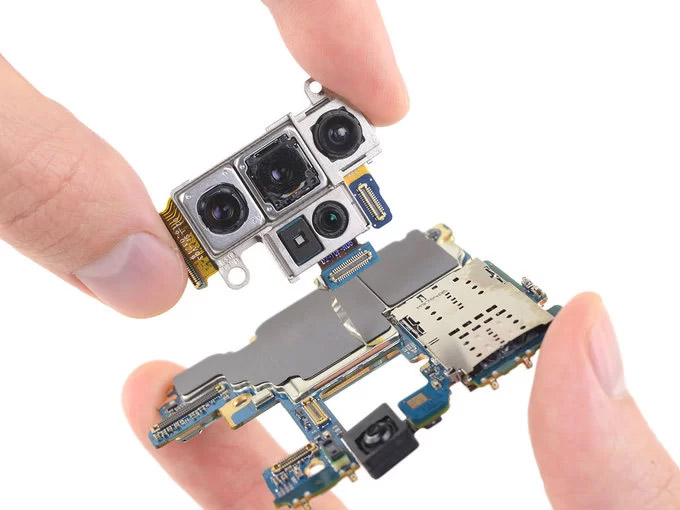
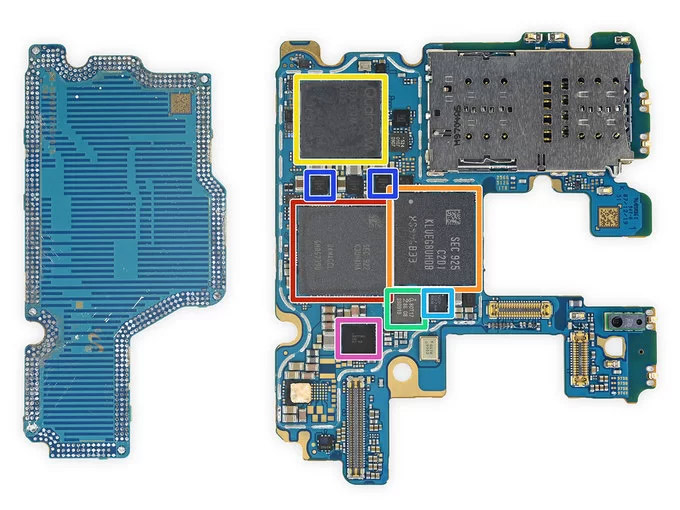
The power of Galaxy Note10 + 5G comes from RAM Samsung K3UHAHA LPDDR4X 12 GB, Qualcomm Snapdragon 855 chip, eUFS 3.0 256 GB memory, Qualcomm X50 5G modem.
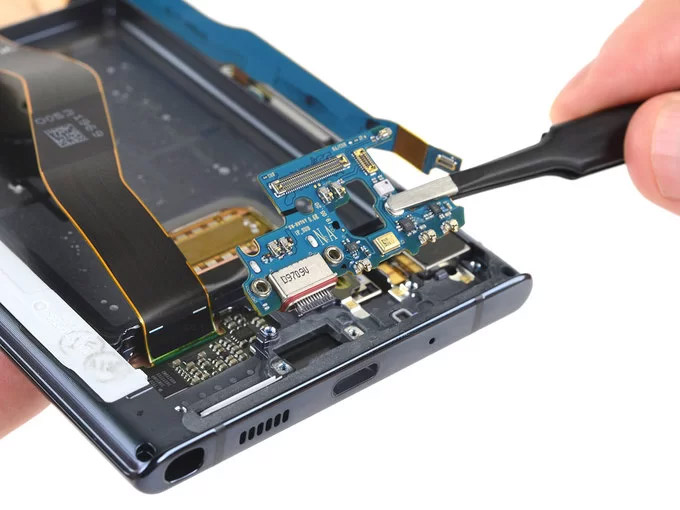
A long cable runs along the camera body to connect the bottom board and motherboard.
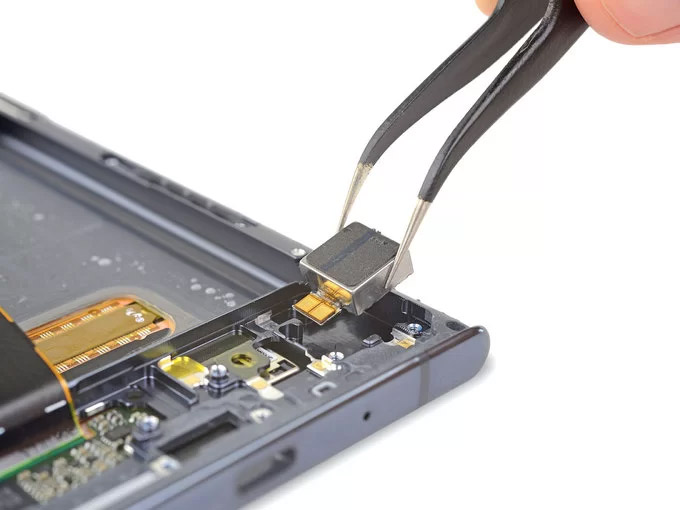
Unlike other Samsung phones, the vibrator on the Galaxy Note10 + has a square shape instead of a round shape to help tactile feedback on the device become more "authentic".
When lifting up the circuit board, the rear side of the Dynamic AMOLED Infinity-O screen produced by Samsung is revealed. The area with ultrasonic fingerprint sensor is similar to that on S10.
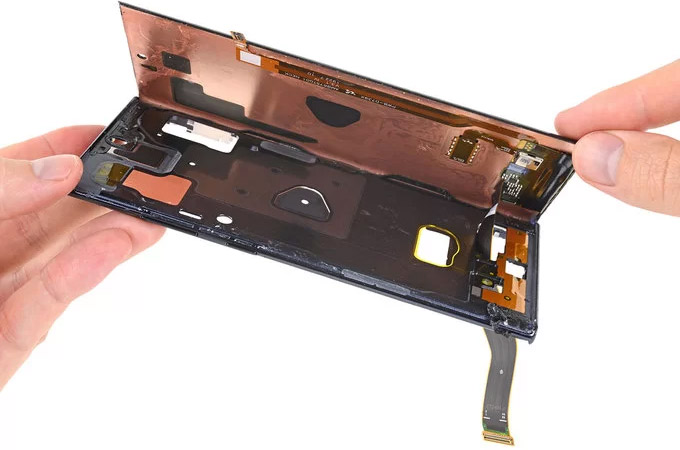
A hard plastic covered S S's gut, inside has a mysterious chip coded SP912, probably a 6-axis sensor.

Regarding repair, Galaxy Note10 + 5G scored a score of 3/10 (the higher it is easier to fix) by iFixit. This page commented, Note10 + 5G is hard to replace the battery, the back cover is quite fragile, almost impossible to repair the screen.
FAQ
What is Discover the Samsung Galaxy Note10 ++ 5g Interior, Complex and about?
It provides a structured overview of Samsung Galaxy Note10 +, explains the main context, and highlights practical takeaways for readers.
Why does this topic matter?
Understanding the main concepts helps readers evaluate the issue, avoid common mistakes, and make better-informed decisions.
How should readers use this information?
Use the guidance as a practical starting point, confirm details that may have changed, and follow current product, safety, or security recommendations.
Related Articles
 Ifixit Judged the Galaxy S20 ++ to Be Quite Difficult to Fix3 minutes read
 Official Information About Samsung Galaxy S8, S8 Plus: Price, Date of Sale, Specifications12 minutes read
 Galaxy S20 and S20 +:+: Snapdragon 865 // Exynos 990, 8 // 12gb4 minutes read
 Samsung Repair Mode: Complete Guide3 minutes read
 Review Samsung Galaxy S20: First 5g Phone in 20207 minutes read
 8 Useful Apps on Samsung Galaxy S218 minutes read
Reader Comments 0
Sign in with email or Google to join the discussion.