Table of Contents
This guide covers dell announced ultrabook folding xps 11 costs 1000 usd with practical context and easy-to-follow details. Use it to understand the subject and apply the information confidently.
The XPS 11 is Dell's premium hybrid ultrabook that can be folded like Lenovo's Ideapad Yoga.
It seems that Dell still retains what they introduced in the sample version of the product at Computex. It uses a combination of aluminum and carbon fiber, an 11-inch ultra-high resolution screen of 2560x1440 and glass Gorilla Glass NBT protection. In addition, the screen also supports tap and use advanced IGZO technology. Processor chips, of course, Intel's Haswell, and hard drives will use all SSDs.
The XPS 11 also achieves a respectable thinness, with only 11 ~ 15 mm. It weighs 1. 13 kg and has a hinge design that helps to rotate a 360-degree angle for use in computer mode. When not in laptop or tablet mode, you can also set up the device in " Stand mode" Like on Lenovo IdeaPad Yoga . This mode is very suitable for experiences like watching movies on the computer.
Talking about the keyboard, the keyboard part of the XPS 11 has a 0. 5 mm key stroke and tactile feedback options. It has 2 USB 3. 0 ports, HDMI, full-size SD card slot, supports Wi-Fi 2-band Wi-Fi and Bluetooth 4. 0. In addition Dell also offers an NFC version. The device will be sold in November For $ 1000 .
Some Product Images
FAQ
What should I check before following these steps?
Confirm device and software compatibility, save important data, and make sure you have the required permissions, files, and account access.
Why might the process not work?
Common causes include outdated software, missing permissions, incompatible hardware, an unstable connection, or completing a step in the wrong order.
Can I undo the changes if necessary?
That depends on the tool or setting. Use built-in restore options when available, keep a backup, and record the original configuration first.
Related Articles
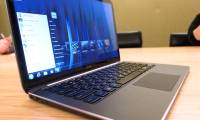 Dell Announced the New XPS 13 Ultrabook4 minutes read
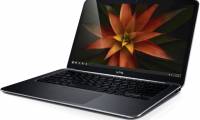 Dell XPS 13 Ultrabook Sold in Vietnam on March 164 minutes read
 The Dell XPS 13 Is Officially Released in Vietnam4 minutes read
 Dell's XPS 13 Ultrabook Model Is 'Burning'3 minutes read
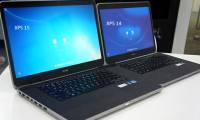 XPS 14 and 15 Edition 2012 Revealed Selling Prices3 minutes read
 Dell Latitude E7440 Review: Enduring Ultrabook with8 minutes read
Reader Comments 0
Sign in with email or Google to join the discussion.