Table of Contents
This guide provides a practical overview of Crucible Configuration on PC, including its main features, benefits, limitations, and important considerations.
You and your teammates not only face enemies but also have to deal with alien monsters. Giant monsters throughout the game have the same difficulty level as the monsters in Monster Hunter: World.
Configuration of the game is also an issue that many gamers are interested in. Because this is a free game on Steam, many players will guess that the configuration of Crucible will not be high. Here is the configuration of playing Crucible on PC, take a look and compare with similar free games currently see if the configuration of Crucible is heavy compared to your device.
Minimum Crucible configuration on PC
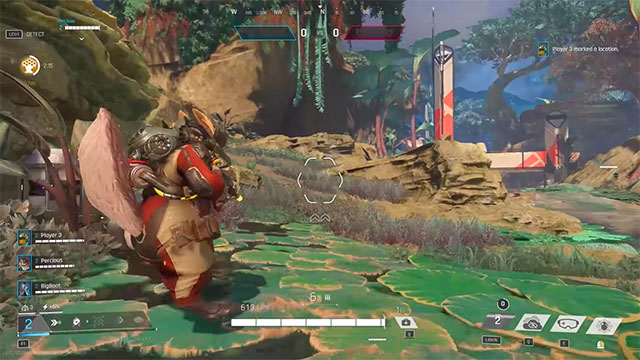
- Supported operating systems: 64-bit Windows 7, 64-bit Windows 8, 64-bit Windows 10
- CPU: Intel i5-3570 or AMD FX-6300
- RAM: 8GB
- Graphics Card: Nvidia Geforce GTX 660 or ATI Radeon HD 7850 VRAM 2GB
- Required hard drive space: 15GB
- DirectX 11 version
Configuration requires Crucible on PC
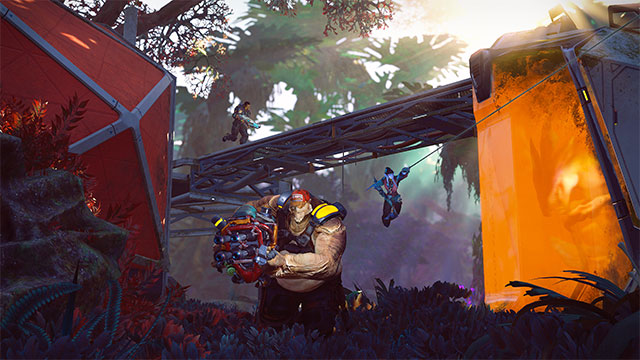
- Supported operating systems: 64-bit Windows 7, 64-bit Windows 8, 64-bit Windows 10
- CPU: Intel i5-6500 (3.2 Ghz) or AMD Ryzen 3 2200G
- RAM: 8GB
- Graphics Card: Nvidia Geforce GTX 1060 or Radeon RX 570
- Required hard drive space: 15GB
- DirectX 11 version
With Crucible configuration parameters above, obviously this is not a game with high configuration requirements. If compared with the same shooting games like Fortnite, Overwatch, Apex Legends, CS: GO and most recently Valorant, it is higher, but with blockbuster games, Crucible is still at an average configuration. come on.
FAQ
What should I know about Crucible Configuration on PC?
Focus on the key features, requirements, limitations, and practical use cases explained in this guide.
How do I get the best results with Crucible Configuration on PC?
Follow the recommended steps, use current software or information, confirm compatibility, and review settings before major changes.
Are there any risks or limitations?
Potential limitations depend on compatibility, data quality, cost, privacy, support, and how the product or method is used.
Related Articles
 MK1 Configuration: Complete Guide4 minutes read
 Crucible Is Here: How to Play Amazon's New, Free PC Game4 minutes read
 Configure Gta 5, Configure Gta V on the Computer5 minutes read
 Check Android Phone Configuration6 minutes read
 CS 2 Configuration, Counter Strike 2 PC Playing Configuration5 minutes read
 Configure Far Cry New Dawn to Play on the Computer4 minutes read
Reader Comments 0
Sign in with email or Google to join the discussion.