Table of Contents
This guide provides a clear, practical overview of configure GTA trilogy on PC, with useful context, important details, and straightforward takeaways for everyday readers.
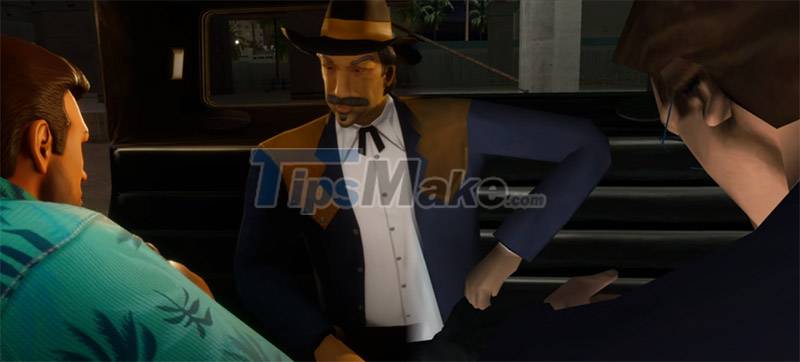
GTA Trilogy Definitive Edition includes Grand Theft Auto III, Vice City and San Andreas, all of which have been remastered with higher resolution textures, improved effects, and reworked lighting and shadow systems. completely.
The three games will also be updated with GTA 5-style controls and some additional gameplay improvements. For example, players can immediately restart failed missions.
The official release date of GTA Trilogy will be November 11 and is expected to be quite pricey. Here are the required configurations to prepare you to welcome GTA Trilogy on your PC.
Minimum configuration GTA Trilogy on PC
- Operating System: Windows 10 64-bit
- CPU: Intel® Core™ i5-6600K or AMD FX-6300
- RAM: 8GB
- Graphics Card: Nvidia GeForce GTX 760 2GB or AMD Radeon R9 280 3GB
- Free Memory: 45GB
Recommended configuration GTA Trilogy on PC

- Operating System: Windows 10 64-bit
- CPU: Intel® Core™ i7-2700K or AMD Ryzen 5 2600
- RAM: 16GB
- Graphics Card: Nvidia GeForce GTX 970 4GB / AMD Radeon RX 570 4GB
- Free Memory: 45GB
Above is the GTA Trilogy configuration on PC, a level of configuration far from what the originals required. Back then, you only needed a Pentium III, 2GB of RAM and Windows XP to be able to go to Los Santos in GTA SA. As for the current configuration, CJ requires you to have at least an i5-6600 along with a GTX 760 to be able to participate in the missions at Los Santos.
Key Takeaways
Use the information above as a practical reference for configure GTA trilogy on PC. Review each step carefully, confirm any requirements, and choose the option that best fits your situation.
FAQ
What does this guide explain about Configure GTA Trilogy on PC?
It explains the main concepts, practical considerations, and useful steps related to configure GTA trilogy on PC without requiring advanced knowledge.
Who can benefit from learning about Configure GTA Trilogy on PC?
This information is useful for readers who want a clear overview, practical guidance, and reliable steps related to configure GTA trilogy on PC.
What should I check before applying this information?
Review the requirements, confirm that your device, software, or situation matches the instructions, and back up important data before making major changes.
Related Articles
 Download the Role-playing Game Eye of the Beholder Trilogy Is Free3 minutes read
 Please Download Batman: Arkham and Lego Batman Trilogy Are Now4 minutes read
 Invite the Zombie Army Trilogy, a Great Tactical Shooter Game for5 minutes read
 Download Back to Bed, Epic Fail League, Madrobot X and the4 minutes read
 Configure God of War Ragnarok on PC4 minutes read
 Secedit Configure: Secedit: Configure Command in Windows5 minutes read
Reader Comments 0
Sign in with email or Google to join the discussion.