Table of Contents
Mini World uses several kinds of codes, and they are not interchangeable. A terrain code controls world generation when you create a new world; a map ID opens a world published by another creator; and a gift code redeems an account reward during a supported event. If a code does not work, first confirm that you are entering it in the correct screen.
| Code type | Purpose | Where it is entered |
|---|---|---|
| Terrain code or seed | Generates a new world from a repeatable starting value | Create New World settings |
| Map ID | Finds a published community map | Map search or community map browser |
| Gift code | Claims an event or promotional reward | Event or redemption screen, when available |
This distinction matters because many older lists mix map seeds with promotional codes and then describe every entry as “active.” Terrain generation and menus can also change between game versions, so test an old seed in a new world before planning a large build.
Officially featured Mini World map IDs
The official Mini World: CREATA website has featured several creator maps. These are map IDs rather than gift codes:
| Featured map | Map ID |
|---|---|
| Kingdom | 18598316865727 |
| Laundry Tycoon | 48693146799226 |
| No. 1 School | 52713419378673 |
| Hide and Seek | 79973455869362 |
| Party Zone | 56772042536370 |
Open the game's community or map browser, choose its search option, and paste the numeric ID. A creator can update, rename, restrict, or remove a published map, so an older ID may no longer return the same result.
How to enter a terrain code
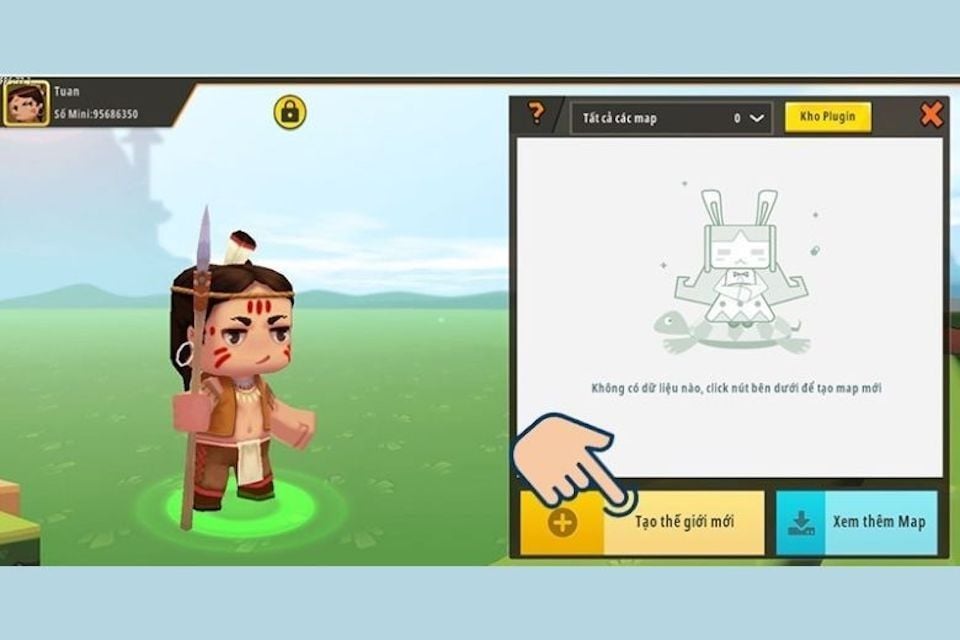
- Open Mini World and select Start.
- Choose Create New World.
- Select the mode you want to use, then open that mode's settings.
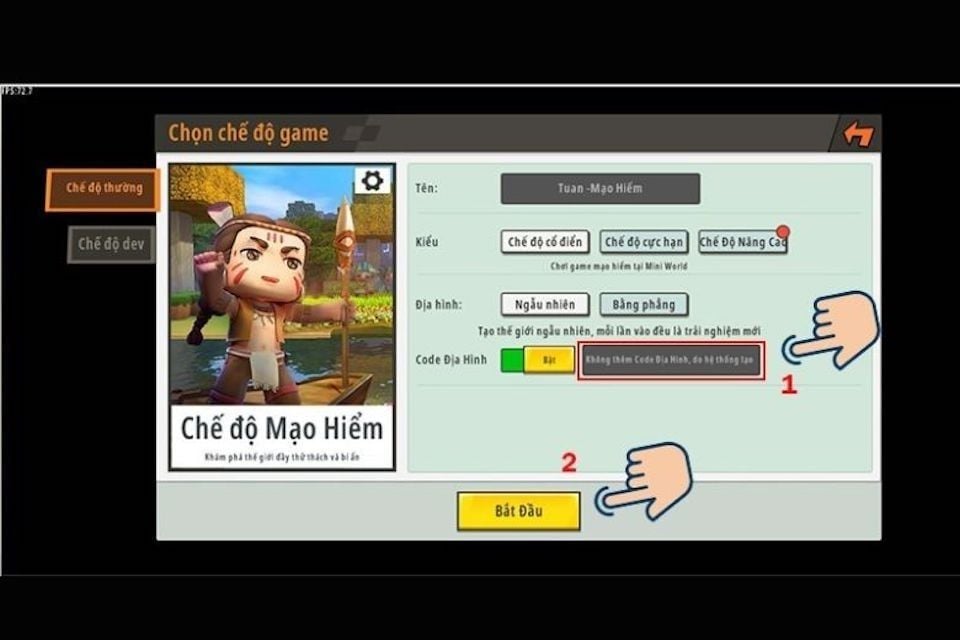
- Enable or locate the Terrain Code option.
- Paste the seed, review the other world settings, and select Start.
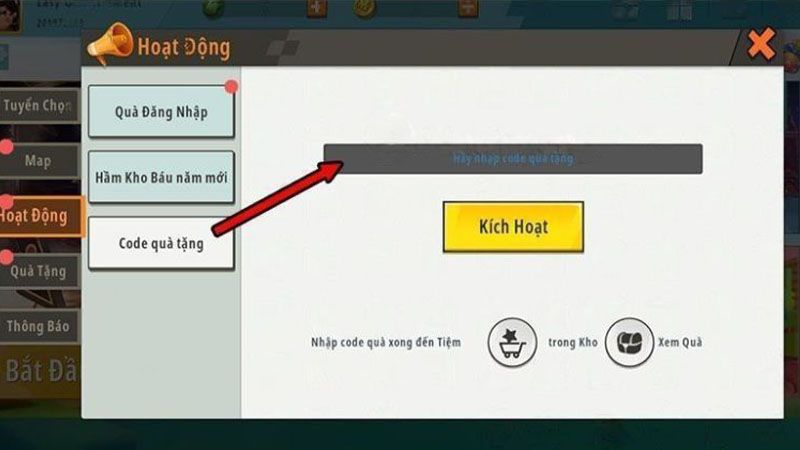
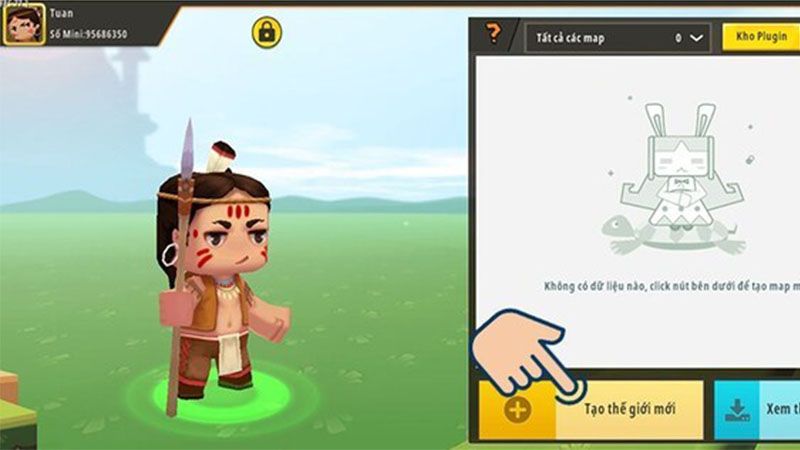
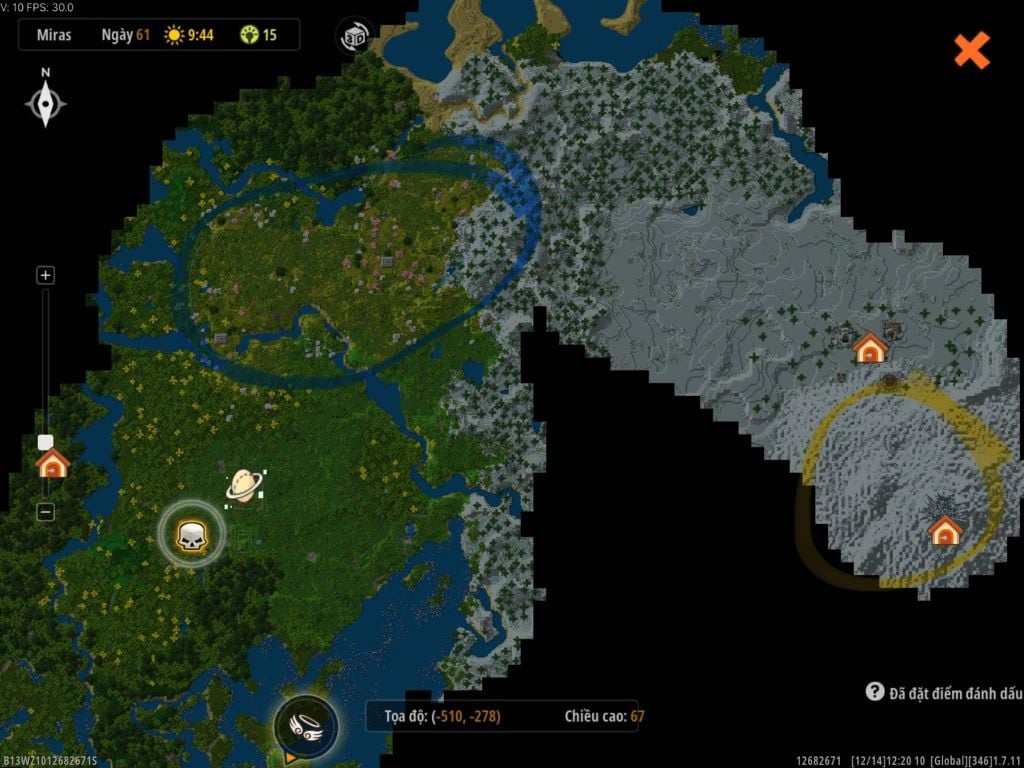
If your interface looks different, search the current creation screen for “terrain,” “seed,” or a settings icon. The older walkthrough on entering a Mini World terrain code can help identify the workflow, but labels may differ in newer releases.
Community-reported terrain seeds
The following seeds have circulated in the Mini World community. They are preserved as test candidates, not guaranteed destinations. Game updates may change the spawn point, nearby resources, or generated biome.
| Reported terrain | Seed to test |
|---|---|
| Peach, basin, or bamboo area | JDEHSFOYQXC or WORCBOSTEDOEBUIZ |
| Red soil | NHC63IA0T or PTTT7H0JQ |
| Varied landscapes | 8KDNGQ8CCPZ9B8D |
| Raptor area | XW4C295G7UYX57LR |
| Frozen land | Z63UF7ZIMIC |
| Volcanic or lava area | 7LJZO41AAI1IS |
| Half green land and sea | OWDRU9KND |
How gift-code redemption differs
When Mini World runs a promotion, its code is normally entered through an event or redemption interface rather than the world-creation screen. Open the Events area, look for an official redemption option, and enter the code exactly as issued. If there is no redemption option, the promotion may have ended or may not be available for your region or game version.
Do not trust “generator” sites, and never provide an account password or verification code to claim a reward. Use announcements linked from the official website or in-game notices. For comparison, see how a conventional reward code is handled in the Blue Archive code guide.
Troubleshooting Mini World codes
- Nothing happens: verify whether you have a terrain seed, map ID, or gift code.
- World looks different: confirm the seed and game version; generation rules may have changed.
- Map cannot be found: the publisher may have removed it or limited access.
- Gift code is rejected: check spelling, region, expiration, and whether the account already redeemed it.
- Unfamiliar download requested: stop. Codes do not require third-party installers.
For seed-based games generally, remember that the same number only produces a useful result when the game and version interpret it the same way. The Minecraft Cherry Grove seed guide illustrates the same need to verify version-specific generation.
Related Articles
 List of Anime Rangers X Codes for the Latest 8.0 Update8 minutes read
 Updated List of the Latest Free Fire Max Codes for 20267 minutes read
 Complete List of the Latest Anime Final Quests Codes to Get Free Spins7 minutes read
 Latest Mini Survival Codes and Instructions for Redeeming Codes: Explained5 minutes read
 How to Redeem Roblox Slap Codes and a List of the Latest Codes6 minutes read
 List of Newly Released and Complete Arknights Endfield Codes For 20266 minutes read
Reader Comments 0
Sign in with email or Google to join the discussion.