Table of Contents
Learn how to grow cocoa beans in Minecraft with clear steps, practical tips, and troubleshooting guidance for a reliable result.
If you want to learn how to get, grow, and use cocoa beans in Minecraft, the guide below will help you master every step from Java Edition to Bedrock Edition.
1. Where Do Cocoa Beans Appear In Minecraft?
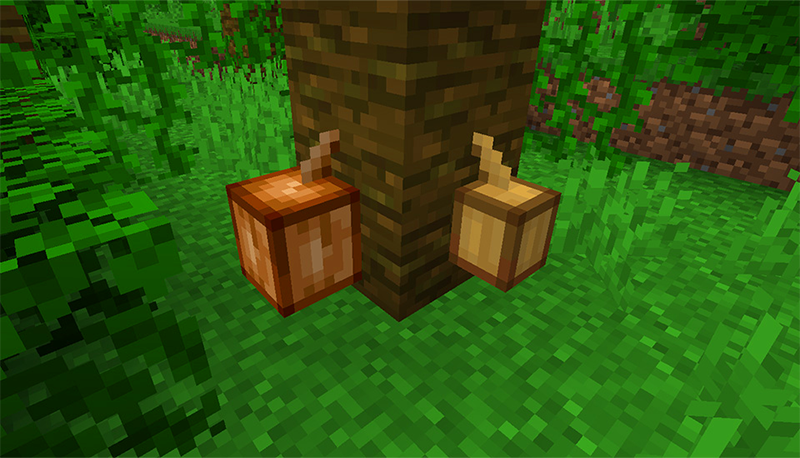
Java Edition
- Cacao beans occur naturally in rainforests, bamboo forests, and scattered forests.
- They exist as cocoa pods that grow on small natural forest trees.
Number of seeds obtained:
- Small and medium fruit → 1 cocoa bean
- Large fruit → 3 cocoa beans
Tools:
-
An axe is the preferred tool for breaking, but you can also use your hands or any other tool.
Bedrock Edition
In addition to the above method, Bedrock Edition also has additional methods:
- Open loot bonus chest
- Fishing in jungle, bamboo, and scattered forest biomes
- Dealing with wandering traders
So, cocoa beans are easier to find for Bedrock players, but Java is not too difficult to collect either.
2. How to grow Cocoa Beans in Minecraft
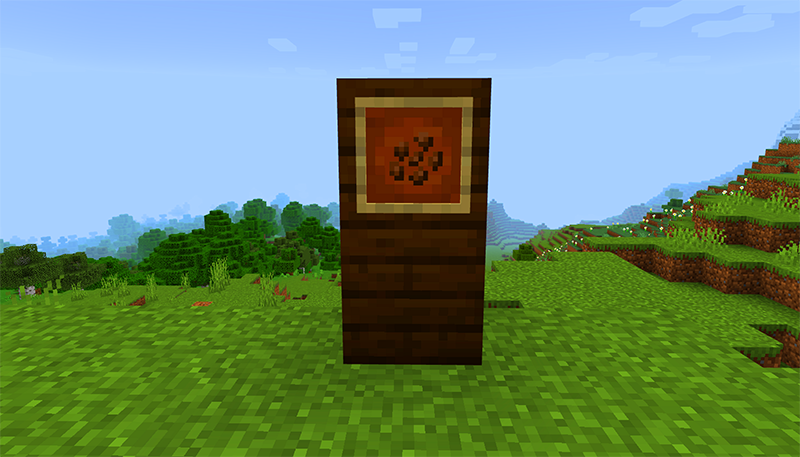
You cannot grow cocoa beans on soil, grass, or regular wood. Only jungle wood will work.
How to grow:
- Pick cocoa beans in hand.
- Press the side of a jungle tree or stripped jungle log .
- Small green cocoa pods will appear.
The process of growing up
- Small fruit → Medium fruit light brown
- Medium fruit → Large dark brown fruit, when broken will yield 3 cocoa beans
Accelerate growth
- Use bone meal to help cocoa pods grow faster.
- One time bone meal → fruit advances to next stage
- Here is a quick way to build an efficient cocoa bean farm in Minecraft.
3. What Are Cocoa Beans Used For In Minecraft?
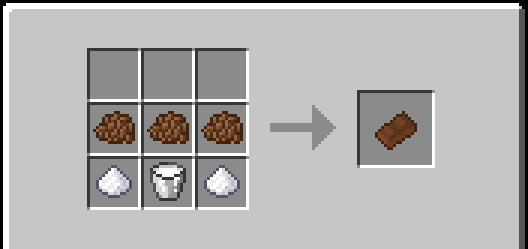
3.1 Brown Dye
- Java Edition: Convert cocoa beans to brown dye in the crafting grid (1 bean → 1 dye)
- Bedrock Edition: Cocoa beans used directly as brown dye without conversion
3.2 Uses in crafting
- Cocoa beans are an ingredient in cookie recipes.
- Can be combined with other ingredients to color objects.
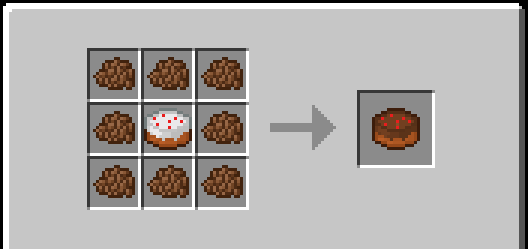
3.3 Making compost
- Cocoa beans can be put into a composter.
- Increase compost layer with 65% probability
4. Quick Harvest Tips and Cocoa Bean Farms
- Create cocoa bean fields on artificial jungle trees for continuous harvesting
- Use bone meal to shorten the maturity time
- Combine with other plants to get many dye colors for decoration or processing.
Conclude
Cocoa beans are a versatile ingredient in Minecraft, from browning to making cookies to decorating structures. Mastering how to find, grow, and use cocoa beans will help new and veteran players expand their creativity in the game.
Start collecting cocoa beans today to own large cocoa farms and make the most of their uses in Minecraft!
Final Thoughts
Use this guide as a practical checklist for how to grow cocoa beans in minecraft. Work through the steps in order, verify each result, and adjust the options to match your needs.
FAQ
What do you need before following this How to Grow Cocoa Beans in Minecraft guide?
Review the required tools, accounts, settings, or materials mentioned in the article. Learn how to grow cocoa beans in Minecraft with clear steps, practical tips, and troubleshooting guidance for a reliable result.
What are the main steps for how to grow cocoa beans in minecraft?
Follow the sections in order, especially 1. Where Do Cocoa Beans Appear In Minecraft?, Java Edition, Bedrock Edition. Complete each step before continuing and verify the result as you go.
What should you do if the process does not work as expected?
Recheck the prerequisites, update the relevant app or service, review the settings, and repeat the step that caused the issue. Use any troubleshooting notes included in the guide.
Related Articles
 The Crazy Rush of Something That Is Increasing in Price Faster Than Bitcoin9 minutes read
 Instructions for Making Healthy Cocoa Bean Milk3 minutes read
 Top Most Worthwhile Buildings to Construct in Minecraft11 minutes read
 minutes read
 How to Creating Your Own Minecraft Mods to Play Games in Your Style12 minutes read
 Minecraft Potion Making Guide4 minutes read
Reader Comments 0
Sign in with email or Google to join the discussion.