Table of Contents
Cloud gaming runs a game on a remote server and streams the video to your phone while sending your controls back to the server. It can make demanding games accessible on modest hardware, but it does not remove the need for a responsive connection, a supported region, and—in many cases—a game purchase or subscription.
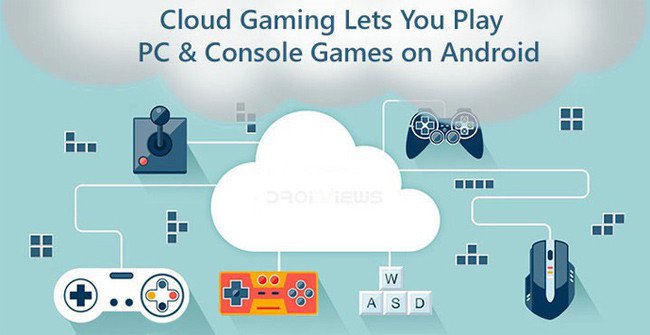
The older services Vortex, Hatch, and LiquidSky in the original list are no longer reliable current recommendations. The four active options below use different library and payment models, so check the games and regional availability before subscribing.
1. NVIDIA GeForce NOW
GeForce NOW connects to supported stores and subscriptions such as Steam, Epic, GOG, PC Game Pass, and Ubisoft Connect. You generally stream compatible games from libraries you already use; membership does not automatically grant every listed game.
NVIDIA provides an Android app and browser access for supported devices, including iPhone and iPad. A free membership is available for trying the service, while paid tiers add benefits such as faster access, longer sessions, and higher performance. Queue behavior and plan details vary, so compare the current membership page in your region.
2. Xbox Cloud Gaming
Xbox Cloud Gaming streams supported console games to phones and other devices. Its broader catalog is tied to eligible Xbox Game Pass plans, while Microsoft also offers selected free-to-play games such as Fortnite with a free Microsoft account in supported regions.
This is a strong fit for players who want a subscription catalog rather than a PC storefront library. Confirm that the game has the cloud-play label and that your plan includes it; a title being available on Xbox does not necessarily mean it can be streamed.
3. Amazon Luna
Amazon Luna offers a rotating cloud library and supports play through compatible apps or browsers. Amazon includes a Luna selection with Prime and sells access to a larger library through additional options. The exact catalog and service coverage are regional.
Luna is convenient if you already use Amazon's ecosystem, but choose it based on the current library rather than the number of games advertised in an old review. A title can rotate out, and ownership on another PC store does not always provide access through Luna.
4. Boosteroid
Boosteroid streams supported PC games to Android, iOS, computers, and selected TVs through apps or a browser. It is designed around games from supported stores, so you may need to own the title and sign in to the relevant storefront in addition to paying for the cloud service.
Before subscribing, use Boosteroid's game search and connection test. A service may be technically available in your country while the nearest server is still too far away for comfortable action gameplay.
What you need for a good mobile experience
- Stable network: consistent latency and low packet loss matter more than a large headline download speed.
- 5 GHz or 6 GHz Wi-Fi: use a clean local connection when possible and stay near the router.
- A suitable controller: many PC and console games are awkward with a generic touch overlay; check controller support first.
- Enough data: high-quality streaming can use substantial bandwidth, so monitor mobile data limits.
- Nearby servers: test at the time of day you normally play, because congestion affects responsiveness.
How to choose
Start with the game, not the brand. Check whether the service carries it, whether you must buy it separately, whether mobile controls are supported, and what happens to save data. Then test the free option or shortest available plan before committing for longer. Cloud gaming does not guarantee lower total cost; it trades local hardware requirements for recurring service and network requirements.
For another portable option, compare TipsMake's guide to handheld game consoles. If you plan to save mobile gameplay clips, see how to record games on iPhone and Android.
Related Articles
 By the Next Generation, the Cloud Game Will Replace the Game Console5 minutes read
 Xbox Cloud Gaming Explained8 minutes read
 Top 8 Online Gaming Websites or 20197 minutes read
 How to Play PC Games on Smart TV?4 minutes read
 7 Reasons to Switch from PC Gaming to Console Gaming8 minutes read
 The Facebook Gaming App Is Available on the Google Play3 minutes read
Reader Comments 0
Sign in with email or Google to join the discussion.