Table of Contents
This updated guide answers the question 'Why Is Choosing the Right Charger More Difficult Than It Needs to Be' with clear explanations and practical context. Choosing the wrong charger can cause your device to charge slowly or even break. And with so many options and similar products, finding the right one is harder than ever.
Charging Standards Explained
Buying a phone charger used to be simple, but now it seems much more complicated. One big reason for the confusion is the variety of charging standards. Not all chargers are the same, even though they look similar. open a store or browse online, and you'll see a plethora of options: USB-A, USB-C, Quick Charge (QC), and USB Power Delivery (PD). But what do they actually mean?
USB - A and USB - C
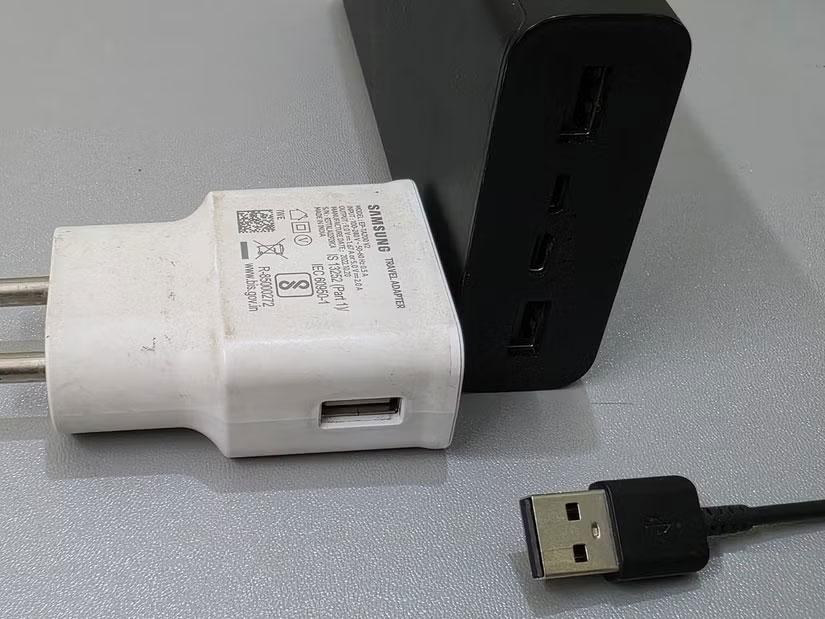
The most common USB connector type is USB-A, also known as Type-A. This is the classic rectangular port we've seen for years. You'll still find it on most computers, laptops, and power supplies. It provides up to 5V/2.4A of power, which is enough for most basic charging needs. Still, it is slower than newer options and does not support fast charging standards.
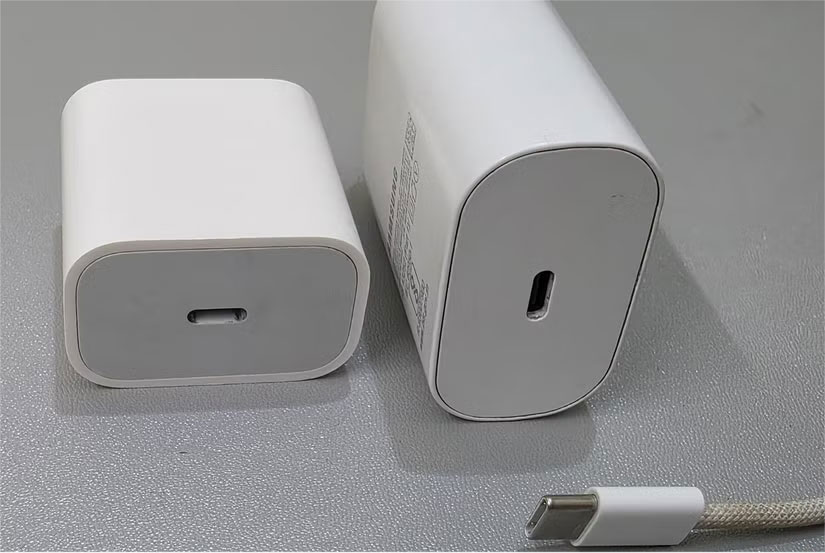
USB-C is the latest standard for USB ports and cables. it is smaller than USB-A and can support much higher power output, up to 20V/5A (100W). This makes it suitable for fast charging smartphones, tablets, and even laptops. it is also reversible, meaning you can plug it in either way without worrying about orientation. Modern Android phones use USB-C, and even Apple's latest iPhones have switched from the Lightning port to using it.
Qualcomm Quick Charge (QC)
Quick Charge is a fast charging standard, specifically for Android phones with Qualcomm Snapdragon processors. it is designed to dramatically reduce charging times compared to older 5-watt (5W) chargers. for instance, Quick Charge 3.0 can charge your phone up to four times faster than the old standard 5W charger. Still, the technology only works if both the phone and the charger are Quick Charge compatible. So if your phone supports QC 3.0 but your charger does not (or vice versa), you'll have to settle for a slower charging speed.
Still, newer versions like Quick Charge 4 and 4+ have added USB-PD compatibility, so a QC 4 charger will switch to standard USB-PD if the phone does not support Quick Charge. That way, the technology can still provide fast charging via a more widely accepted protocol, even without using QC-specific features.
USB Power Delivery (USB - PD)
USB Power Delivery (USB-PD) is a fast charging technology that is now standard on a wide range of devices, including smartphones, tablets, laptops, and power banks. The appeal of the technology is that it is universal and not tied to any one brand, so whether you're using a Samsung, Google Pixel, or iPhone, USB-PD is likely to be part of your charging experience.
USB-PD is essentially smart charging. When you plug your phone into a USB-PD charger, the devices quickly talk to each other to determine how much power your phone can handle. The charger then adjusts its output accordingly.
Unlike Quick Charge, PD only works with USB-C connectors and supports power delivery negotiated between the device and the charger. It adjusts voltage and current as needed, delivering power levels such as 5V, 9V, 15V, or 20V, with power outputs up to 240W using the latest PD 3.1 standard.
Exclusive Fast Charging
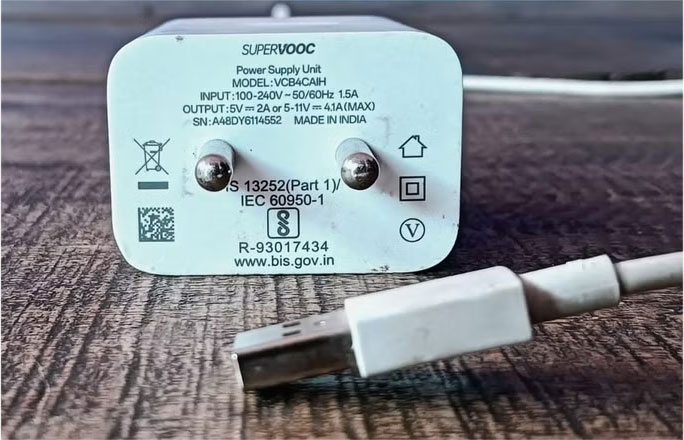
Some brands have their own fast charging systems. Older Samsung phones use Adaptive Fast Charging (15W), while newer phones use Super Fast Charging with USB-PD. Brands like OnePlus and Oppo use proprietary systems like Warp Charge or VOOC, which deliver impressive speeds (some over 100W) with the right charger.
Still, these systems only reach their maximum speeds with the brand's dedicated charger (and sometimes a special cable). So do not expect the OnePlus Warp charger to super-fast charge your Samsung, or vice versa. If you use the wrong fast charger, your phone will still get a charge, but much more slowly.
How to Choose the Right Charger
Now that you know what makes the charger market so confusing, how can you choose the right one?
Know Your Phone's Charging Requirements
Most modern phones support either USB Power Delivery (PD) or Quick Charge (QC). ensure your charger supports the same protocol for faster, safer charging. Mismatched standards can result in slow speeds or no fast charging at all.
Use Brands You Know and Trust
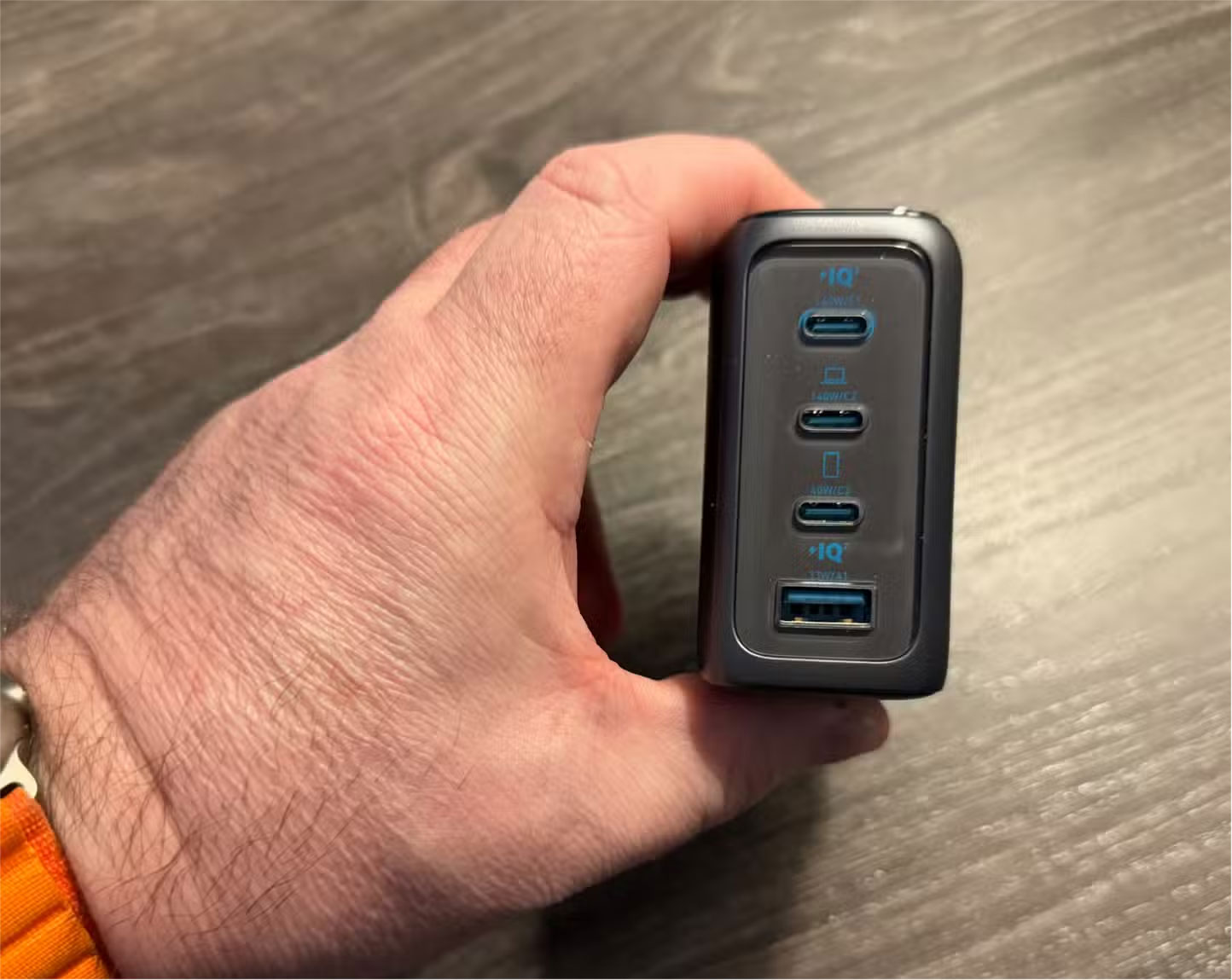
Cheaper options are often tempting, especially when they look like the real thing, but they often cut corners when it comes to safety and quality. Brands like Anker, Belkin, or Spigen cost a little more, but they're reliable, thoroughly tested, and built to last, while also protecting your devices. Sometimes spending a little extra money up front can save you trouble down the road.
Do Not Underestimate the Cable
Even with the best chargers, a low-quality cable can ruin everything. Many cheap cables cannot properly transfer high currents, slowing down charging and even causing overheating. Always look for cables that are fast-charging certified and made with thick wires and sturdy insulation.
Avoid Vague or Exaggerated Statements
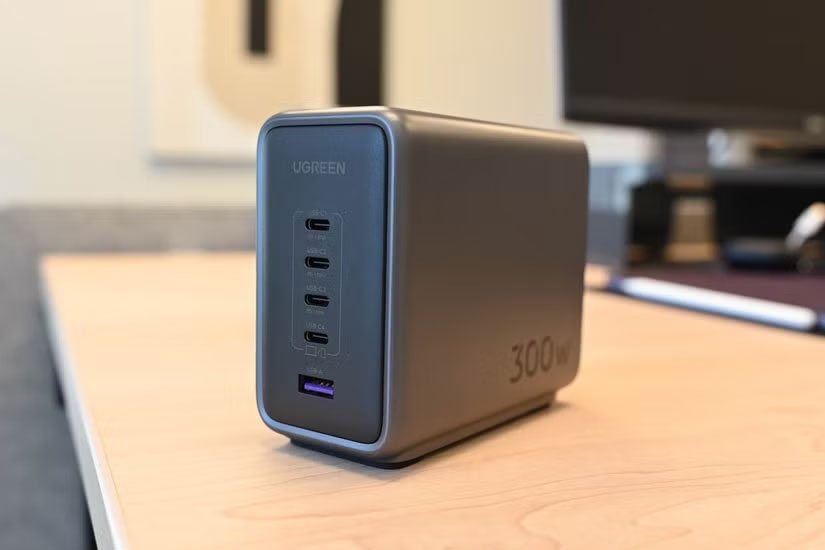
Flashy claims like 'Super Fast' or 'Up to 100W' may seem impressive, but they can be misleading. With multi-port chargers, the power is often split between ports or only reaches that speed with certain devices. it is essentially referring to the total power output, not the actual power each port provides.
for instance, a 100W charger might deliver a full 100W when using just the USB-C port. But if you plug in a second device, the power gets split. The USB-C port might drop to 65W, while the USB-A port delivers 18W. that is a big drop if you expect maximum speed from both. So read reviews and check the actual power listed in the specs before you buy.
Look for Real Certifications, Not Just Fancy Words
Genuine chargers will have safety certifications, such as USB-IF, CE, UL, or BIS. These markings mean that the product has passed industry-standard safety tests. Chargers without these markings may still work, but they run the risk of overheating, short-circuiting, or damaging your device over time.
If you're not sure which charger to choose, go with one from the phone's official brand. These chargers are specifically designed for your device, ensuring compatibility and speed without the guesswork. They're a reliable option that saves you time and effort; perfect if you're tired of sorting through endless specs and reviews. And if all else fails, search the internet for "official [your smartphone name] charger" to see what the company recommends.
FAQ
What is the main takeaway about Why Is Choosing the Right Charger More Difficult Than It Needs to Be?
The key is to understand the core idea, compare the available options, and apply the practical guidance that matches your situation.
What should beginners know about Why Is Choosing the Right Charger More Difficult Than It Needs to Be?
Start with the essential steps and terminology. Avoid changing advanced settings until you understand how they affect performance, privacy, cost, or compatibility.
How can I use this information in practice?
Follow the relevant section in order, test one change at a time, and confirm the result before moving to the next step or recommendation.
Related Articles
 Use a Battery Charger Like 'the Beard That He Has on Her Chin'5 minutes read
 Surprise with 3 Ways to Charge Your Phone in Africa, Where2 minutes read
 Causes and Ways to Fix the Charger Is Hot When Charging5 minutes read
 The Day of True Wireless Charging Is Coming3 minutes read
 Is It Really Safe to Use Another Laptop Charger?4 minutes read
 Is the Laptop Broken, Should It Be Repaired or Purchased?5 minutes read
Reader Comments 0
Sign in with email or Google to join the discussion.