Table of Contents
This updated guide examines Vsmart Updates Vos 2.5 for Vsmart Live, Adding a Lot of and organizes the essential facts, background, and practical takeaways in clear American English.

Support unlock by face
Vsmart Live when installing VOS 2.5 operating system will be added a new biometric security method that is unlocked by face. But this feature is only 2D and does not work in the dark because Vsmart Live is only equipped with conventional selfie cameras.

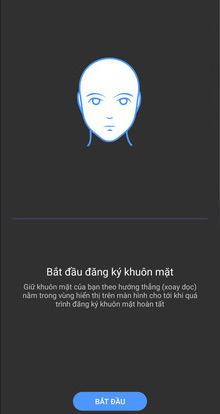

However, according to Vsmart's introduction, this feature has the option of 'Face anti-fraud' that enhances security but may cause slower recognition speed.

Installation interface is more neat and more scientific
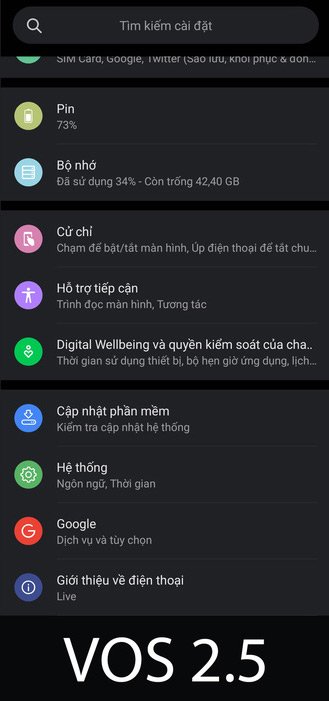
The Installation interface on VOS 2.5 is more neat and easier to use because the applications have been rearranged, related options are grouped together.

Effect when unlocked by fingerprint below the screen
The hand sensor in the screen of Vsmart Live is also added effects when users touch with their fingers to unlock. Vsmart also added a fingerprint icon on the always-on display (Always-on Display), making it easier and easier to unlock.

Quick switch on / off vibration mode
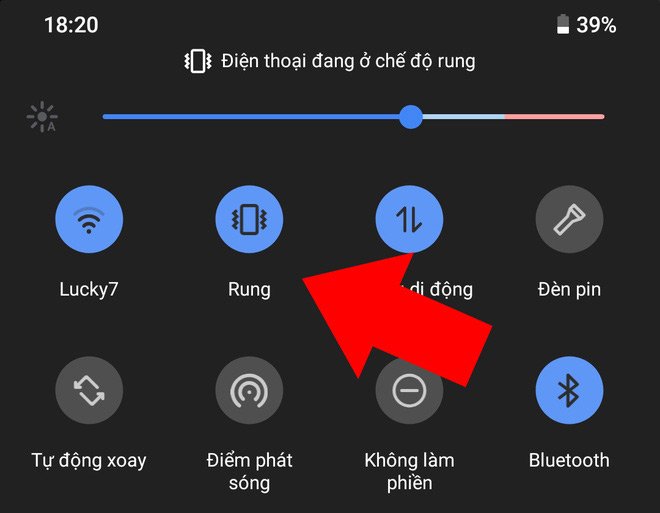
With VOS 2.5, to quickly activate the vibration / ringer mode, users can do so by clicking the button in the notification bar.
Lock the phone when the SIM is changed
Vsmart adds to VOS 2.5 the ability to automatically lock the device when the SIM card changes to enhance device security. When users connect the device to VinID account and set a separate password, if changing the SIM card, they must enter the password to be able to continue using the device.


Import data from iCloud (iPhone)
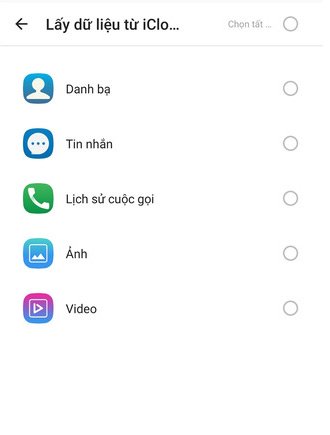
With VOS 2.5, users can import data such as photos, videos, contacts, messages, call history directly from iPhone's iCloud account to Vsmart.

Turn on the phone to turn off the bell
Vsmart adds VOS 2.5 a new quick gesture, to turn off the ringing and vibrating of incoming calls, users just need to turn the phone upside down.

Anti-shake when shooting movies
VOS 2.5 complements the camera application with image stabilization for movie recording, resulting in a smoother, better quality.

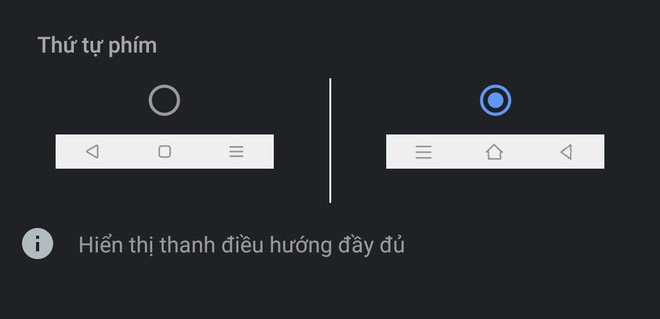
Change the position of the navigation button
VOS 2.5 allows users to adjust the back button position according to their preferences.
- 5 highlights of the pure Vietnamese operating system VOS 2.0 on Vsmart Live
- Design, configuration and price of Vingroup Vsmart Live smartphones
FAQ
What is Vsmart Updates Vos 2.5 for Vsmart Live, Adding a Lot of about?
It provides a structured overview of VOS 2.5, explains the main context, and highlights practical takeaways for readers.
Why does this topic matter?
Understanding the main concepts helps readers evaluate the issue, avoid common mistakes, and make better-informed decisions.
How should readers use this information?
Use the guidance as a practical starting point, confirm details that may have changed, and follow current product, safety, or security recommendations.
Related Articles
 Design, Configuration and Price of Vsmart Live Smartphone of3 minutes read
 Actual Photo of 4 Upcoming Smartphone Models Vsmart, Active 33 minutes read
 Vsmart Live Appears on the Famous Worldwide Camera Review Site3 minutes read
 Close VOS 3.0 Has Just Been Launched by Vsmart: Interface5 minutes read
 VOS 3.0 for Vsmart Live: Interface Makeover, Android 104 minutes read
 Design and Configuration of Vsmart Bee, Vsmart's Cheapest2 minutes read
Reader Comments 0
Sign in with email or Google to join the discussion.