Table of Contents
This guide covers top 5 blu-ray laptops with practical context and easy-to-follow details. Use it to understand the subject and apply the information confidently.
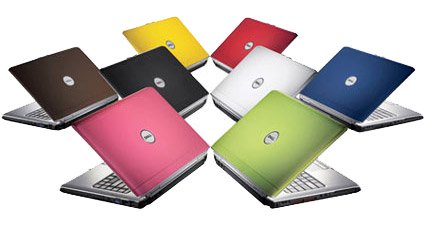 Dell Inspiron 1520 has 8 different color covers Photo: CNet
The Inspiron 1520 is one of the first laptops to be developed by Dell in design, with 8 different colorful covers. Targeted at the general consumer of entertainment, this 15. 4-inch laptop is equipped with a lot of multimedia features and is sold at a very attractive price, although the body is a bit thick and heavy compared to other competitors. Player of the same range. The strength of the Dell Inspiron 1520 is a variety of configurations, allowing users to choose a Blu-ray burner or drive, depending on their financial capabilities. Reference configuration : Intel Core 2 Duo T7250 2. 0 GHz chip, 2 GB RAM, 160 GB hard drive, NVIDIA GeForce 8400M GS graphics card, Windows Vista Home Premium operating system. Reference price : USD 1, 371 (Blu-ray reader), USD 1, 637 (Blu-ray burner). 2. Dell XPS M1730
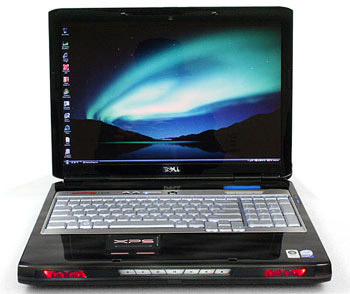 Dell XPS M1730 is a laptop for heavy gamers Photo: Computershopper .
Dell XPS M1730 is a desktop replacement laptop aimed at customers who are heavy gamers. The device is equipped with two graphics cards simultaneously, a GamePanel LCD screen for displaying game-related data, an Intel Core 2 Extreme processor and a backlit keyboard, providing great gaming experiences. For gamers. In addition, the Dell XPS M1730 also includes a Blu-ray drive and a 17. 1-inch high-resolution LCD screen (1, 920 x 1, 200 pixels). Unfortunately, this laptop doesn't have an HDMI port, VGA port, subwoofer and TV channel detector. Reference configuration : Intel Core 2 Duo T8300 2. 4 GHz chip, 4 GB RAM, 160 GB hard drive, two NVIDIA GeForce 8700M GT graphics cards, Windows Vista Home Premium operating system. Reference price : USD 2, 706 (Blu-ray reader), USD 3, 347 (Blu-ray burner). 3. HP Pavilion dv6700
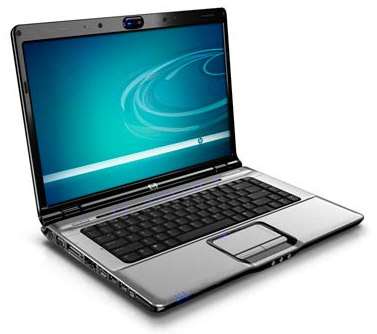 The HP Pavilion dv6700 supports HDMI connectivity Photo: CNet
The Pavilion dv6700 is HP's mid-range laptop, aimed at consumers who are entertainment enthusiasts. It is fully equipped with a popular multimedia app, notably the HDMI connector, Altec Lansing high-end speaker system, mini remote control and QuickPlay software. The case is designed in a unique HP Imprint embossing style, giving the machine a unique charm. However, the HP optical drive built into the Pavilion dv6700 can only read Blu-ray discs and burn DVDs / CDs, not Blu-ray discs. Reference configuration : Intel Core 2 Duo T8300 2. 4 GHz chip, 2 GB RAM, 250 GB hard drive, NVIDIA GeForce 8400M GS graphics card, Windows Vista Home Premium operating system. Reference price : 1, 717 USD. 4. Sony Vaio VGN-AR59GU
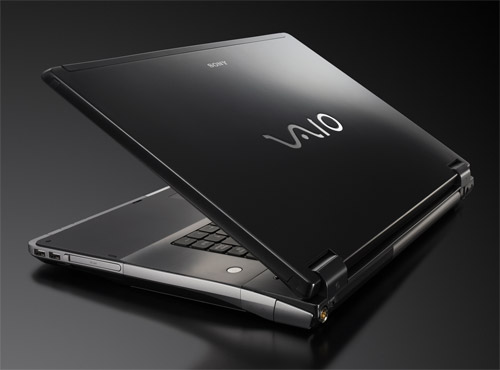 Sony Vaio AR is the first laptop to integrate Blu-ray disc burner Photo: Sony
Vaio VGN-AR59GU is the most advanced model in Sony's desktop replacement laptop, and is also the first laptop in the world to be integrated with Blu-ray burner. Besides, Sony Vaio VGN-AR59GU is also equipped with powerful 2. 1 sound system, super bright 17. 1-inch screen, TV channel detector and remote control to manage multimedia features. In addition, this is also one of the few laptops with integrated high-resolution full HD screen. Reference configuration : Intel Core 2 Duo T7700 2. 4 GHz chip, 2 GB RAM, 500 GB hard drive, NVIDIA GeForce 8600M GT graphics card, Windows Vista Home Ultimate operating system. Reference price : USD 4, 453. 5. Sony Vaio VGN-FZ28G
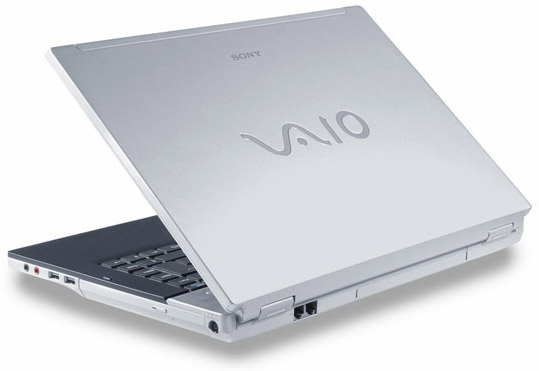 Sony Vaio FZ is a 15. 4-inch entertainment laptop Photo: CNet
If you can't afford to buy the high-end Vaio AR line, consumers can find another Sony model that has a Blu-ray burner, Vaio FZ. Although it is nearly $ 1, 500 cheaper, this 15. 4-inch entertainment laptop is still integrated with the latest NVIDIA graphics card, providing the ability to play games and play high-resolution content very well. In addition, the Vaio FZ series also has many cheaper models, but only integrated DVD burner. Reference configuration : Intel Core 2 Duo T7700 2. 4 GHz chip, 2 GB RAM, 160 GB hard drive, NVIDIA GeForce 8600M GS graphics card, Windows Vista Home Premium operating system. Reference price : 2, 989 USD.
FAQ
What should I check before following these steps?
Confirm device and software compatibility, save important data, and make sure you have the required permissions, files, and account access.
Why might the process not work?
Common causes include outdated software, missing permissions, incompatible hardware, an unstable connection, or completing a step in the wrong order.
Can I undo the changes if necessary?
That depends on the tool or setting. Use built-in restore options when available, keep a backup, and record the original configuration first.
Related Articles
 ASUS Zenbook S 14 - Copilot+ PC AI with 120 TOPs5 minutes read
 5 Best Budget Laptops of 20267 minutes read
 Top 5 Best Lenovo Laptops 20217 minutes read
 Top 5 High-end Laptops 2020 Running Well with Graphics and7 minutes read
 10 Laptops 'Unforgettable'8 minutes read
 Top 7 Best Gaming Laptops in 202111 minutes read
Reader Comments 0
Sign in with email or Google to join the discussion.