Table of Contents
Pixel Watch 4 introduced practical upgrades rather than just new watch faces: satellite emergency communication on LTE models, hands-free Gemini activation, dual-frequency GPS, streamed cycling metrics, a brighter display, longer battery claims, and a serviceable battery and screen. Availability still depends on the watch model, phone, software, country, and account settings.
Pixel Watch 5 is now available, but these Pixel Watch 4 features remain useful for owners and for anyone considering a discounted Watch 4. The watch works with most phones running Android 11 or later and requires a Google Account and the Pixel Watch app.
Pixel Watch 4 features at a glance
| Feature | What you need | Best use |
|---|---|---|
| Satellite SOS | LTE model, supported country, clear view of the sky | Emergency contact when cellular and Wi-Fi are unavailable |
| Gemini Raise to Talk | Gemini set up; gesture enabled | Hands-free questions and supported actions |
| Dual-frequency GPS | Location and workout permissions | Route tracking in cities or under tree cover |
| Cycling metric streaming | Fitbit app on a mounted phone | View workout data without turning your wrist |
| Quick Charge Dock | Compatible dock and power source | Short charging sessions before sleep or a workout |
| Replaceable display and battery | Supported repair option in your region | Repair instead of replacing the entire watch |
Use Satellite SOS away from phone coverage
Pixel Watch 4 LTE can contact emergency services through satellite when the watch cannot use cellular or Wi-Fi. The watch asks about the emergency, shares the relevant information and location, and guides you with on-screen, audio, and haptic cues while it connects.
Important limits: Satellite SOS is not available on the Wi-Fi-only model or in every country, region, or situation. Google offered the service at no additional charge for two years, but current terms may change. Check Google's Pixel Watch emergency feature page before relying on it.
Use the feature only for a real emergency. Move to an open area with a clear view of the sky, follow the watch's positioning prompts, and keep the watch pointed as directed. A satellite feature is a backup, not a guarantee of connection; carry appropriate safety equipment and tell someone your route when traveling off-grid.
Talk to Gemini by raising your wrist
Raise to Talk lets you activate Gemini without pressing a button or saying a wake phrase.
- On the watch, swipe down and open Settings > Gestures > Raise to Talk. You can also use the Pixel Watch app on the phone under Watch Preferences > Gestures.
- Turn on the feature. It is off by default.
- Raise the watch from a resting position until it is roughly 2 to 4 inches from your mouth.
- Wait for the small glow that indicates Gemini is listening, then speak.
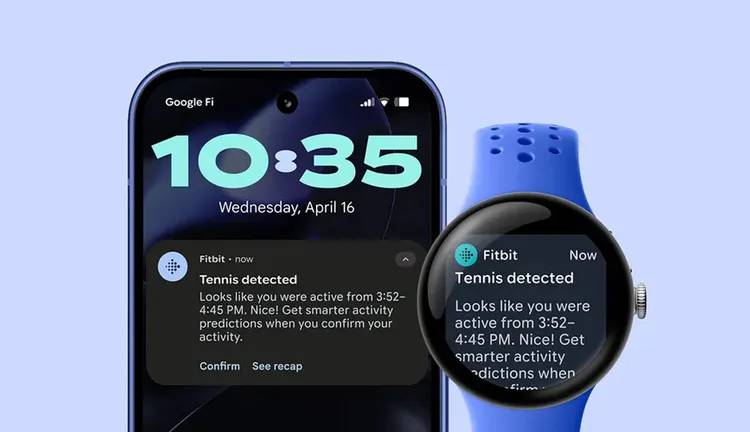
If it activates accidentally or misses the motion, adjust gesture sensitivity in the Pixel Watch app. Google's Raise to Talk instructions include a built-in tutorial. Gemini can answer questions and perform supported watch or connected-service actions, but it does not replace separate hand gestures used to manage some notifications and calls.
If you are new to the assistant, these practical uses for Google Gemini provide helpful context.
Track routes with dual-frequency GPS
Pixel Watch 4 can receive two satellite frequency bands, helping it handle reflected or obstructed signals more effectively than single-band hardware. This is most useful among tall buildings, under dense trees, and on winding routes.
For a cleaner route recording, wait outdoors for GPS to lock before starting, wear the watch snugly, and keep Battery Saver settings from restricting location during the workout. GPS cannot eliminate every error, especially indoors, in tunnels, or beside steep terrain.
Stream cycling stats to the phone
During a cycling workout, Pixel Watch 4 can send real-time metrics to the Fitbit app so the phone acts as a larger heads-up display. Mount the phone securely where it does not block controls or your view, start the supported cycling workout, and open the live workout view in the app.
Set up the screen before moving. Do not tap or adjust the phone while riding in traffic. A dedicated bike computer may still be better for long rides, navigation, external sensors, or harsh weather.
Use improved sleep and workout tracking carefully
Google says new machine-learning models made sleep-stage classification 18% more accurate than the previous generation in its testing. The watch also expanded automatic exercise recognition and offers more than 50 workout modes.
Wear it snugly but comfortably, keep the sensors clean, and select the correct workout when you need a detailed record. Sleep stages, skin temperature trends, heart rate, and other wellness data are estimates and are not medical diagnoses. Regulated features such as ECG vary by age, country, and software.
Plan charging around the two case sizes
Google rates the 41 mm model for up to 30 hours and the 45 mm model for up to 40 hours with the always-on display. Battery Saver extends the manufacturer claims to as much as two days and three days respectively. GPS workouts, LTE, calls, screen brightness, apps, and battery age all affect actual runtime.
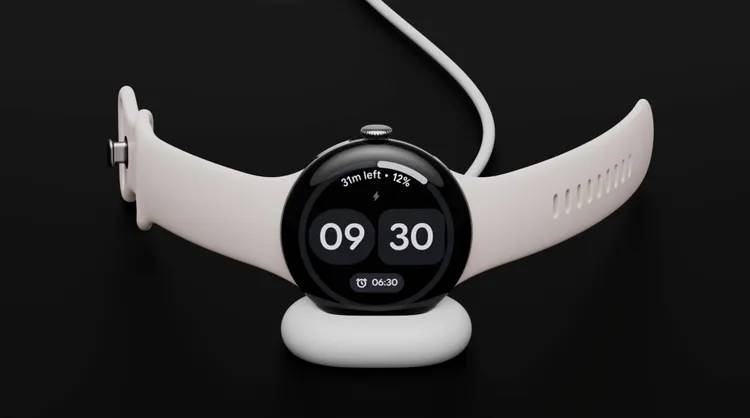
The Quick Charge Dock is rated to take the watch from 0 to 50% in about 15 minutes under Google's test conditions. A short charge while showering or getting ready can preserve overnight sleep tracking better than charging every night in bed.
See more on the brighter Actua 360 display
The domed Actua 360 panel has a 10% larger active area, 16% smaller bezels, and peak brightness up to 3,000 nits. Google describes it as 50% brighter than the Pixel Watch 3. Peak brightness is situational, so it will not remain at that level constantly.
Repair the battery or display
Pixel Watch 4 was the first Pixel Watch designed with a replaceable battery and display. That makes repair possible, but it does not mean every repair is simple or available everywhere.
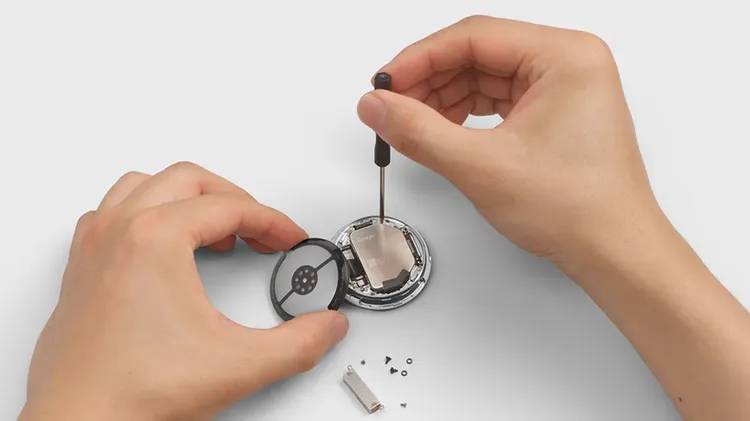
Google offers mail-in and walk-in options only in supported regions, with coverage and cost depending on warranty status. Back up the watch and factory-reset it before service. Start with Google's Pixel Watch repair page rather than an unofficial shop; opening the watch can affect water resistance and warranty coverage.
Before buying a discounted Pixel Watch 4
- Confirm it is the 41 mm or 45 mm size you want and whether it is Wi-Fi or LTE.
- Check that Satellite SOS and regulated health features are supported in your country.
- Compare its price with the newer Pixel Watch 5 and other Android smartwatch options.
- For a used watch, verify battery condition, display damage, charger inclusion, account removal, and warranty eligibility.
Google's Pixel Watch 4 announcement documents the original design, battery, display, GPS, fitness, and serviceability claims in one place.
Related Articles
 5 Important Improvements on Pixel Watch 3: What You Need to Know6 minutes read
 Pixel Watch: a Classy Watch Model from Google: Main Insights8 minutes read
 6 Pixel 9 Pro Features to Expect8 minutes read
 Configuration Details, New Features of the Google Pixel 3 and 3 XL Duo Just Launched6 minutes read
 6 Pixel-Exclusive Features You Can Transfer to Any Android Phone7 minutes read
 7 Little-known Google Pixel 8 Features You Should Use : Expert Selection Guide11 minutes read
Reader Comments 0
Sign in with email or Google to join the discussion.