How to install Vietnamese for Microsoft Office 2013 suitewhen installing the microsoft office 2013 suite, the default display interface will be english, thus making it difficult for some people who are not fluent in the language. we can switch to using vietnamese to make it easier to use.
Instructions for inserting YouTube videos into Word 2013would you like to insert videos on youtube into your word document to enrich the content being edited? this is quite simple in word 2013, please refer to the implementation guidelines.
Quickly identify file locations in Word 2013during the compilation of microsoft word documents, you can forget where you saved the document in the device. in addition to using the 'save as' command, you can quickly view the file location on the quick access toolbar. this article explains how to quickly locate the file that is open in
Turn off the Mini Toolbar and Live Preview features in Word 2013the mini toolbar and live preview feature were first introduced in word 2007, and continue to be used in word 2010 and word 2013. these 2 features help users quickly set the format. and preview format settings during text editing.
How to add and edit shortcuts in Word 2013many commands in microsoft word include a shortcut (keyboard shortcut), which helps users quickly format text, save files and perform other operations on documents. these keyboard shortcuts can be customized or you can attach shortcuts to commands without shortcuts.
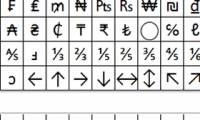
How to use icons in Microsoft Word 2013microsoft word provides hundreds of icons that are not on the keyboard for you to insert into the document. for example, you can insert decimals (½), degree symbol (°), pi (π), or currency symbols, such as pounds (£). there are many symbols and characters for each font set.
 How to install Vietnamese for Microsoft Office 2013 suite
when installing the microsoft office 2013 suite, the default display interface will be english, thus making it difficult for some people who are not fluent in the language. we can switch to using vietnamese to make it easier to use.
How to install Vietnamese for Microsoft Office 2013 suite
when installing the microsoft office 2013 suite, the default display interface will be english, thus making it difficult for some people who are not fluent in the language. we can switch to using vietnamese to make it easier to use.