Table of Contents
This guide covers run mac os x 10. 7. 3 on ivy bridge machines with practical context and easy-to-follow details. Use it to understand the subject and apply the information confidently.
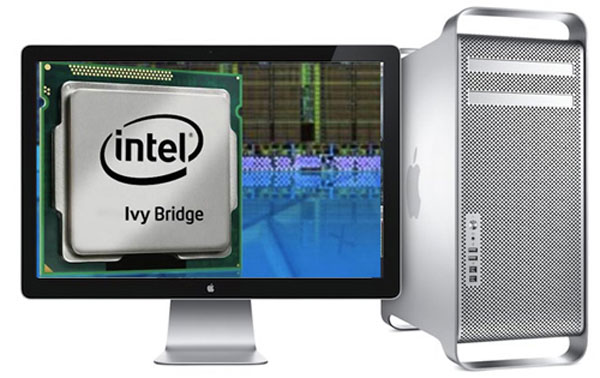 With the new patch, OS X 10. 7. 3 will support Ivy Bridge on machines not manufactured by Apple.
While Apple only officially introduced the OS X operating system for its Mac products including laptops and desktops, hackers are increasingly perfecting to bring this OS to run on non-Apple machines. Production since "Apple" Started using Intel chips. In particular, including models using Intel Core i Ivy Bridge processor platform, even OS X 10. 7. 3 official version has not yet supported.
A toolkit of software called BridgeHelper 3. 0 written by author nicknamed TonyMacx86 helped OS X 10. 7. 3 to run on 3rd generation Core i processors. This is not an alternative version for Intel's new chip support is officially from OS X, so there may be specific incompatibilities, according to Lilputing. However, until Apple officially introduced the new version, it was still the preferred tool for those who wanted to install a Hacintosh model running Ivy Bridge.
The 3rd generation Intel processor (22 nm structure) has some highlights compared to the 32 nm structure of Sandy Bridge line, which is 20% higher performance, 20% less power consumption. With greater power and efficiency in operation, Ivy Bridge also has a smaller size and improved graphics processing capabilities with integrated HD 2500 and HD4000 chips. Samples of HD 4000 chips are fast enough to handle 4K resolution video and moderately modern video games.
FAQ
What should I check before following these steps?
Confirm device and software compatibility, save important data, and make sure you have the required permissions, files, and account access.
Why might the process not work?
Common causes include outdated software, missing permissions, incompatible hardware, an unstable connection, or completing a step in the wrong order.
Can I undo the changes if necessary?
That depends on the tool or setting. Use built-in restore options when available, keep a backup, and record the original configuration first.
Related Articles
 Adobe Bridge - Adobe Bridge Download and Installation Guide5 minutes read
 The World's First Steel Bridge Was Created with 3D Printing Technology, Equipped with Smart Sensors4 minutes read
 Instructions for Setting Up and Managing Network Bridge on6 minutes read
 Trend of Laptop Hardware This Year7 minutes read
 The Picture of the Strange and Controversial Bridge over the Past3 minutes read
 The 2012 Alienware M14x, M17x and M18x Version Use the New GPU, the Old4 minutes read
Reader Comments 0
Sign in with email or Google to join the discussion.