Table of Contents
According to Channelnewsasia, Quora Inc. , a Q&A website owned by Quora, was attacked on December 3, leaving information of 100 million users exposed.
Quora's Question and Answer Page Was Attacked Overview
CEO Adam D'Angelo said that their database system has been illegally accessed and compromised by a third party. 100 million user accounts can be stolen data information including name, email address, password and even data entered from linked pages authorized by users. However, users who post questions and answers anonymously are not affected by this problem.
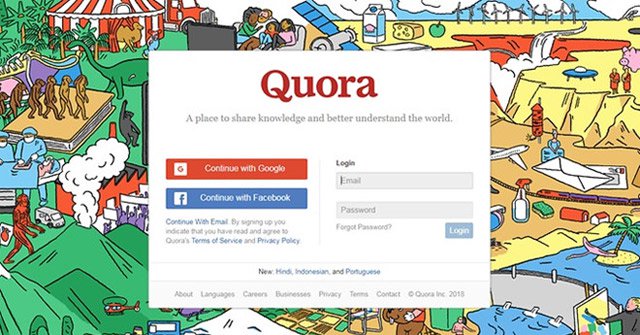 Photo: Channelnewsasia.
Currently, Quora Inc is in the process of informing users about the incident, maybe the affected accounts will be logged out and disable the password.
Mr. D'Angelo said, Quora Inc asked a leading cyber security company to help solve the problem. At the same time, the company is also cooperating with authorities to investigate the cause of the incident. Meanwhile, the company will continue to take security steps to protect users and prevent similar incidents that may occur in the future.
See more:
- The malware detection is extremely dangerous, unable to destroy even if the operating system is reinstalled and the hard drive is replaced
- Facebook announced that 29 million accounts were actually stolen and this is a way to discover
- Hacker attacks 50, 000 printers, sends a message asking people to subscribe to PewDiePie
Security note: Threat conditions and vendor guidance can change. Install current updates and verify any advisory with the official vendor before taking action.
FAQ
Why does quora's Question and Answer Page Was Attacked matter?
According to Channelnewsasia, Quora Inc., a Q&A website owned by Quora, was attacked on December 3, leaving information of 100 million users exposed.
Who may be affected by this issue?
The impact depends on the affected product, version, account, device, or network. Review the article details and the vendor's current advisory to confirm whether your environment is exposed.
How can users reduce the risk?
Install current security updates, use official downloads, enable strong account protection, maintain tested backups, and follow the latest guidance from the relevant vendor.
Related Articles
 73 Million US Carrier Customer Accounts Had Their Personal Information Exposed5 minutes read
 49 Million Instagram Users Leak Personal Information, Mostly Celebrities3 minutes read
 Facebook Announced That 29 Million Accounts Were Actually Stolen and This Is a Way to Discover4 minutes read
 How Have 50 Million Facebook Users Been Taken Advantage of by Cambridge Analytica to Serve Politics?7 minutes read
 Discord Suffers Major User Data Leak: Complete Guide3 minutes read
 VPN Vulnerabilities and How to Check and Prevent Them8 minutes read
Reader Comments 0
Sign in with email or Google to join the discussion.