Google's Pixel 9 series has been making a big splash since its launch thanks to all the advanced AI features the search giant has added to the devices, especially in the camera department. Along with the improved camera hardware this year, Google has also added a number of new AI features like Add Me, Auto Frame, and Reimagine. While Add Me will remain exclusive to the Pixel 9, it looks like Google may bring the other two features to older Pixels.
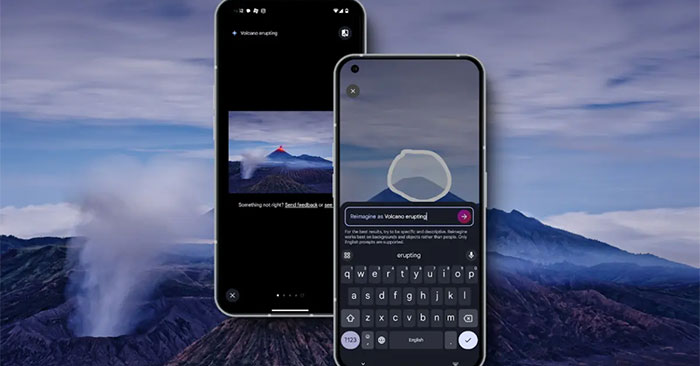
As spotted by Android Authority's Assemble Debug, the two new features could eventually come to Pixels released after 2021, meaning Pixel 6 devices and later. According to him, there are three versions of the Google Photos app. There's one for Pixels released between 2021 and 2023, one for all Android devices, and one for the Pixel 9.
The tipster discovered strings related to the features in the latest version of the Photos app, which is version 6.99 for the Pixel 6, 7, and 8 series, suggesting that Google may be bringing these new features to older Pixels. They also found that the feature works on custom ROMs like Evolution X and LineageOS by spoofing the device ID to the Pixel 9, even on devices that don't meet Play Integrity standards.
- Reimagine material texture
- To erase or remove your selection, use the Erase button instead of Reimagine
- Reimagine cannot currently add, replace, or insert new objects. Try changing the style, texture, or material. For example, if you select a tree with green leaves, you could type "vibrant red and yellow autumn leaves".
- Auto frame
- Based on your photo content, Auto frame will try different layouts,."
This isn't the first time new Pixel features have come to older Pixel devices. Magic Editor, a Pixel 8 exclusive at launch, came to older Pixels within months, then to all Android phones with a Google One subscription. The same goes for Photo Unblur, which was announced as a Pixel 7 exclusive but is now available on all Android phones.
This raises the possibility that Auto Frame and Reimagine will come to non-Pixel devices in the future. What do you think about Google bringing new features to older Pixels? Share your thoughts in the comments below!






Reader Comments 0
Sign in with email or Google to join the discussion.