What you will learn
- Separate factual notes from ideas and instructions.
- Create an outline that follows the intended argument.
- Prevent unsupported details from entering the draft.
- Preserve review markers and questions for human completion.
What you need
- A set of notes from a meeting, interview or research session.
- Permission to process the information in the chosen AI tool.
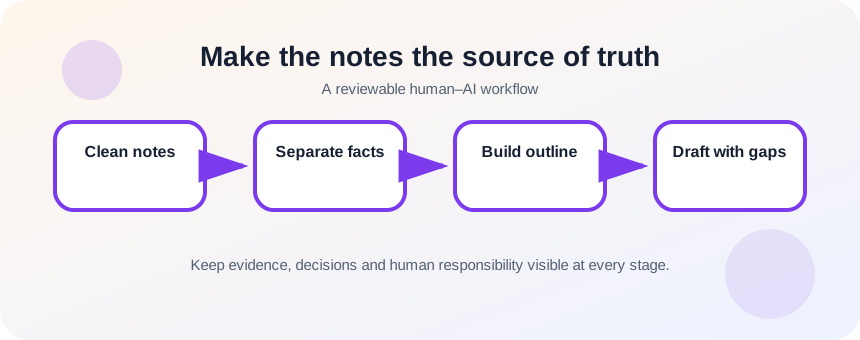
Make the notes the source of truth
OpenAI recommends clear instructions and sufficient context so the model can understand the requested task.
OpenAI’s data controls let users choose whether conversations help improve models, but privacy settings do not replace an organization’s rules about which information may be submitted.
Label note types before drafting: verified fact, quotation, interpretation, action, open question and writing instruction. This prevents a brainstorming idea from being presented as something a participant actually said.
Clean and label the source material
Remove passwords, private identifiers and unrelated comments. Expand abbreviations that the model could misread. Attach a source label to quotations and important facts. If the notes conflict, keep both versions and mark the conflict instead of silently choosing one.
- 1
Copy the notes into a working document.
- 2
Remove sensitive information not needed for the draft.
- 3
Label facts, quotes, opinions, actions and open questions.
- 4
Identify the primary message.
- 5
List mandatory details.
- 6
Mark conflicts and missing information.
Outline before asking for prose
Ask for an outline that uses only the notes, then review the order and argument. Once approved, request one section at a time or a complete first draft with explicit review markers such as [DATE NEEDED]. Require the model to list any statement that was inferred rather than directly supported.
- 1
Provide the labeled notes.
- 2
State audience and purpose.
- 3
Require an outline before drafting.
- 4
Remove sections not supported by notes.
- 5
Approve the outline.
- 6
Generate the draft using only approved material.
- 7
Review inferred statements and fill review markers manually.
Perform a note-to-draft trace
For each important sentence, find the supporting note. Verify names, dates, commitments and quotations. Then edit for flow and voice. The first review asks “is it supported?” before the second asks “does it sound good?”
Preserve traceability while drafting. Give important notes stable labels such as N1, N2 and N3, then ask the draft to retain those labels beside factual statements during the review stage. Remove the labels only after every sentence has been checked. This technique makes omissions and invented transitions easier to find, especially when meeting notes mix decisions, proposals, open questions and personal interpretations.
- Every important fact traces to a note or source.
- Open questions remain visible.
- The draft reflects the intended message rather than a generic one.
Draft a meeting summary from labeled notes
Create a concise summary without adding decisions that were not made.
- 1
Label a page of meeting notes.
- 2
Remove confidential side comments.
- 3
Generate and approve an outline.
- 4
Draft the summary.
- 5
Trace decisions and action items back to notes.
- 6
Replace review markers and send only after human review.
Common mistakes to avoid
- Pasting unfiltered confidential notes.
- Skipping the outline.
- Allowing tentative ideas to become final decisions.
- Editing for style before checking support.
Key takeaways
- Source labels protect factual fidelity.
- An approved outline controls the argument.
- Traceability comes before polish.
Frequently asked questions
Should I paste raw meeting transcripts?
Only when policy and consent allow it. Remove unnecessary personal data and consider summarizing or redacting first.
How do I stop invented details?
Require the draft to use only supplied facts, mark missing information and provide an inference list for review.
Sources and further reading
- Prompt engineering best practices for ChatGPTOpenAI Help Center
- Data Controls FAQOpenAI Help Center
Ready to continue?
Mark the lesson complete so your Learning Path progress stays current on this device.