What you will learn
- Classify tasks by generation, analysis, recommendation and action.
- Estimate the consequence and reversibility of an AI error.
- Assign a limited AI role instead of delegating the entire outcome.
- Create a review gate proportionate to risk.
What you need
- A list of three work or study tasks.
- Authority to decide how those tasks are completed.
Evaluate the decision, not the novelty
NIST’s AI Risk Management Framework is a voluntary framework for managing risks to individuals, organizations and society across the design, development, deployment and use of AI systems.
Microsoft describes responsible AI through principles including fairness, reliability and safety, privacy and security, inclusiveness, transparency and accountability.
A low-risk task has a clear input, a reversible output and a human who can quickly notice a mistake. Reformatting notes, generating headings or drafting a checklist often fit this pattern. A high-risk task may make or strongly influence a decision about a person, move money, disclose confidential data, publish an accusation or trigger an external action. The same model can be acceptable for one and inappropriate for the other.
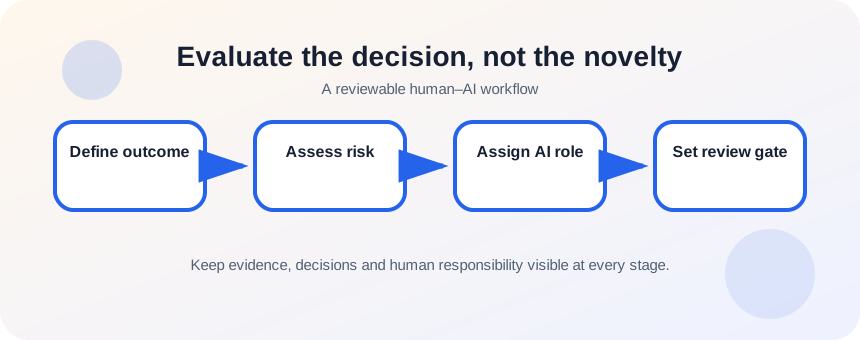
Score the task before opening the AI tool
Use a simple screening table. Record the intended outcome, the data involved, the cost of a wrong answer, whether the action can be reversed and who can review it. This takes less time than repairing a workflow that automated the wrong step.
- 1
Describe the outcome without naming an AI tool.
- 2
List the inputs and identify confidential or regulated data.
- 3
Rate the harm of an error as low, medium or high.
- 4
Ask whether a human can detect the error before it matters.
- 5
Ask whether the output can be reversed or recalled.
- 6
Name the person who owns the final decision.
Assign AI a bounded role
Good roles include brainstormer, organizer, extractor, drafter, critic and simulator. These roles produce material for inspection. Risk rises when the role becomes approver, adjudicator, sender, purchaser or system administrator. If an automated action is still justified, place explicit rules, logging, limits and human approval around it.
- 1
Choose one bounded role for AI.
- 2
Define the source material it may use.
- 3
Specify what it must not decide or invent.
- 4
Create examples of acceptable and unacceptable output.
- 5
Require uncertainty to be labeled.
- 6
Route the result to a named reviewer.
- 7
Permit external action only after the review gate.
Match controls to consequence
A newsletter outline may need a quick editorial check. A financial comparison needs source validation, formula review and clear assumptions. A hiring or eligibility decision may require legal review and may not be an appropriate AI task at all. “Human in the loop” is not meaningful unless the person has time, evidence, authority and a clear reason to reject the output.
- The AI role is narrower than the overall responsibility.
- The reviewer sees the evidence and knows the rejection criteria.
- No irreversible action occurs solely because the output sounds plausible.
Screen three candidate tasks
Select the safest AI use and redesign the riskiest one.
- 1
Write three tasks you considered giving to AI.
- 2
Score consequence, detectability and reversibility.
- 3
Select the lowest-risk task for a pilot.
- 4
Define the AI role and review gate.
- 5
For the riskiest task, remove or isolate the sensitive decision.
- 6
Document why the final design is acceptable.
Common mistakes to avoid
- Using AI because a feature exists rather than because the task fits.
- Calling an approval step “human review” when the reviewer lacks evidence.
- Automating external actions before the drafting stage is reliable.
- Ignoring people affected by the decision.
Key takeaways
- Task selection is a risk-management decision.
- Bounded support roles are safer than unrestricted decision roles.
- Review quality depends on evidence, authority and rejection criteria.
Frequently asked questions
What is the safest first AI task?
Choose a reversible internal task using non-sensitive material, such as reorganizing notes or generating draft headings.
Can AI make final decisions if a human clicks approve?
A click alone is not adequate oversight. The reviewer must understand the basis, inspect evidence and have meaningful authority to reject the recommendation.
Sources and further reading
Ready to continue?
Mark the lesson complete so your Learning Path progress stays current on this device.